What is it?
The Acer Googlebook 14 is one of the first Googlebook devices on the market. Unlike budget Chromebooks, Googlebooks are premium laptops that run Googlebook OS, an operating system based on Android, and Acer’s model is the most affordable variant and the only one that currently offers a 2-in-1 form factor.
What does it cost?
Googlebooks aren’t budget devices like Chromebooks — they come with premium price tags. That said, the Acer Googlebook 14 is the cheapest model you can get right now, starting at $899 / £999 (around AU$1,300). This entry-level model comes with an Intel Core Ultra 5 Series 3 processor, a 14-inch OLED screen, and 16GB RAM, and in some markets, you can also get it with a more powerful Intel Core Ultra 7 processor.
Alternatives
The Acer Googlebook 14 launches alongside four other Googlebooks: the Asus Googlebook 14, HP Googlebook 14, Lenovo Googlebook 15, and the Dell XPS Googlebook. These laptops all have superficially similar specs, such as starting with 16GB of RAM and 512GB storage, but each one has a different selling point, be it a larger screen, thinner design, or, in the Acer Googlebook 14’s case, a 2-in-1 design.
Acer Googlebook 14 review: Value for money
Starting at $899 / £999 (around AU$1,300), the Acer Googlebook 14 is the most affordable Googlebook in the initial lineup, with the Dell XPS Googlebook ($999 / $1,099 / $2,399) next. It’s around $200 / £200 cheaper than the HP Googlebook 14 and Asus Googlebook 14, the two most expensive Googlebooks.
The fact that the Acer Googlebook 14 is a 2-in-1 device, whereas the more expensive Googlebooks are simply traditional laptops, makes it an even better value. The Acer Googlebook 14, as with all other Googlebooks, gives you 12 months of Google AI Pro (worth $249.99 / £220 / around AU$480), plus three months of YouTube Premium and a year of GeForce Now game streaming.
In the UK, Acer also offered promotional hardware bundles and extended warranties during the initial launch window, highlighting the manufacturer's focus on added value.
While availability varies by region, the overall package delivers competitive value compared to traditional enterprise laptops.
While the Acer Googlebook 14 is quite a bit more expensive than most Chromebooks, it’s a premium device with a gorgeous design and some powerful hardware, which does justify the higher price, somewhat. However, if money is tight, then a budget Chromebook will be a better buy.
Acer Googlebook 14 review: Design
Only 2-in-1 Googlebook (so far)
Sleek, premium design
Lovely screen
When Google announced the first batch of Googlebooks, the company made it clear that these are premium laptops with designs to match. So, don’t think of the likes of the Acer Googlebook 14 as replacements for cheap and cheerful Chromebooks, but instead rivals to the MacBook Air, as well as Windows 11-powered ultrabooks.
That’ll be a disappointment to anyone who was hoping Googlebooks would be more affordable. However, the Acer Googlebook 14 does look and feel like an expensive laptop, which goes some way to justifying the price.
With dimensions of 12.28 x 8.78 x 0.55 inches (312 x 222.9 x 13.9 mm), it’s slightly chunkier than the MacBook Air 13-inch (M5), though it comes with a slightly larger screen. It’s noticeably lighter than Apple’s laptop, weighing 2.51 lbs (1.14 kg), compared to the MacBook Air’s 2.7 lbs (1.24 kg).
Finger print scanner
The power button includes a finger print scanner for biometric login.
360-degree hinges
The hinges allow the screen of the Acer Googlebook 14 to flip back, turning it into a tablet-like device.
Keyboard
The keys are large and comfortable to type on.
It’s the second lightest Googlebook, only beaten by the Asus Googlebook 14, which weighs in at just 2.2 lbs (1 kg). The body of the laptop uses a magnesium-aluminium alloy, which feels robust without being too heavy, so while the Acer Googlebook 14 feels thin and light, it also feels durable. You certainly wouldn’t feel worried about damaging it when taking it out and about with you.
The thin design does come with some drawbacks, namely with the port selection — you just get three USB-C ports and an audio jack. One of the USB-C ports is Thunderbolt 4, while the other two are slower USB 3.2 Gen 2 ports, so that means you’ll want to pay attention to which port you plug things into, especially if transfer speeds are particularly important.
To Acer’s credit, three USB-C ports are an improvement on the two ports a lot of similarly-priced thin and light laptops offer. If you need to charge the Acer Googlebook 14, however, one of those USB-C ports will need to be sacrificed.
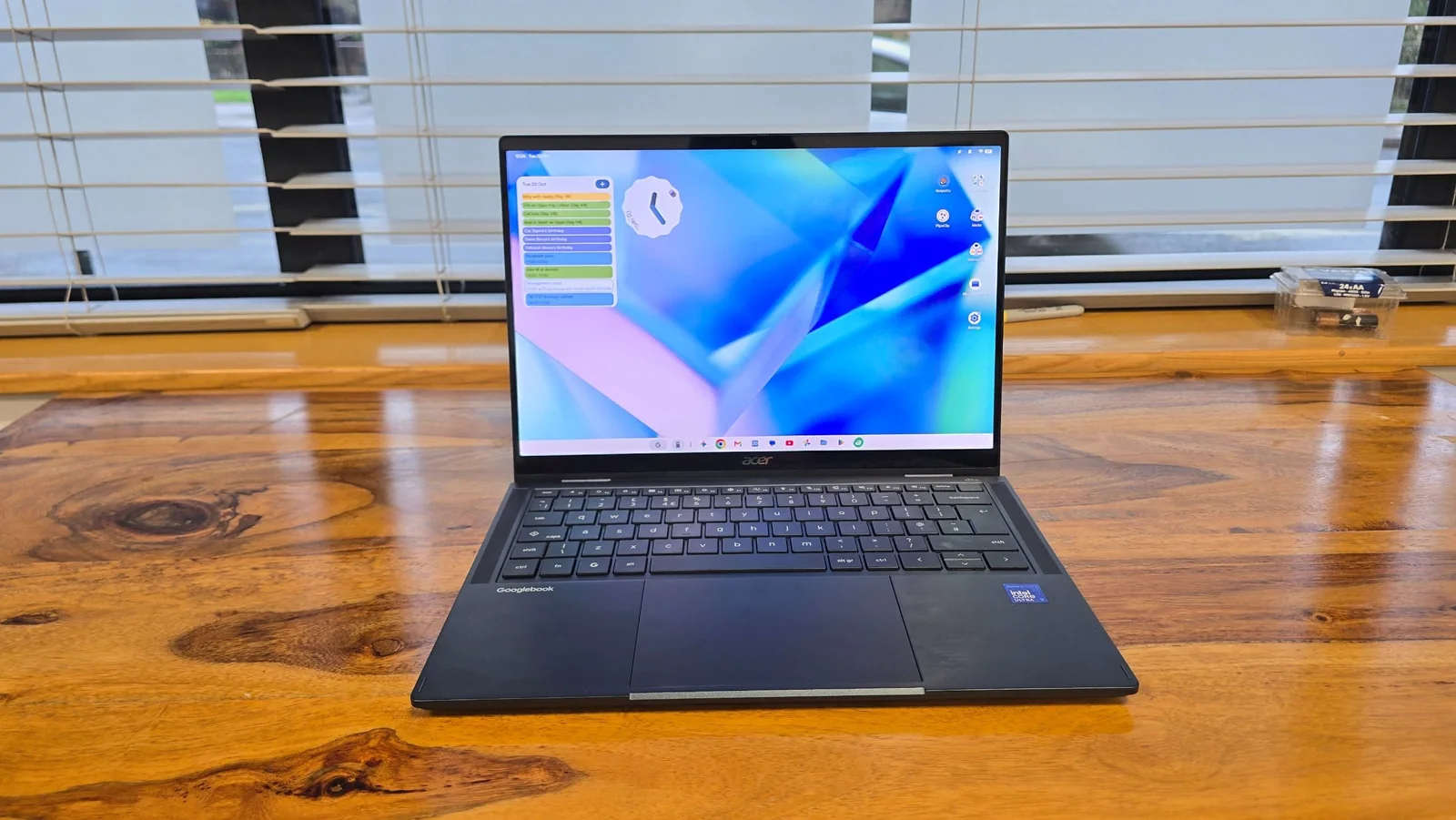
The screen is a 14-inch OLED touchscreen with a sharp resolution of 2880 x 1800 and an aspect ratio of 16:10. It looks fantastic, and really helps give the Acer Googlebook 14 a premium feel. As a touchscreen, it’s nice and responsive, and it also means that when using Android apps designed to be used with a touchscreen, they work really well. The bezels on either side of the screen are nice and thin.
At the top of the screen is a 5MP webcam with a physical privacy shutter that you can slide to turn off the camera, which is a reassuring feature. The keyboard feels nice and responsive, with a decent travel for each key when pressed. The keys are well spaced, so when typing quickly you can still accurately hit the keys you want. They are also backlit, so using the Acer Googlebook 14 in darker environments isn’t an issue.
There’s also a biometric fingerprint scanner included in the top-right corner of the keyboard for logging in quickly and securely. It works well, though it doesn’t feel quite as quick as the Touch ID button on modern MacBooks.
The Acer Googlebook 14 features a large glass touchpad that takes up around a third of the space below the keyboard, and it responds well to gestures.
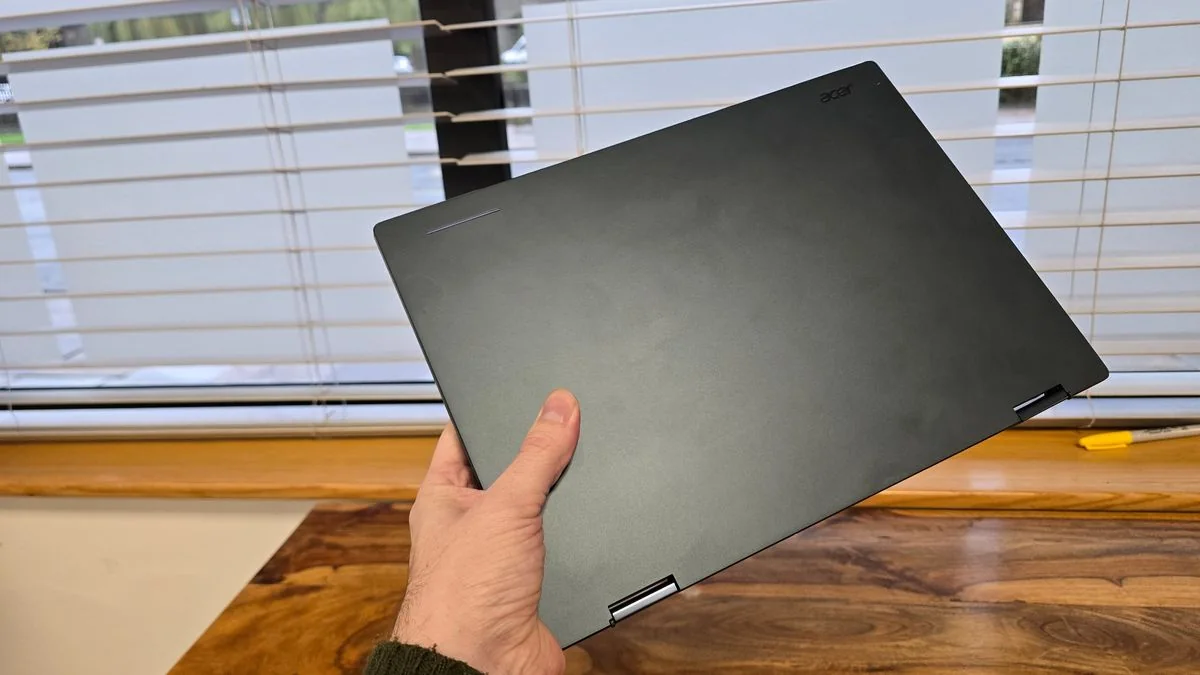
On the back of the laptop lid is an understated Acer logo, along with the ‘Glowbar’, which is a thin horizontal line that lights up and changes color depending on what you’re using the Googlebook for. The Glowbar appears on all Googlebooks, though its placement on the lid varies.
When you plug in the Googlebook, the bar can display the battery level, and it flashes different colors when using the built-in Gemini AI helper. It adds a bit of interesting color, though when using the laptop, the screen is open and the Glowbar faces away from the user, limiting its practical utility.
What really makes the Acer Googlebook 14 stand apart from other Googlebooks is its 2-in-1 form factor. Not only can it be used as a traditional laptop, but the screen can be folded back, turning it into a tablet-like device. Because Googlebook OS can run Android apps natively and via streaming, this is a major selling point.
Android apps tested on the laptop looked fantastic thanks to the OLED screen, with video and social apps adjusting quickly depending on orientation. Google Chrome also worked well in vertical handheld modes to minimize scrolling.
However, a strange quirk exists: while individual apps change orientation, the desktop interface remains locked in landscape mode. Launching apps from the desktop or App Drawer while holding the device in portrait mode feels rather clunky.
When queried about this behavior, manufacturer representatives clarified Google's initial software choices regarding convertible layouts.
"Acer Googlebook 14 is the first convertible device to run the new Googlebook OS. For the initial launch, Google has chosen to lock the app tray/taskbar in landscape orientation, as its usage data for convertible devices indicates that landscape is the most commonly used orientation."
This is an odd decision by Google that makes the Acer Googlebook 14’s major selling point slightly less enticing until software updates arrive.
The 2-in-1 abilities of the Acer Googlebook 14 rely on robust 360-degree hinges that hold the two halves together securely with no concerns about long-term durability.
Acer Googlebook 14 review: Performance
Feels fast
Screen looks great
Googlebook OS needs work
Googlebooks represent an entirely new product category. The review unit featured a cutting-edge Intel Core Ultra 5 325 processor, 16GB of LPDDR5X memory, and a 512GB SSD, hardware that would comfortably power a high-end Windows 11 machine.
Because Googlebook OS is partially built on Android and designed to be lightweight, system performance is expected to excel.
The laptop feels fast and responsive when opening apps and browsing the web. Finding and installing software via the Play Store is straightforward, and apps optimized for desktop interfaces feature clear labeling.
Certain apps required manual touch control mapping to the keyboard during initial testing, resulting in a somewhat clunky experience on a touchscreen device.
Despite being labeled for desktop use, some games launched in portrait windows, failing to utilize full-screen layouts correctly without multiple restarts.
Tablet mode orientation transitions occasionally required app restarts, highlighting that Googlebook OS is still in its early stages of development.
These issues stem from the software rather than hardware limitations. Googlebook OS is clearly in its early days, meaning the 2-in-1 design is not yet as polished as it could be.
The operating system aims to replicate the seamless ecosystem experience found between iPhones and Macs—such as screen mirroring, device switching, and notification syncing.
Promised features like running phone apps directly on the laptop without installation show immense promise for Android users who have long awaited native cross-device synergy.
Initial setup between the laptop and a Samsung Galaxy smartphone required troubleshooting QR codes and cross-device service configurations before functioning smoothly.
Once software updates and One UI prerequisites were installed, cross-device services became fully operational.
Streaming phone apps wirelessly introduces a brief delay, but successfully populates phone applications with a desktop-like interface in their exact previous state.
File explorer integration allows users to view smartphone files alongside internal storage and cloud drives, though wireless file streaming introduces minor latency.
Cloud storage integration works seamlessly with Google Drive and rival services like OneDrive once logged in, keeping all documents accessible within the native Files application.
Overall, the Googlebook OS and Android ecosystem needs refinement, but holds immense potential for mobile power users.
On-device AI powered by Gemini Argon offers responsive coding and productivity assistance through the included Google AI Pro subscription, though heavy usage can quickly exhaust rate limits.
The 'Magic Cursor' feature lets users shake the cursor to prompt Gemini to analyze live screen elements, offering a more flexible alternative to static screenshot tools found on other platforms.
This highlights the benefits of an operating system built from the ground up for artificial intelligence rather than retrofitted features.
Day-to-day performance was very good, even if early software builds require additional polish.
Ecosystem integration shows great promise, provided long-term software support remains consistent.
Acer Googlebook 14 review: Battery Life
Because Googlebook OS was designed as a lightweight operating system, strong battery results were expected.
Manufacturer claims suggest up to 16 hours of web browsing, but moderate web browsing benchmark tests yielded just under ten and a half hours of continuous use.
While falling short of marketing claims, it easily lasts through a standard workday or school session on a single charge.
With modern ultraportable laptops pushing toward the 20-hour mark, a 10-hour battery life is acceptable rather than industry-leading.
Buy the Acer Googlebook 14 if...
You use an Android smartphone and want deep ecosystem integration, a reliable 2-in-1 tablet hybrid, or tight integration with Google's Gemini AI software.
Don't buy the Acer Googlebook 14 if...
You rely on dedicated Windows or macOS desktop applications, or if you use an iPhone and would miss out on crucial mobile ecosystem features.