Though OLEDs remain a premium gaming monitor category, they make up a large share of new model introductions. Prices are trickling down, and one company trying to make the best OLED gaming monitors more affordable is Alienware. Though it has plenty of high-end displays available, the newest models are aimed at more modest budgets.
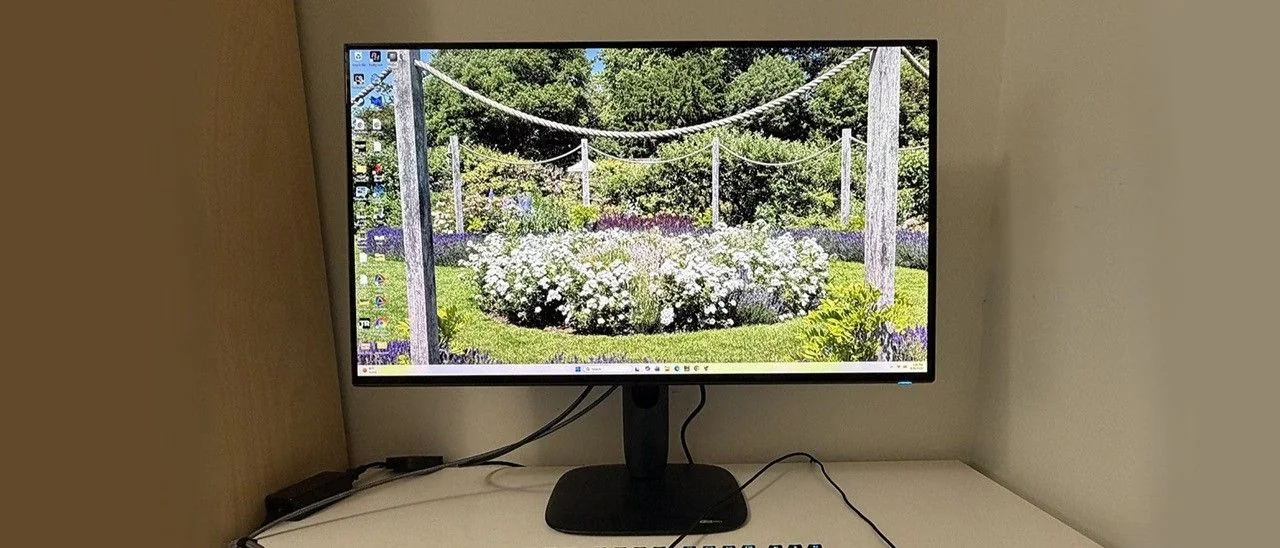
The latest example is one that would have been a flagship not too long ago. The AW3226Q is a 32-inch 4K flat OLED with Tandem Stripe RGB technology, 165 Hz, Adaptive-Sync, HDR400 True Black, Dolby Vision, and wide gamut color.
Display Specifications
Tandem RGB Stripe is the newest OLED variant, found in the AW3226Q and several new screens from Asus. It stacks emissive layers to provide more light with less power consumption while broadening the color gamut to over 100% coverage of DCI-P3. By placing pixels next to each other rather than using a triangular arrangement, it delivers a wide color gamut, high brightness, and sharper detail with no chance of color fringing.
The AW3226Q produces 1,000 nits from a 3% window in HDR mode and around 275 nits full field. The polarizing layer enhances black levels by preventing ambient reflections from washing out the image. Color volume reaches 101% of DCI-P3, and power consumption is efficient at just 34 watts drawn at 200 nits brightness. HDR10 and Dolby Vision are supported, backed by VESA DisplayHDR 400 True Black certification.
Gamers benefit from the 165 Hz refresh rate combined with Adaptive-Sync for smooth motion processing. Input lag is low, matching or beating several costlier alternatives. The display also features AlienVision, offering customized reticle options and sniper mode enhancements.
The monitor includes comprehensive connectivity with one DisplayPort 1.4 input and two HDMI 2.1 ports featuring FRL and eARC, facilitating integration with soundbars and AV systems. While lacking internal speakers, it provides a 3.5mm headphone jack alongside USB Type-A, Type-B, and Type-C ports.
At an opening price of $699, the AW3226Q presents a strong value proposition compared to higher-priced models featuring only minor differences.
Design and Setup
The monitor arrives in fully recyclable packaging with molded pulp protection. The upright snaps onto the panel while the base attaches via a captive bolt, creating a solid desktop footprint. The internal power supply reduces clutter, and the package includes an IEC cord alongside DisplayPort, HDMI, and USB cables.
Product 360
The screen features an almost frameless design with 8mm top and side borders and a 14mm flush bottom bezel. The bottom edge integrates a headphone jack and two USB ports for easy accessibility, while the primary I/O cluster is positioned underneath.
The stand incorporates a tapered floating attachment design with customizable AlienFX LED lighting integrated into the rear Alienware logo and controlled via the OSD.
Ergonomics include 5 to 21 degrees of tilt, 20 degrees of swivel, a 90-degree portrait mode, and 4.3 inches of height adjustment. A standard 100mm VESA mount is also supported for third-party arms.
Interface and Control
The rear joystick provides access to an extensive on-screen display featuring dedicated gaming presets, panel health tracking, and configuration options.
The quick menu displays system resolution, refresh rate, active preset, HDR mode, and dark stabilization settings, and can be customized by the user.
The full OSD includes 12 picture modes. While Standard offers accurate default colors, a dedicated gamma control is notably absent across custom color profiles, mirroring a common limitation in Dell and Alienware displays.
Game Enhance features timers, frame rate counters, and the AlienVision reticle editor. Esports modes allow cropped 25 and 27-inch display simulations at reduced resolutions.
AlienFX lighting controls can be fully adjusted or disabled for dark-room gaming.
The display menu provides seven HDR modes alongside Dolby Vision toggles, with HDR Peak 1000 Bright delivering optimal HDR performance.
Picture-in-Picture (PIP) and Picture-by-Picture (PBP) functions allow simultaneous multi-source viewing.
The personalize menu permits mapping of quick-access shortcuts to specific joystick directions.
Panel maintenance is managed automatically via background algorithms, with manual refresh routines available when preferred.
Calibration and Performance
Standard mode delivers accurate grayscale and color without visible errors, though gamma leans slightly bright without dedicated tuning options in custom color configurations.
For HDR10 inputs, users can select among seven presets, with Peak 1000 Bright recommended for maximum visual impact.
Gaming and Hands-on
Gameplay testing demonstrates smooth motion and responsive handling, though rapid camera movements reveal minor edge softening compared to faster 240Hz monitors.
Paired with powerful graphics hardware, frame rates remained stable at 165fps, while AlienVision tools provided practical utility during fast-paced sequences.
The Tandem RGB Stripe OLED architecture delivers exceptional image clarity, making it well-suited for color-critical photo editing and general productivity tasks alongside gaming.
Menu compromises require users to choose between precise grayscale tools in Custom Color or gamma controls available only in Creator or Console modes.
Physically, the monitor combines a nearly frameless aesthetic with robust build quality comparable to higher-end flagship offerings.
The AW3226Q serves as an exemplary everyday display, doubling as a capable desktop home theater via Dolby Vision and HDMI eARC support.
MORE: Best Gaming Monitors
MORE:
MORE: How to Buy a PC Monitor