Overview
Based on the mainstream B860 chipset, the ASRock B860 Challenger Wifi sits on the budget side of Intel's motherboard lineup, and costs a reasonable $149.99. You get a full-sized motherboard with full support for Intel’s Core Ultra and Core Ultra Series 2 processors. Still, some sacrifices in specs and features are inevitable at this price point. The all-black B860 Challenger includes all the basics: eight rear USB ports, three M.2 sockets with one supporting PCIe 5.0, four SATA ports, 2.5 GbE, Wi-Fi 7, and a basic audio solution. Performance on this board was actually quite good in our testing, handling our processor without issue though the VRMs ran hot during extended stress tests.
Inside the Box
ASRock includes a few accessories to help get you up and running. You get two SATA cables, an M.2 screw and mount, Wi-Fi antennas, stickers, and a quick installation guide.
Design and Layout
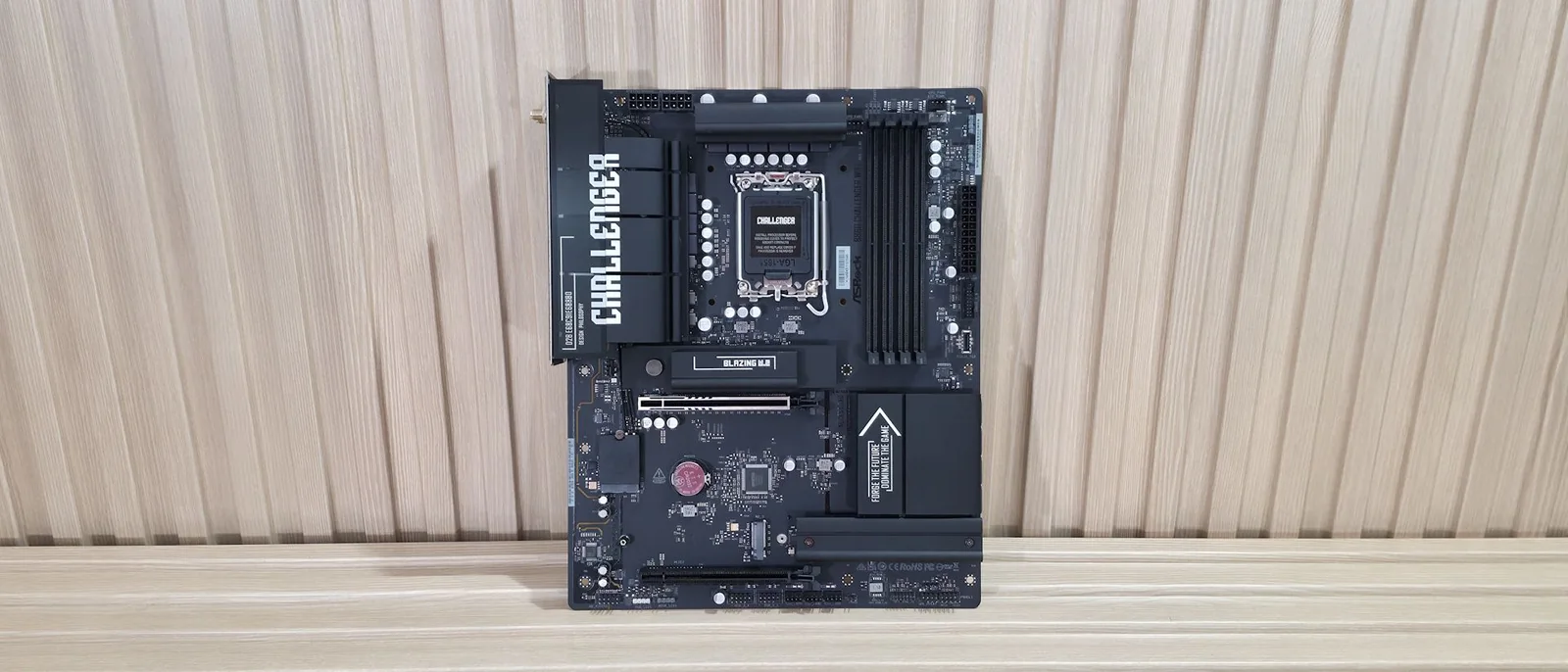
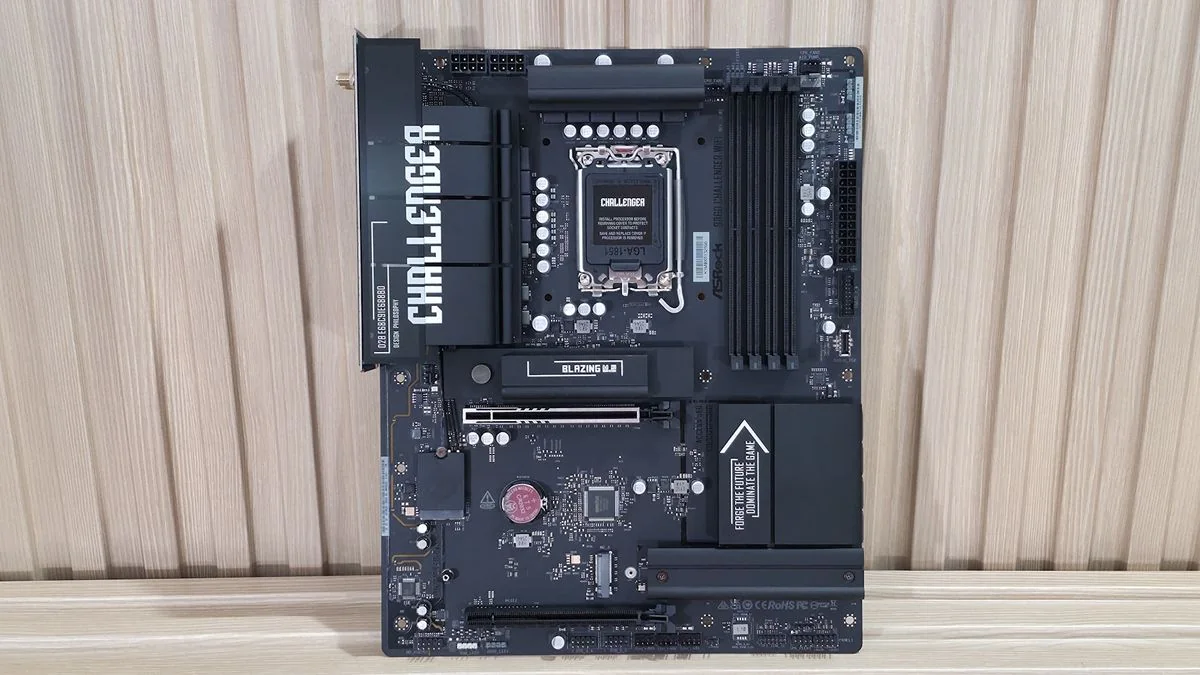
The B860 Challenger sits on a matte-black PCB with black connectors and heatsinks. Only the Challenger branding on a couple of heatsinks and the capacitors dot the board, breaking up the stealthy appearance. It lacks a full-coverage heatsink on the bottom, but two of the three M.2 sockets do have heatsinks. You won’t find any integrated RGB, but the board has multiple headers to add your own.
Overall, this is a plain-looking board with a lot of exposed PCB, but that's typical for this chipset and price. Still, it will blend well into any dark build theme.
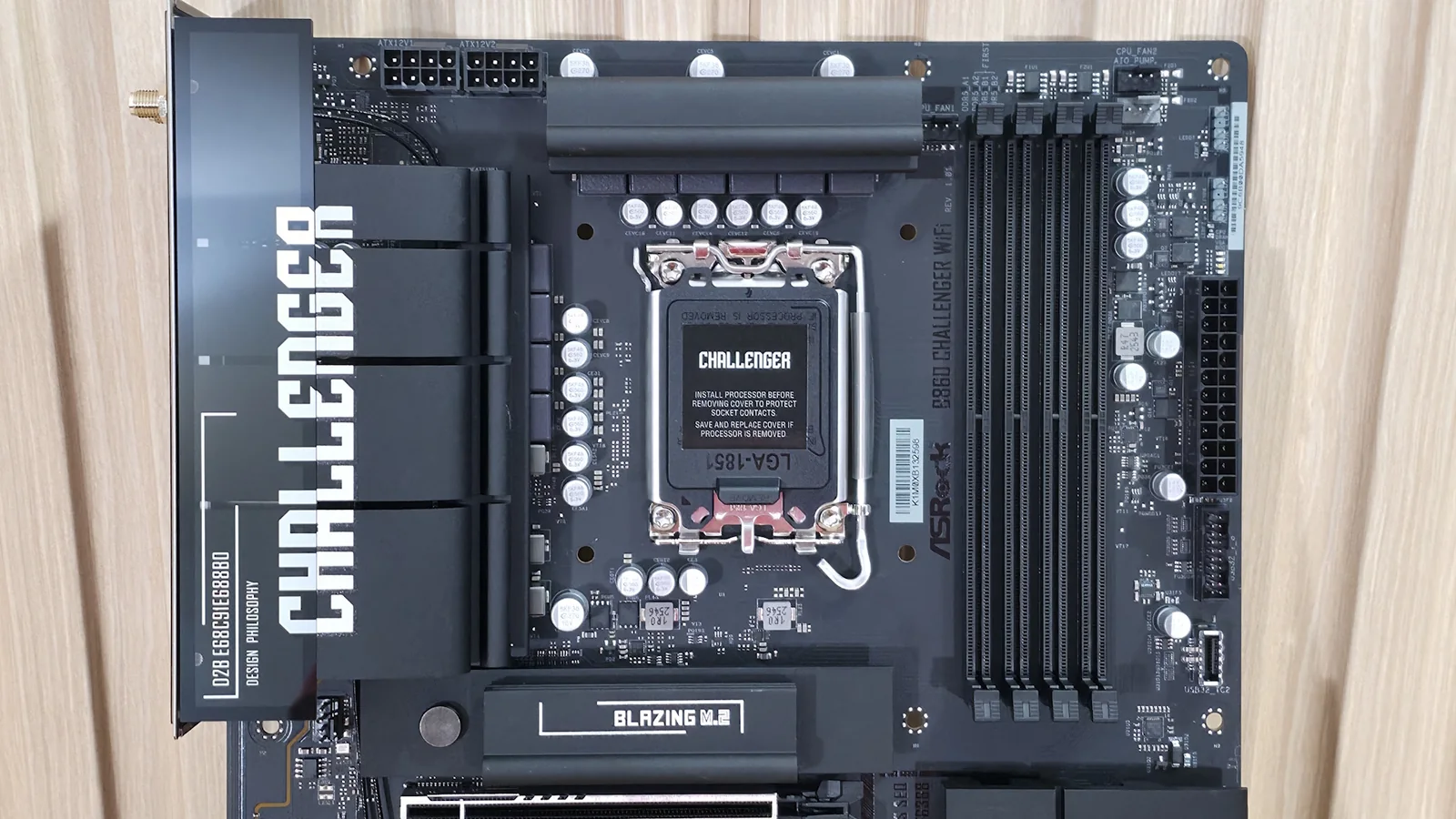
In the top-left area of the board, we see the standard dual 8-pin EPS connectors to power the processor. Below that is the large VRM heatsink that extends to the rear IO area. Moving right, past the socket, the next feature is the four DRAM slots, each with locking mechanisms on both sides.
Tucked between the heatsink and the DRAM slots on the left, along with two others on the right side of the slots, are the first 4-pin fan headers. Each header supports PWM and DC-controlled devices to adequately power system fans.
Rounding the corner and moving down the right edge, you'll find the first two 3-pin ARGB headers, followed by a third ARGB header and a single 4-pin RGB header along the bottom edge. Next are the 24-pin ATX connector, a front-panel USB 3.2 Gen1 header, and a front-panel USB 3.2 Gen1 Type-C header.
Power Delivery and Performance
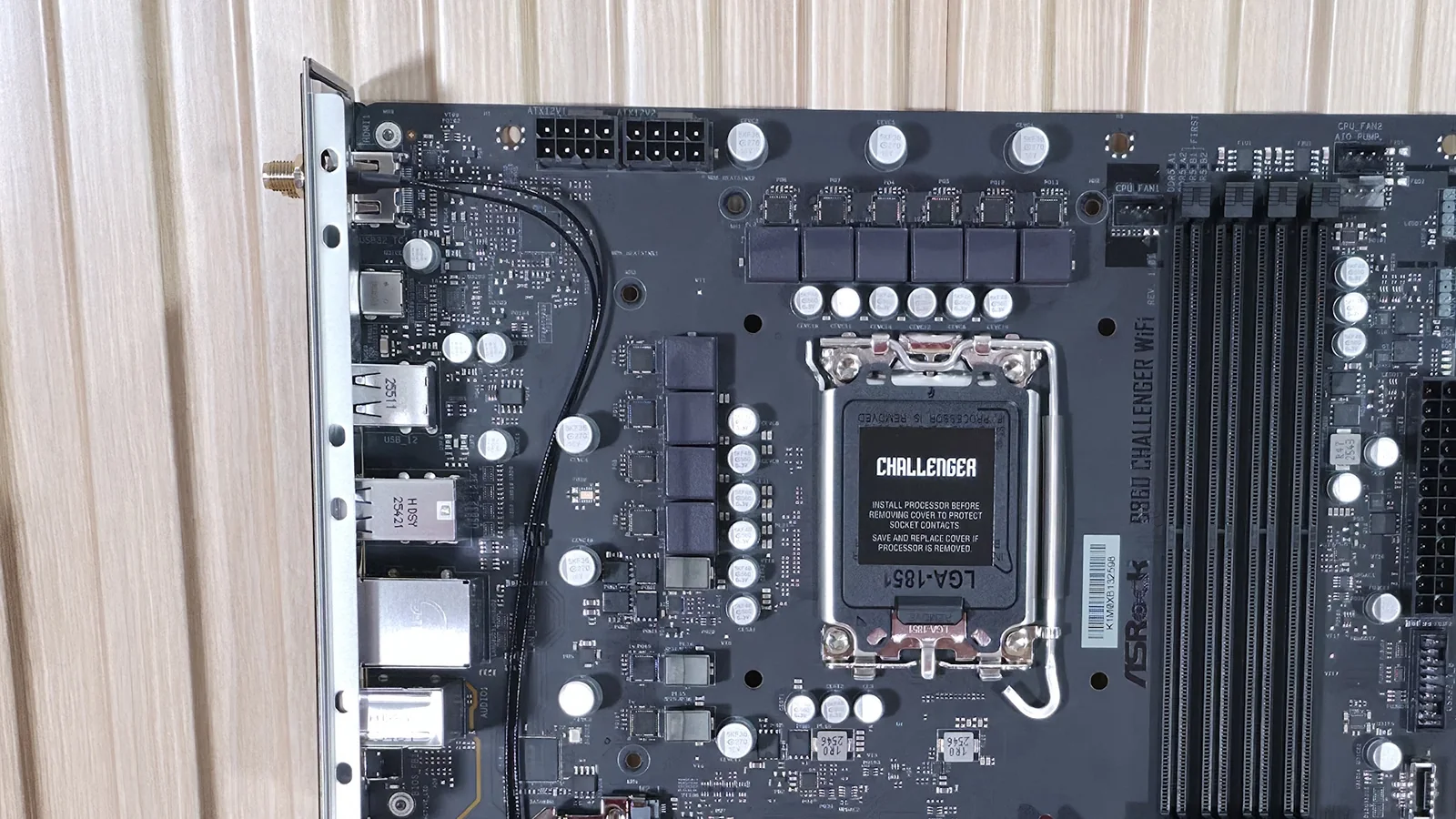
Power delivery on the B860 Challenger consists of 14 phases total, with 10 dedicated to Vcore using Vishay Dr.MOS power stages. While the available amperage is relatively modest, it handled our test processor without throttling. That said, the VRMs ran hot during our 30-minute stress test, so make sure you have good chassis airflow to keep temperatures down.
Expansion and Connectivity
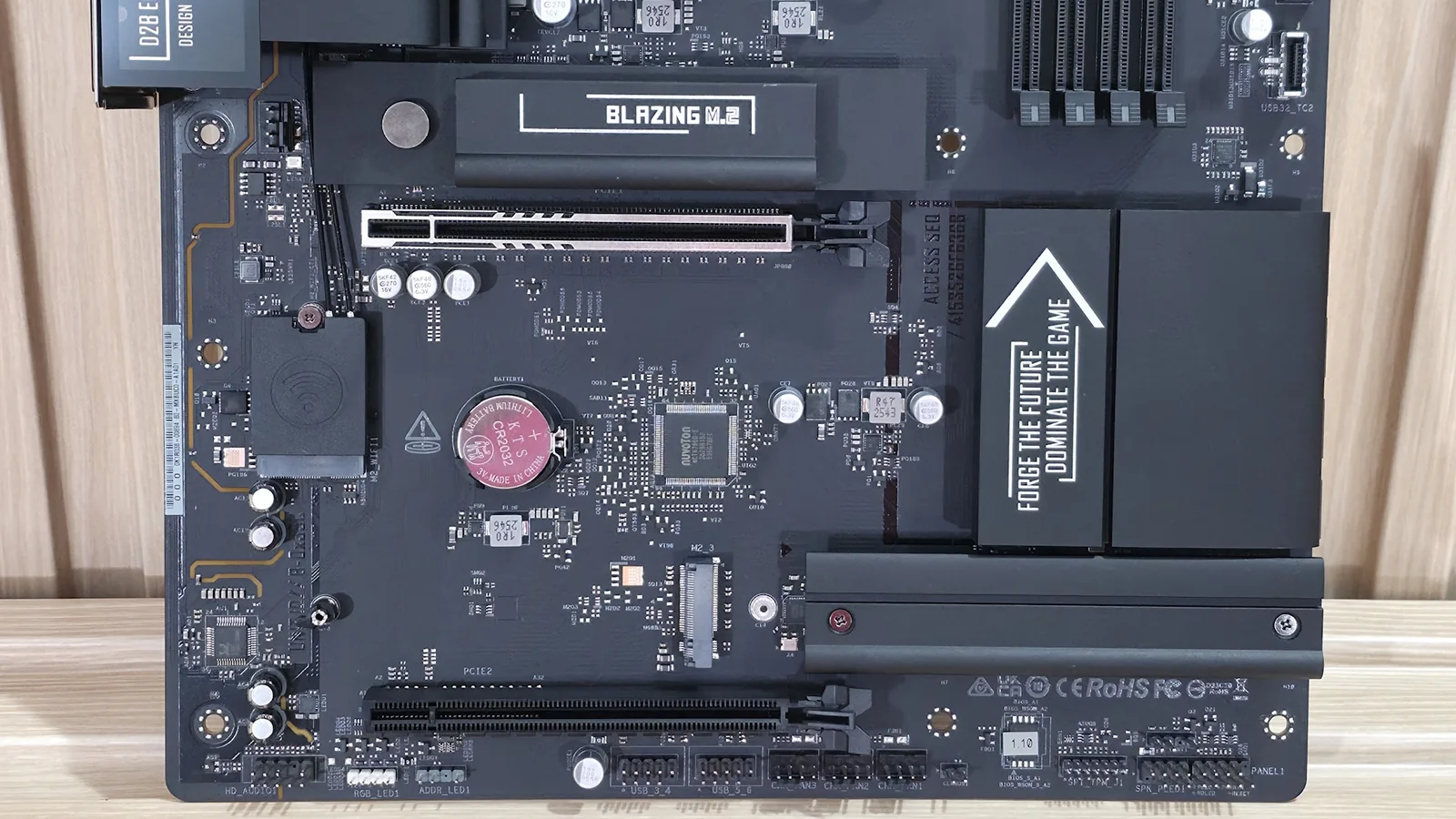
On the bottom half, starting on the left edge, is the basic Realtek ALC897 audio solution. Two full-length PCIe slots sit in the middle of the board. The top slot is reinforced, connects through the CPU, and operates at PCIe 5.0 x16 speeds. The bottom slot connects through the chipset and runs up to PCIe 4.0 x4.
Mixed in and around the PCIe slots are three M.2 sockets. The primary socket above the primary PCIe slot uses a larger heatsink with a quick-release mechanism and runs at PCIe 5.0 x4. The other two M.2 sockets run at PCIe 4.0 x4. Four SATA ports are also available for additional storage configuration.
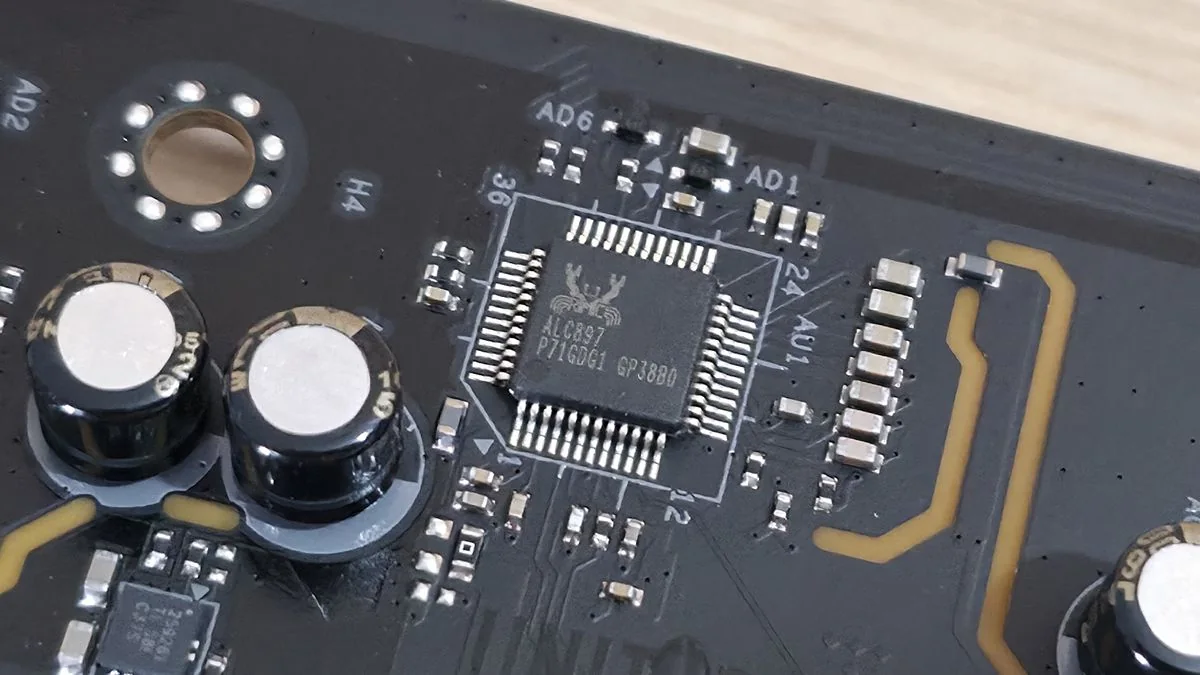
At the bottom are several headers, including front-panel audio and USB ports.
Front panel audio
4-pin RGB
3-pin ARGB
(2) USB 2.0 headers
(3) 4-pin fan headers
2-pin Clear CMOS jumper
SPI TPM header
Power LED and Speaker
Front panel
Rear I/O and Verdict
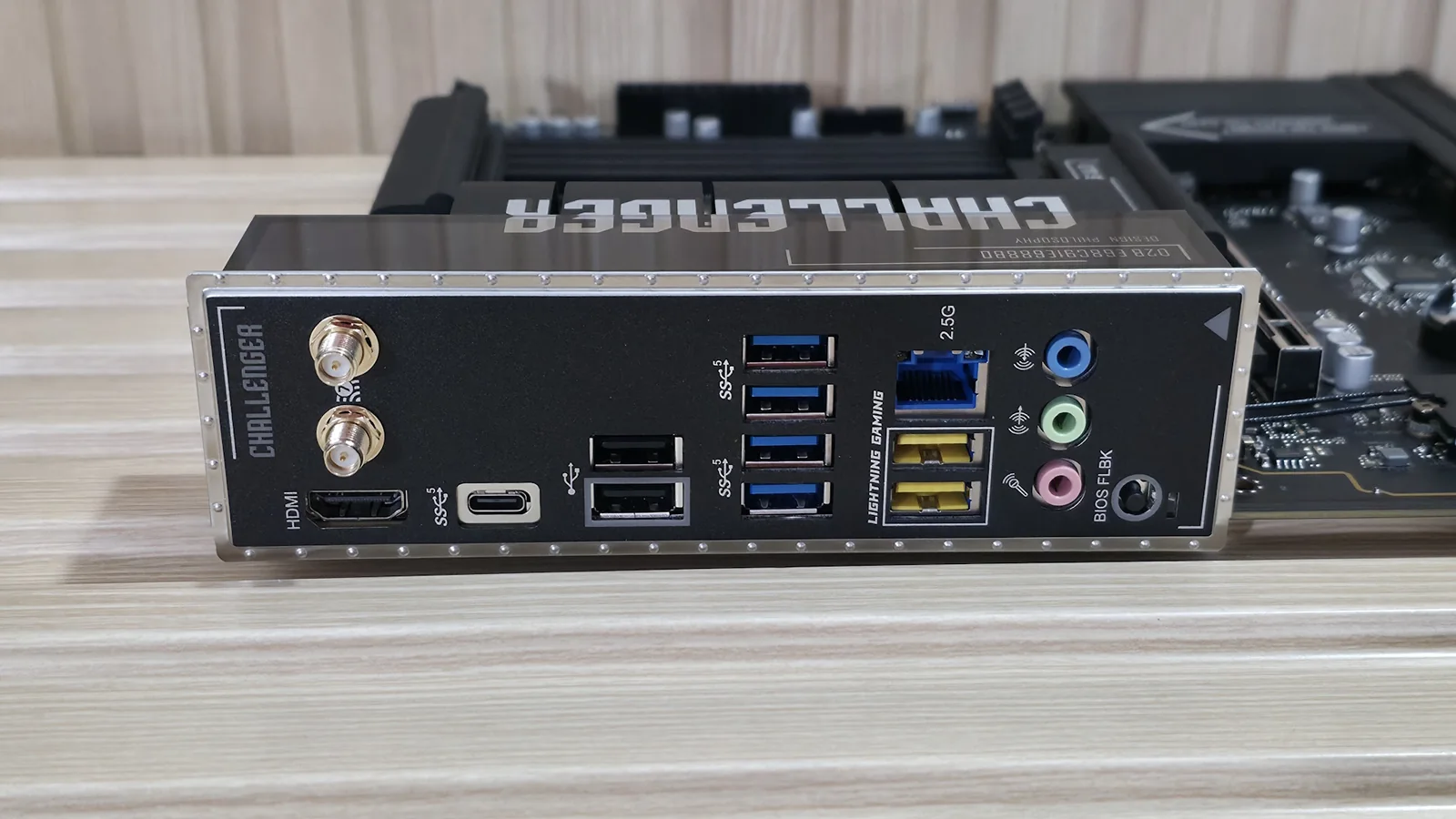
Flipping the board around to the rear I/O, we see an HDMI output for integrated graphics, Wi-Fi antenna connections, and multiple USB ports. Notably, USB speeds are capped at 5 Gbps, which may disappoint users looking for faster peripheral transfer speeds.
The rear panel also includes Realtek-based 2.5 GbE networking and three 3.5mm audio jacks, though it lacks an SPDIF optical output for external audio setups.
For builders prioritizing core platform support and an affordable entry point over bleeding-edge peripheral speeds, the board delivers solid baseline value.
MORE: Best Motherboards MORE: How To Choose A Motherboard