In the evolution of gaming monitors, there is nothing more significant than the advent of G-Sync and FreeSync. By syncing the video card output and monitor refresh rate in real time, all frame tearing and stuttering are eliminated. But there is one thing this tech cannot fix – motion blur.
LCD panels continuously display each frame until the next one arrives. This inevitably results in blur unless frame rates are very high. At least 500Hz is needed to truly call LCD motion resolution perfect. Alternative solutions include utilizing faster OLED panels, employing overdrive to anticipate frames, or inserting black frames by strobing the backlight, though the latter reduces light output.
G-Sync Pulsar syncs the backlight’s LED array with the frame rate in real time. It’s a form of strobing but without the brightness penalty, allowing an LCD to achieve perfect motion resolution where moving objects are as clear as stationary ones.
An OLED pixel or LED can flash 20,000 times per second, while the TFT layer of a fast LCD panel can flash around 500 times per second.
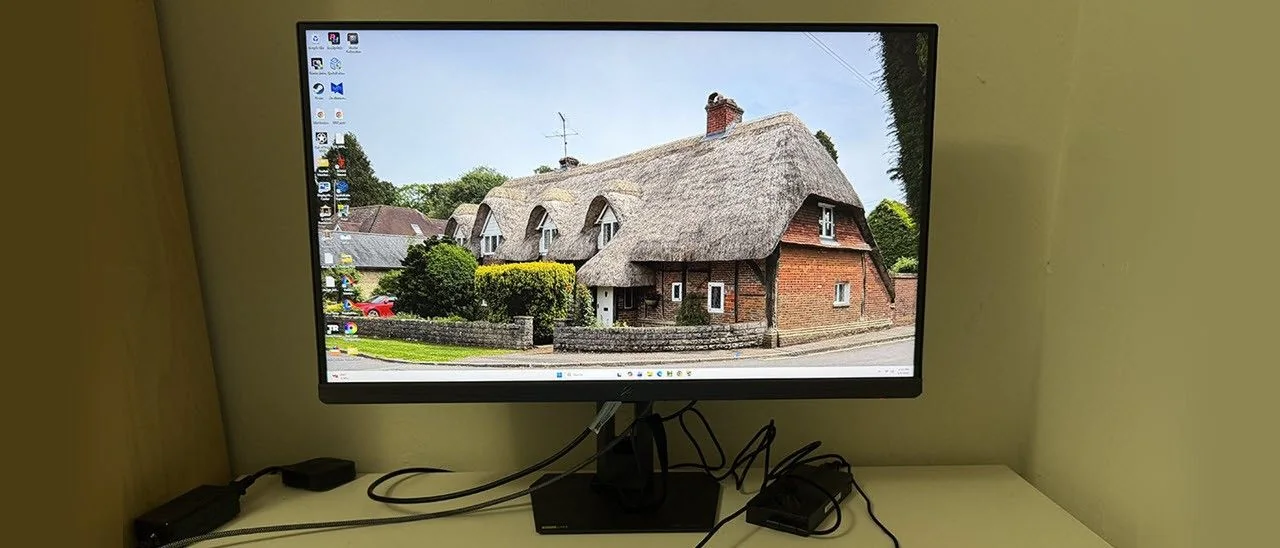
The Asus ROG Strix XB27AQNGV is a 27-inch QHD IPS panel featuring 360 Hz, HDR support, and wide gamut color capabilities.
Design and Specifications
The XB27AQNGV delivers a maximum refresh rate of 360 Hz at QHD 2560x1440 resolution using an Ultra-Fast IPS panel. G-Sync Pulsar is included alongside low frame rate compensation to eliminate flicker when frame rates drop. Traditional three-level overdrive is also available when Pulsar is toggled off, complete with a 400-step precision slider.
The display covers around 120% of sRGB for a wide color gamut. For calibration enthusiasts, it features a gamma control that adjusts the luminance curve in 0.01 increments, precise RGB sliders for color temperature, and a brightness adjuster graduated in nits.
Additional features include GamePlus options with aiming points, frame counters, timers, and alignment marks, alongside six picture modes. An ambient light sensor is mounted on top for automatic control of color and brightness.
Priced at $500, the XB27AQNGV stands out as one of the few monitors offering G-Sync Pulsar technology for users who prefer LCD over OLED.
Assembly and Hardware Overview
The monitor ships with the upright pre-attached, requiring only the base to be secured with a captive bolt. The package includes an external power supply, DisplayPort cables, and USB connectivity housed in a zippered pouch.
Product 360
The front features an 8mm thin bezel with a flush mount and a trim strip featuring a small ROG logo. The metal base has a stable footprint, and the stand offers 5/20 degrees tilt, 45 degrees swivel, 90-degree portrait mode, and 4.25 inches of height adjustment. A quarter-inch threaded socket and an ambient light sensor are located on top of the stand.
Controls consist of an OSD joystick, three control keys, and a power toggle located on the back right. The rear also features a backlit ROG logo with a glowing border.
Connectivity includes DisplayPort 1.4 with Display Stream Compression, two HDMI 2.1 ports, a 3.5mm headphone jack, one USB-B upstream port, and three USB-A downstream ports, all concealed under a removable cover.
OSD Features and Calibration
The on-screen display is accessed via the joystick and divided into eight comprehensive sections.
The G-Sync Processor menu handles Pulsar settings, adaptive brightness, and color toggles. The Gaming menu provides traditional overdrive and GamePlus tools, while GameVisual houses picture modes like Racing and sRGB.
The Image and Color menus offer luminance controls, color space options, precise RGB sliders, and a unique user gamma slider that operates in 0.01 increments for exact tuning.
Customizable control keys allow quick access to preferred functions, and the Lighting Effect menu controls Aura Sync LEDs.
Asus ROG Strix XG27AQNGV Calibration Settings
Out of the box, grayscale tracking is solid, though default gamma leans slightly light. Adjusting the RGB sliders and user gamma yields near-perfect results. Selecting the wide gamut mode rather than strict sRGB preserves calibration flexibility.
Gaming Performance and Real-World Use
Gameplay on the XG27AQNGV feels exceptionally responsive. While it lacks the deep contrast of an OLED display, its motion quality and responsiveness match that level of performance closely, proving G-Sync Pulsar to be a major advancement for LCD technology.
HDR gaming in titles like Doom Eternal benefits from intentional oversaturation for added vibrancy, though the lack of dynamic dimming limits deeper contrast depth.
The monitor delivers sharp visuals and eliminates motion blur entirely, offering input lag that is exceptionally low.
High frame rates made low-speed compensation unnecessary during testing, but the inclusion of the feature ensures compatibility with less powerful graphics hardware.
With a pixel density of 109 ppi, the monitor handles productivity tasks cleanly, offering a sharp and detailed workspace alongside gaming capabilities.
Web browsing and photo editing in Photoshop perform admirably on the 27-inch screen. Additional USB ports and audio pass-through add practical everyday utility.
Conclusion
The XG27AQNGV stands out as an exceptional all-around display and a top-tier gaming monitor. G-Sync Pulsar delivers the smooth, responsive performance typical of OLED screens, making it a stellar option for users who favor LCD technology.
MORE: Best Gaming Monitors
MORE:
MORE: How to Buy a PC Monitor