Overview and Design
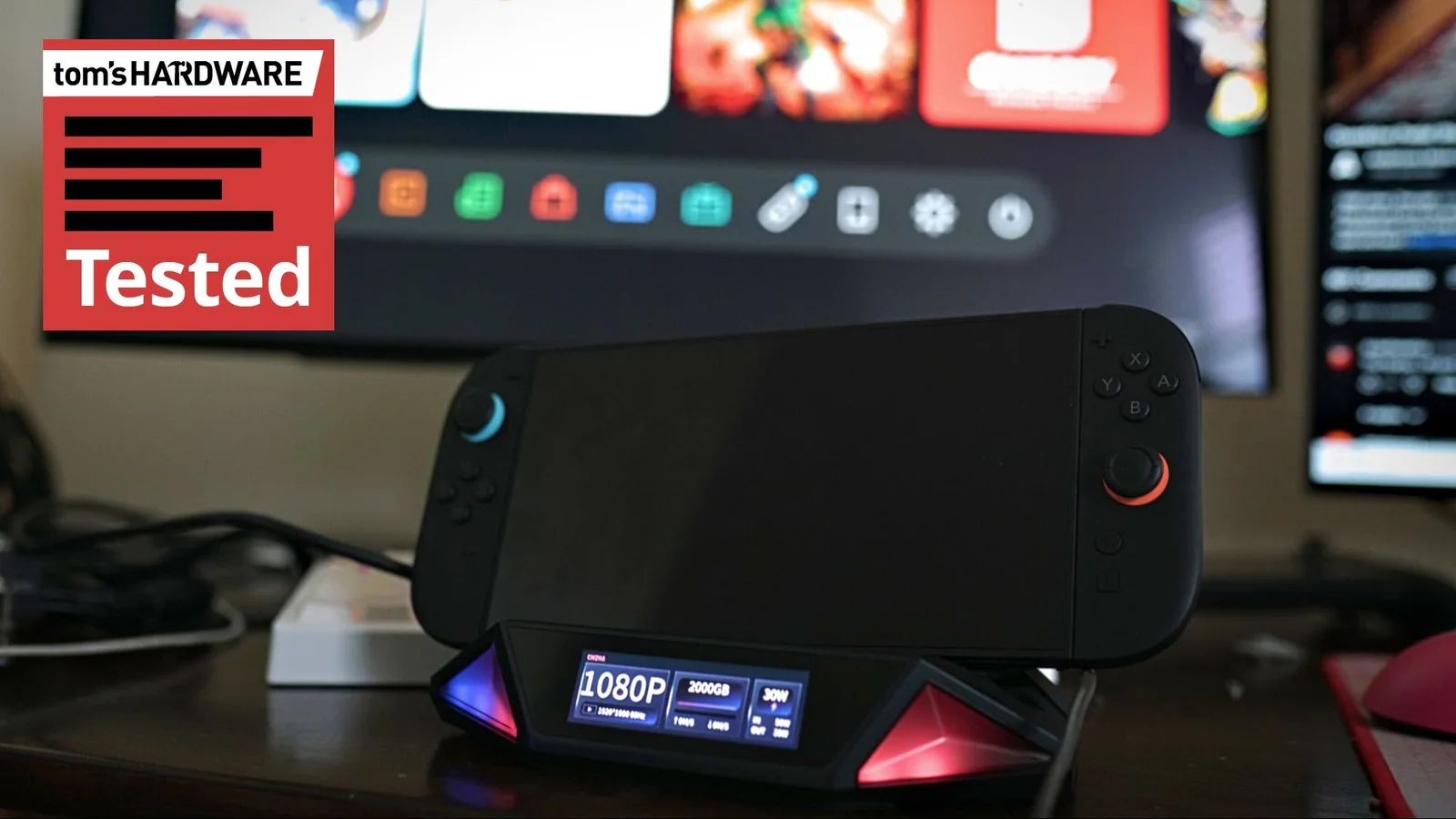
DockCase is known for creating unique SSD enclosures and docks, and the Mount Ling 2 Pro is gunning for a spot among the best USB-C docks. It serves as a dock for handhelds like the Steam Deck and Switch 2, an external enclosure for an NVMe SSD, and a game capture device, all packaged into a single device that expands port selection.
There are two versions of the dock: the standard Mount Ling 2 and the Pro version, with the primary difference being the internal capture card. The base version starts at $109 via early bird deals, while the Pro version is priced at $149 before increasing to standard retail prices.
DockCase bills it as a smart creator dock. While other docks offer additional inputs and capture capabilities, the differentiator here is the internal M.2 slot supporting up to 4TB of NVMe storage with mounting points for 2280, 2242, and 2230-sized drives. However, this external storage only works with platforms that natively support external storage.
For PC-adjacent handhelds running Windows or Linux, the Mount Ling 2 Pro is an expensive but useful dock that combines capture, storage, and port expandability. For the Switch and Switch 2, the usefulness is less clear since the SSD cannot be used with Nintendo's hardware, and third-party accessory updates can occasionally disrupt HDMI passthrough.
Specifications and Connectivity
DockCase states that the Mount Ling 2 Pro supports the Steam Deck, ROG Ally, Switch, Switch 2, and other Windows- or Linux-based handhelds. Nintendo hardware is supported, though getting the connection to initialize smoothly can sometimes require specific steps.
The dock connects to the handheld using a USB 3.2 Gen Type-C connection capable of 10 Gbps, and includes a braided 40 Gbps cable along with two right-angle connectors. The single connection provides up to 100W of power, Gigabit Ethernet, an HDMI 2.0 connection supporting 4K at 60Hz, a USB 3.2 Gen 2 Type-A port, and a USB 2.0 port. An additional USB-C port acts as a capture card output on the Pro model.
An optical audio output is also available as a fallback option for elaborate audio setups, though an additional 3.5mm audio jack would have been a welcome addition.
The chassis is constructed primarily of plastic, measuring 8.4 x 7 x 3.5 inches. The exterior features a thick layer of firm silicone to rest the handheld on, complete with grooves and a deep central cut designed to fit Nintendo Switch models specifically.
An SSD can be installed at the bottom of the dock with mounting points for 2280, 2242, and 2230 drives. A single internal 40mm fan works alongside rear and side venting to keep the drive cool, with options to adjust speeds manually or turn the fan off.
There is limited room for heatsinks, as the face of the drive sits nearly flush against the vented cover on the bottom of the dock.
Software and Usability
Setting up the dock involves plugging in the necessary cables, though the initial connection phase can be finicky. The device may occasionally drop power delivery while establishing video connections, making it ideal to fully connect the dock before attaching the host device.
The built-in display provides HDMI, SSD, and power telemetry at a glance. Swiping on the screen opens quick-access menus for settings, volume adjustments, and fan controls, with dock volume passing directly through to the host device.
Swiping up reveals a detailed settings menu displaying SMART SSD statistics, USB connection status, and HDMI transfer modes to handle potential handshake issues, alongside power delivery adjustments.
Fan speeds and RGB lighting can be customized or disabled. Users who find the screen and lighting distracting can use a dedicated button on the back of the dock to turn all illumination off entirely.
While the screen responds smoothly, software behavior can occasionally require reboots if devices are connected in the incorrect order. DockCase provides firmware updates over USB to address compatibility adjustments.
Because third-party accessories lack official platform certification, system updates can occasionally impact compatibility and require firmware updates.
Switch 2 support introduces specific hardware limitations, as external SSD storage is unusable with Nintendo consoles, and connection sequences must be strictly followed to ensure HDMI signal passthrough works correctly.
Performance with the Steam Deck remains seamless, utilizing standard ecosystem connections supported across Linux and Windows handhelds.
Utilizing the internal SSD with a Steam Deck requires formatting and partitioning the drive through desktop mode to properly manage game library folders.
The capture card operates as a standard video capture device without proprietary recording software, allowing it to interface smoothly with streaming applications like OBS within its 4K60 limitations.
While HDMI 2.1 is absent, HDMI 2.0 adequately handles the target output capabilities of the handheld systems connecting to the dock.
Storage Performance
SSD performance is constrained by the USB 3.2 Gen 2 connection, capping transfer speeds at roughly 10 Gbps rather than reaching the multi-gigabyte speeds possible with high-end Thunderbolt interfaces.
Despite the interface bottleneck, having expansive external storage available for devices like the Steam Deck provides a practical alternative to relying solely on microSD cards.
In benchmark testing using CrystalDiskMark with a PCIe 4.0 drive, the dock delivered sequential reads and writes around 820 MB/s, positioning its storage behavior similarly to external USB-C SSD enclosures.
Final Verdict
The Mount Ling 2 Pro successfully integrates external storage, a capture card, and a desktop dock into a single package suitable for PC handhelds. While SSD speeds are limited by the 10 Gbps USB connection, the compromise aligns with the performance profile of target mobile devices.
Switch 2 support provides added flexibility but comes with operational quirks and a lack of external storage compatibility. The dock is best suited for users combining a PC handheld with other devices, whereas dedicated Nintendo users may prefer simpler standalone solutions.