Overview
As a prominent player in cartridge-free printing, Epson offers an extensive range of refillable printers designed to provide ultra low-cost color printing at home.
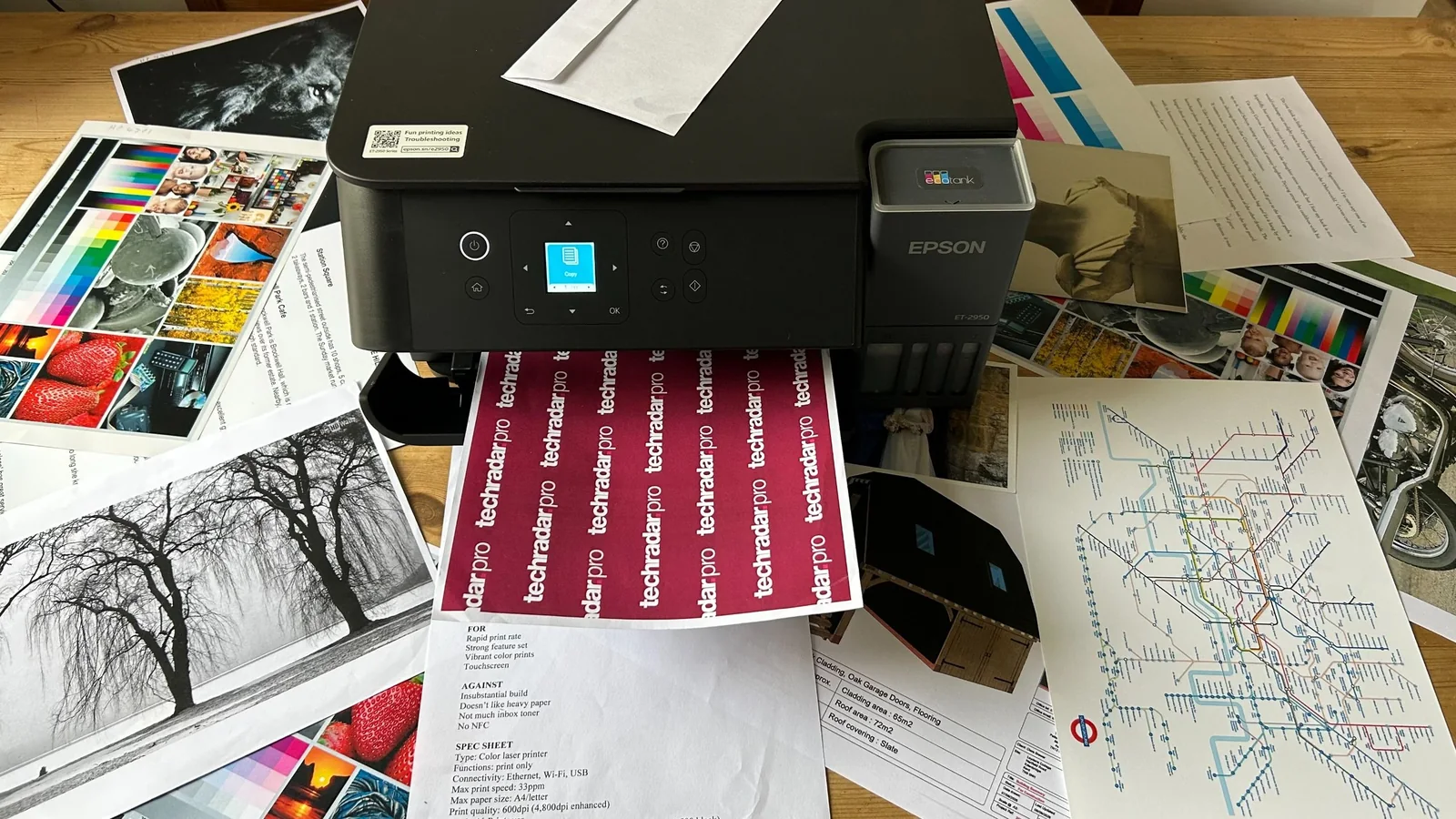
The white Epson EcoTank ET-2980 has several color variants, including the black Epson EcoTank ET-2950, functioning primarily as a budget tank printer aimed at small offices or users looking to significantly reduce consumables expenses.
Bottled ink remains significantly cheaper than traditional cartridge alternatives, positioning these models as competitive choices in the ink tank printer market.
Design and Build
For an all-in-one bulk tank device equipped with an integrated scanner, the hardware footprint is reasonably compact. It succeeds previous iterations with faster print capabilities via an improved printhead and an updated, streamlined aesthetic.
The ink tanks protrude less while remaining transparent enough for quick ink-level checks. Furthermore, a top-mounted LED indicator illuminates when print jobs are actively in progress.
This budget model omits a touchscreen interface in favor of a clear 1.4-inch color LCD and a tilting control panel. Paper handling relies on a rear input tray with a 100-sheet capacity rather than a front drawer, though the unit does feature a motorized output tray.
Features and Specifications
Because tank printers are not subsidized by subsequent cartridge sales, their upfront hardware costs can initially appear high compared to entry-level cartridge counterparts.
Consequently, advanced conveniences such as touchscreens, USB Host ports, paper drawers, and automatic document feeders (ADF) are omitted to maintain a competitive price point.
Crucially, the hardware supports automatic duplex printing and includes a flatbed scanner alongside Wi-Fi connectivity with AirPrint and Mopria compatibility. It accommodates heavy cardstock and ships with enough ink to last up to three years under typical usage.
Buyers requiring an input tray and ADF for heavy multi-page copying may need to explore step-up models, while those willing to forgo duplexing or scanning can find simpler alternatives.
Setup and Operation
Initial setup utilizes on-screen prompts or the companion mobile application to connect the printer to a wireless network within minutes.
A dedicated mobile app for iOS and Android bypasses the need to enter network passwords manually on the physical control panel.
Filling the reservoirs is clean and straightforward thanks to keyed bottle nozzles that prevent misfilling errors, supported by a user-friendly display interface.
Performance
The printer handles diverse media types cleanly without paper jams, achieving steady mono print speeds around the quoted 15ppm benchmark.
Color print speeds slow down to approximately 8ppm, though automated duplexing manages multi-page two-sided documents efficiently.
Monochrome text prints emerge crisp and dark with strong smudge resistance, legible even at small point sizes.
Color outputs look vibrant, though minor warmth tendencies and softer details can appear compared to dedicated photo printers.
While photo printing on coated paper is adequate for casual office use, it remains a secondary capability.
The straight paper path resulting from the rear-feed design allows the printer to handle thick media up to 300g/m² successfully, outperforming several competing models.
The flatbed scanner captures clear scans at 1,200 x 2,400 dpi resolution via a dedicated copy interface.
Consumables and Maintenance
The bundled ink supply yields up to 5,500 color pages or 6,600 monochrome pages, offering long-term savings over traditional ink cartridges.
Pigment-based black ink ensures quick-drying, smudge-free text, while dye-based color inks handle general graphics.
Replacement bottled ink significantly undercuts cartridge pricing, lowering overall operating costs.
Maintenance
Routine cleaning cycles can clear potential printhead clogs via the onboard maintenance menu.
A rear maintenance box catches excess ink produced during cleaning cycles and may require occasional replacement over the printer's lifespan.
Conclusion
Epson’s entry-level EcoTank all-in-one balances a streamlined feature set with crisp documents and low running costs.
Despite lacking a touchscreen or automatic document feeder, it retains essential conveniences like automatic duplex printing and wireless scanning.
Reliable media handling and sharp text output make it a versatile tool for everyday document tasks.
Ultimately, the substantial ink economy offsets the higher initial cost, delivering excellent long-term value.
Score breakdown
Scored out of 10Price & Release Date
Epson EcoTank ET-2980