Introduction
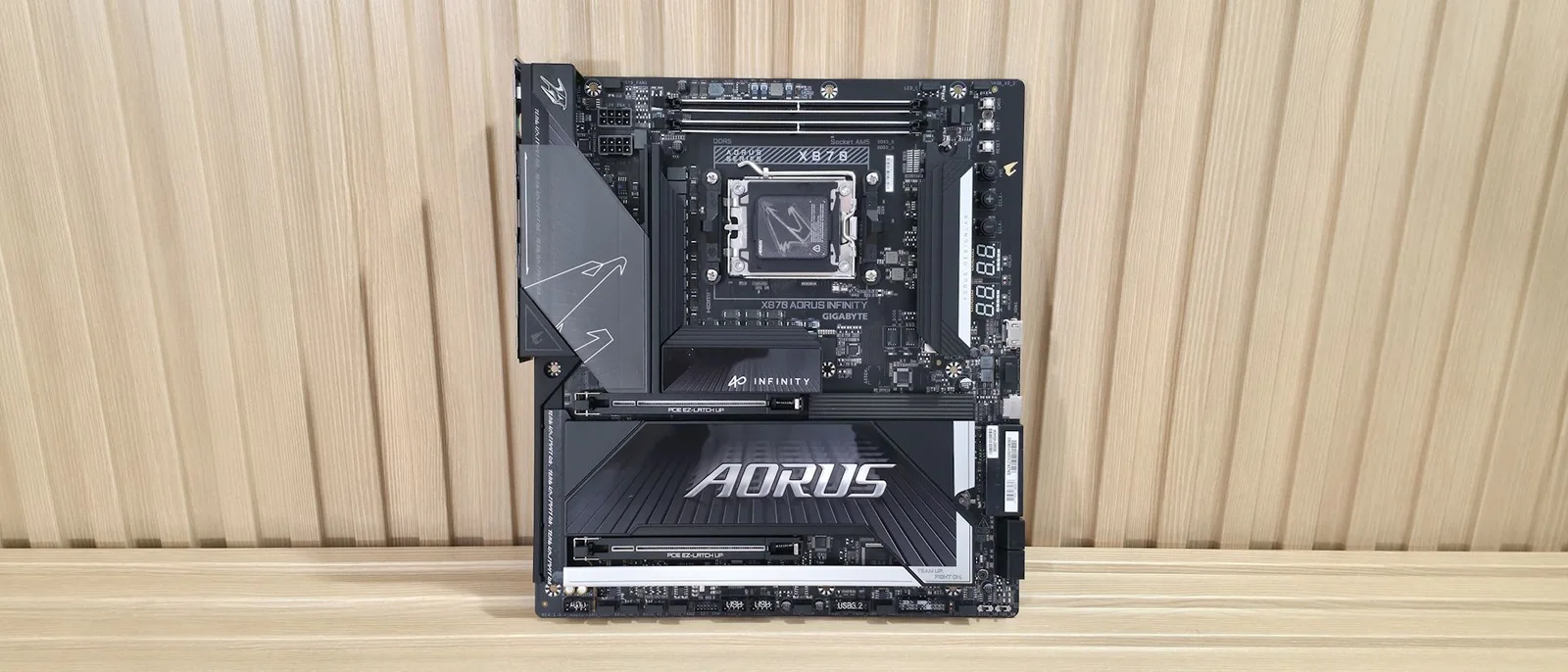
At Computex 2026, Gigabyte unveiled the X870 Aorus Infinity, a production motherboard designed for extreme overclockers. This limited-edition board, priced at $799.99, features a two-DIMM design with DRAM slots positioned above the socket, prioritizing speed over capacity. It includes an array of buttons and voltage read points on its right edge to facilitate pushing performance limits. The Aorus Infinity is well-equipped for an X870 platform, offering eight total USB ports on the rear I/O (including one USB4), three M.2 sockets (one PCIe 5.0), and four SATA ports for storage. Connectivity is robust with 5 GbE networking and Wi-Fi 7 (320 MHz), complemented by a quality last-gen flagship-class audio codec. Its overclocking features include a robust power delivery system and an Overclocking Kit designed to simplify extreme overclocking. Gigabyte also claims support for DDR5-11400(OC), though this requires manual tweaking, specialized BIOS fine-tuning, and specific hardware.
Performance Overview
In performance testing, the X870 Aorus Infinity delivered average-to-above-average results across most benchmarks when paired with a Kingston DDR5-6000 kit. It demonstrated competence in daily office tasks and productivity functions, while also proving to be a solid platform for gaming. Overall, this motherboard is a well-rounded performer.
Included Accessories
Gigabyte provides standard accessories with the Aorus Infinity, including two SATA cables, two 2-pin thermistors, a front panel connector, a Wi-Fi EZ Mag connector for the Wi-Fi Antenna, a manual, and an Aorus sticker. Additionally, it features the CPU Thermal Matrix, a two-plate system designed to mount around the socket to reduce VRM and RAM temperatures by up to 8.5 degrees Celsius, benefiting both average users and extreme overclockers.
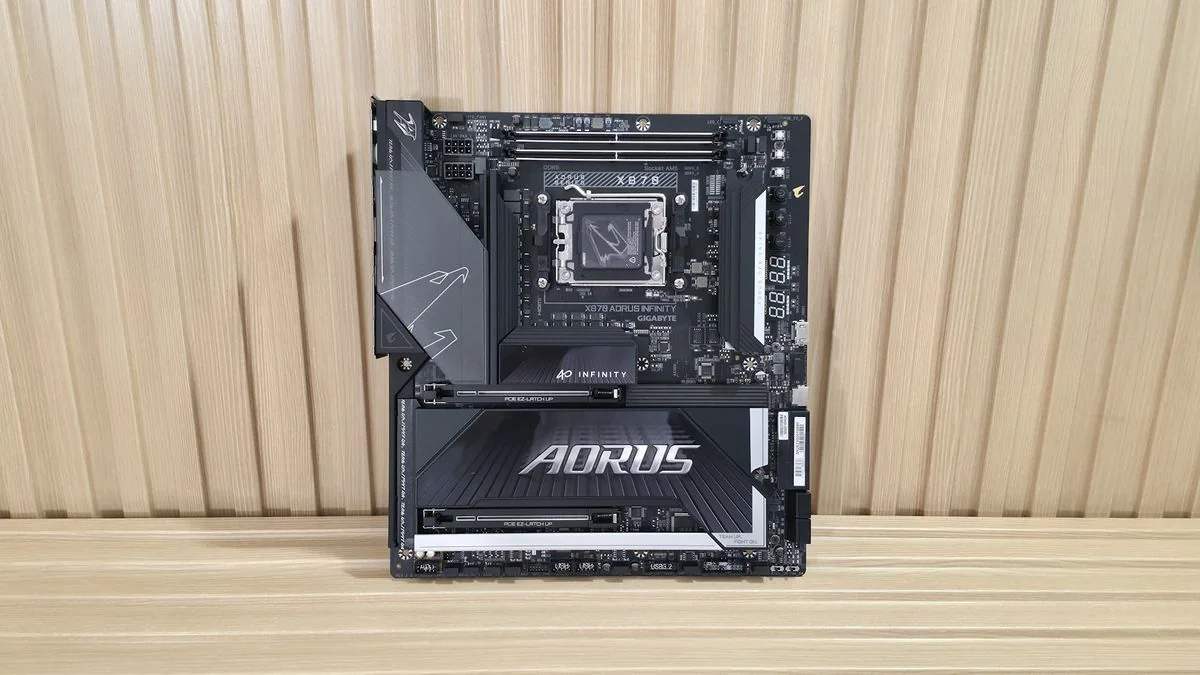
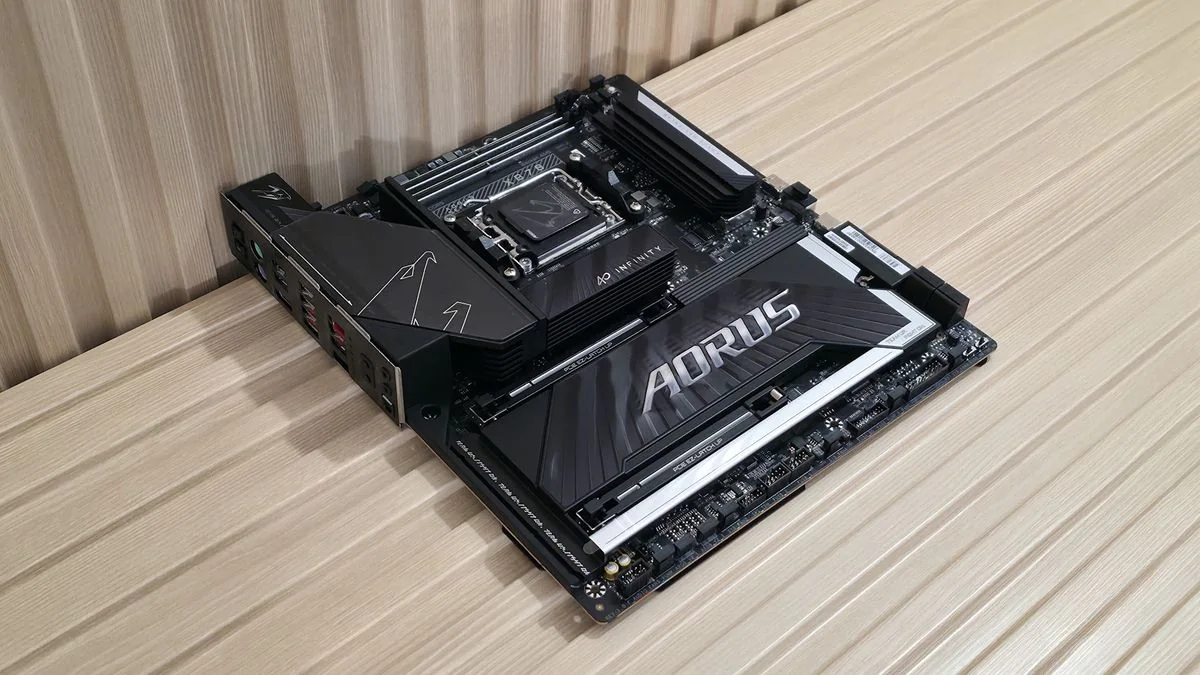
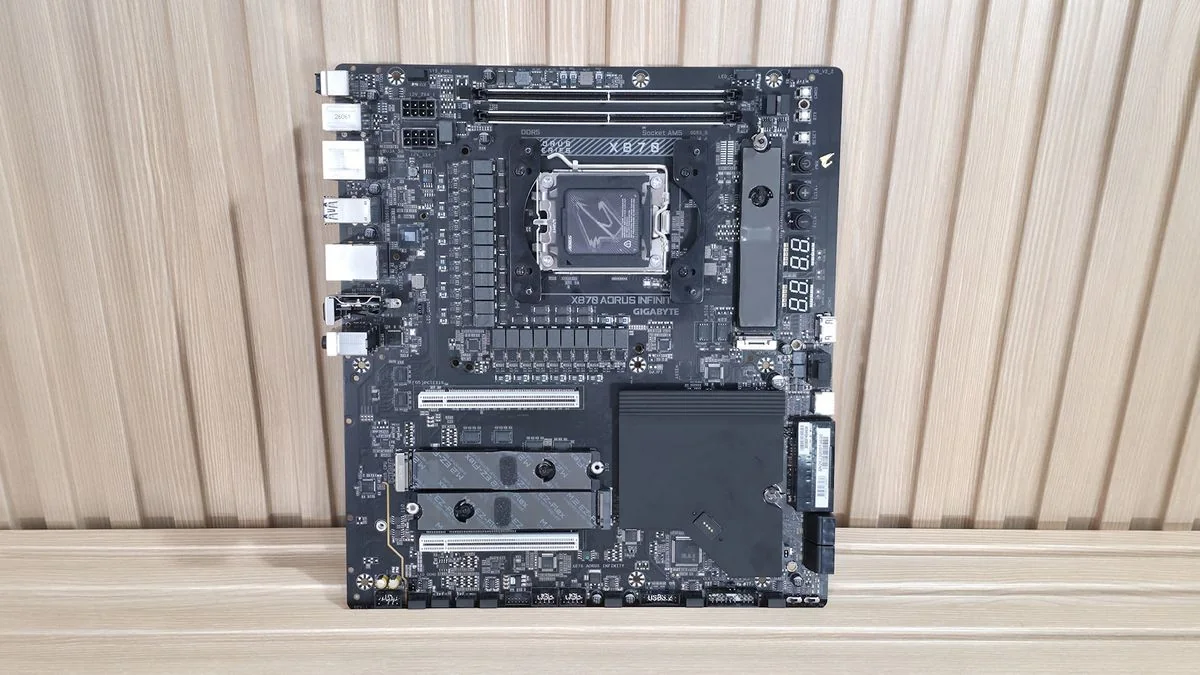
Board Layout and Aesthetics
The Aorus Infinity's design is notable for its rotated socket area and top-mounted DRAM slots. The left VRM area incorporates a unique heatsink with a plastic cover that slides open for 8-pin EPS connector installation and closes to conceal them. An RGB-backlit Aorus Falcon logo adorns the top. The primary M.2 socket, typically found below the CPU, is now positioned vertically to the right, where DRAM slots usually reside. Essentially, the entire socket area, primary M.2 socket, and DRAM slots are rotated 90 degrees counterclockwise. The bottom of the board features reinforced PCIe slots and plate-style heatsinks, along with DIY-friendly elements like PCIe EZ Latch Up and EZ Latch Plus/Click for screwless M.2 mounting. The overall aesthetic is sleek, making it suitable for dark chassis builds.
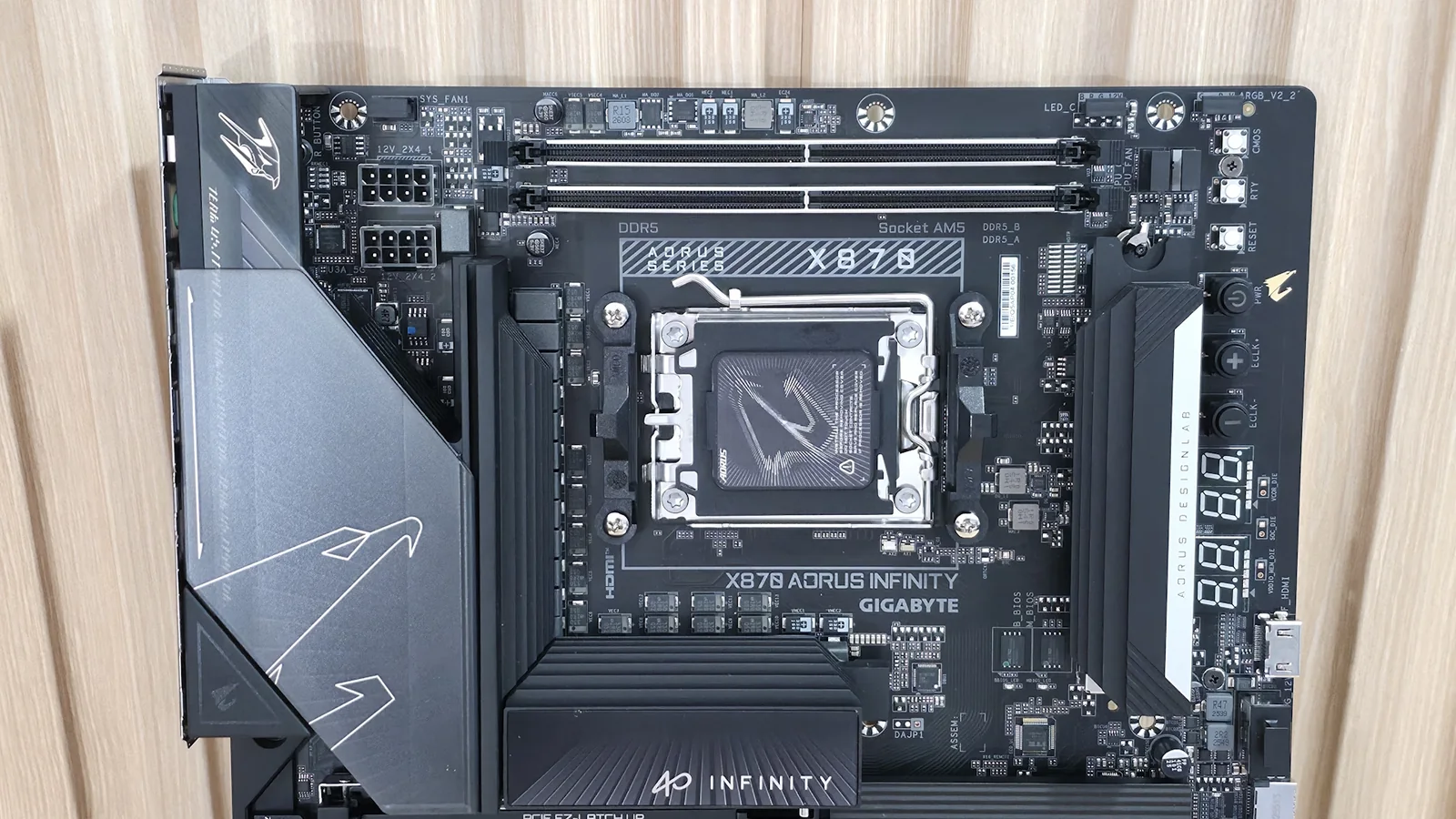
Top Half Features
A closer look at the top left reveals the sliding cover on the large, heatpipe-connected heatsinks (featuring 8mm heatpipes). This smoked plastic piece slides down to provide access to the two 8-pin EPS connectors (one is required), then slides up to hide the cables. The only integrated RGB element is the Aorus Falcon on the VRM heatsink, emitting a frosted glow. The two DRAM slots, located above the CPU socket, feature locking mechanisms on both sides. Gigabyte specifies support for up to 9600 MT/s and has achieved a record of 11,400 MT/s with manual tweaking and specific hardware. This dual-DIMM board demonstrates strong RAM handling, allowing a Ryzen 9 9900X to run a Klevv DDR5-8000 kit, a feat often reserved for APUs or select two-DIMM boards. The first M.2 slot is positioned vertically, supporting PCIe 5.0 x4 (128 Gbps) speeds and 110mm drives. Two of the eight 4-pin fan headers are located above this, supporting both PWM and DC-controlled devices, managed via BIOS or Gigabyte Control Center (GCC). Two RGB headers (one 3-pin ARGB and one 4-pin RGB) are also present, with integrated RGB and connected devices controlled by the RGB Fusion app in GCC.
The top half of the board also integrates an Overclocking Kit and EZ-Debug area, distinguishing it from standard motherboards. This kit includes three white buttons: a CMOS clear button, a cold reset button for cold boots, and a standard reset button, all designed to simplify extreme overclocking.
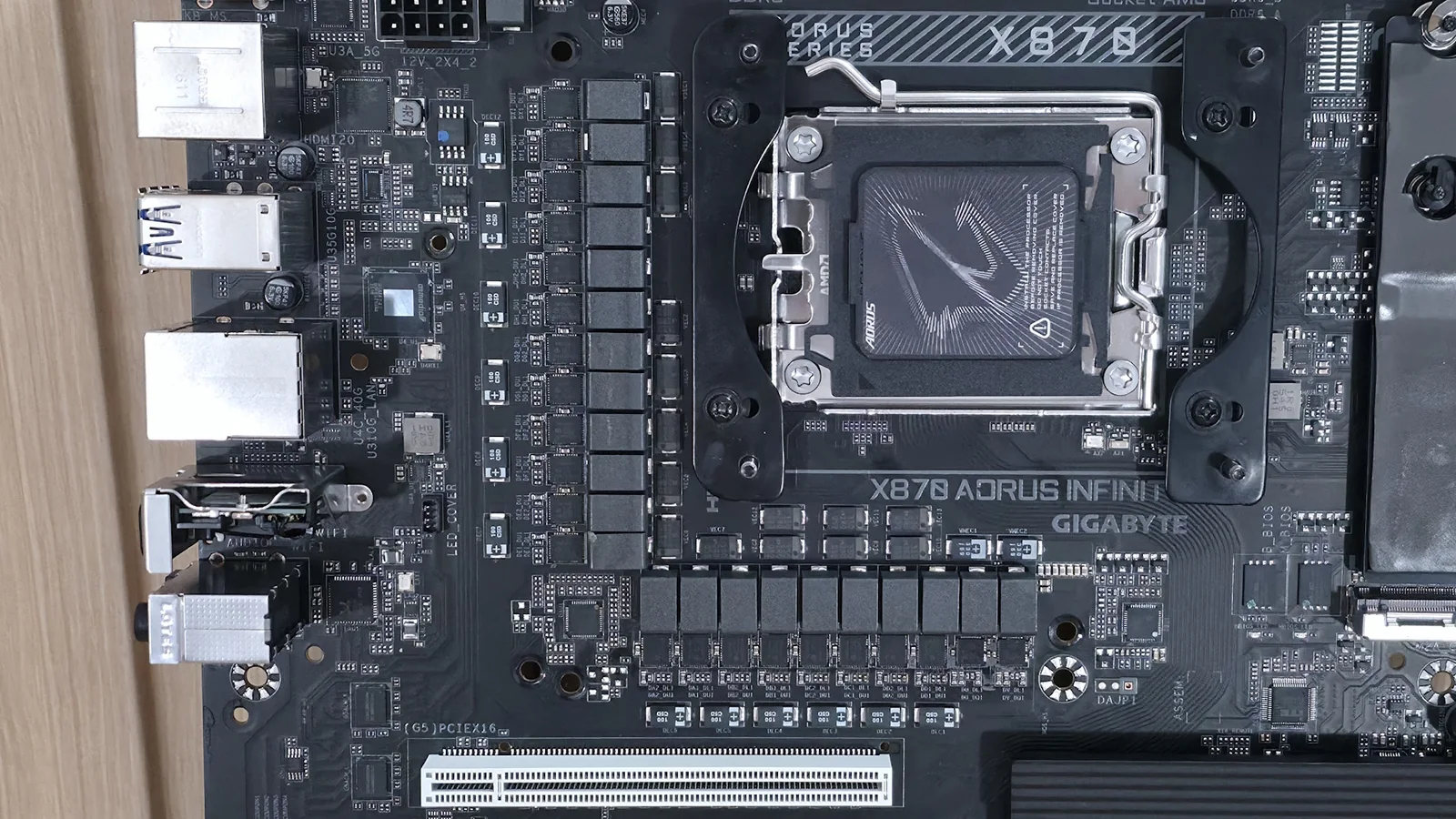
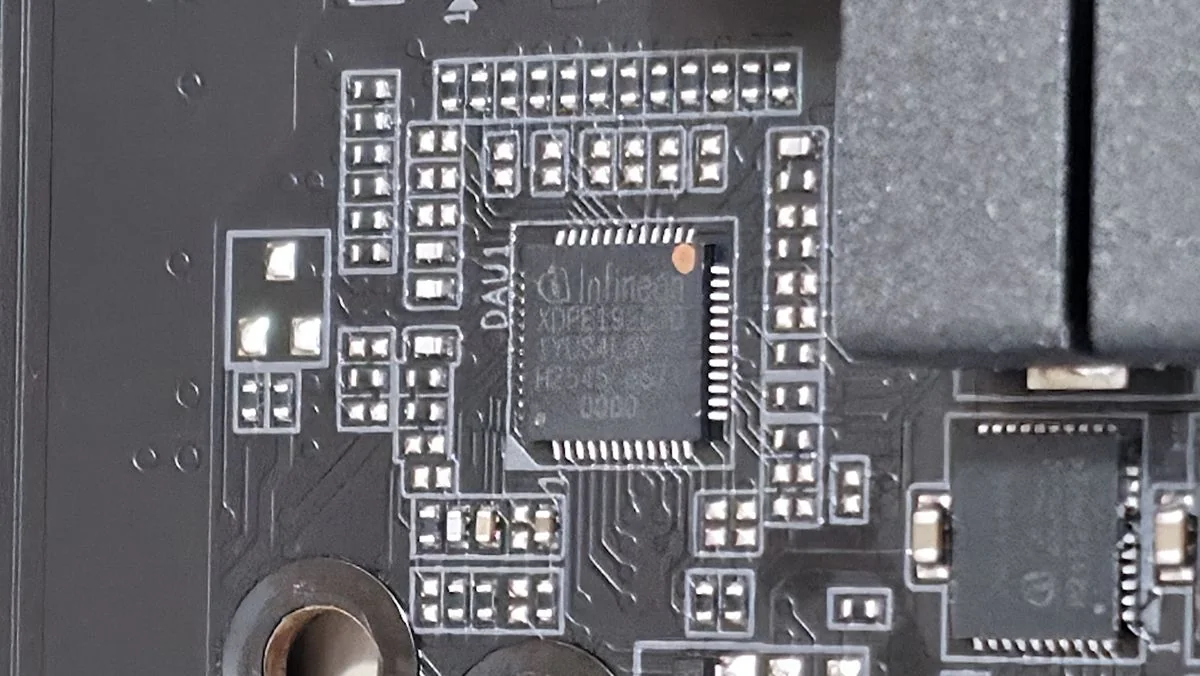
The board features a high-end power delivery solution with 22 phases, 18 of which are dedicated to Vcore. Power is supplied via the 8-pin EPS connector(s) to an Infineon XDPE192C3D 12-phase PWM controller, configured in a teamed arrangement. This then feeds into powerful Infineon PMC41430 110A Smart Power Stage (SPS) MOSFET/gate drivers. The available 2,200A can easily handle flagship processors like the Ryzen 9 9950X or Ryzen 9 9950X3D2, even under extreme cooling conditions.
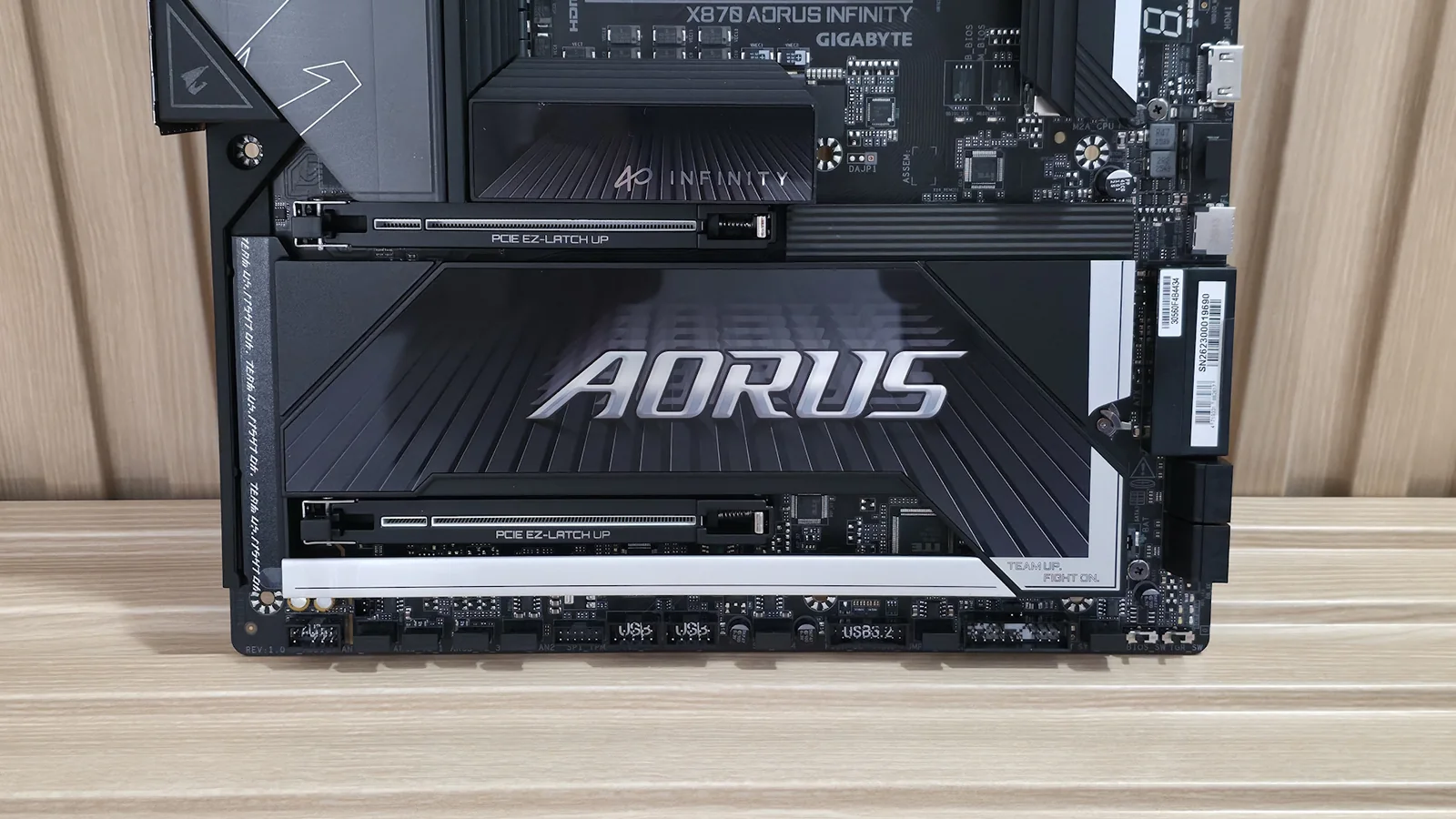
On the bottom left, the audio section is concealed under heatsinks and shrouds, featuring the Realtek ALC1220 codec and dedicated audio capacitors. While lacking a DAC or integrated amplifier, this solution is considered perfectly adequate for an overclocker-focused board. In the middle of the board are two reinforced, full-length PCIe slots utilizing Gigabyte’s PCIe EZ-Latch Up. The top slot serves as the primary graphics slot, running at PCIe 5.0 x16. The bottom slot, also CPU-connected, operates at PCIe 5.0 x8. Populating the bottom slot reduces the top slot's speed to x8 and supports bifurcation in the BIOS.
In the middle of the board are two full-length PCIe slots, both reinforced and using Gigabyte’s PCIe EZ-Latch Up, which brings back bad memories of Asus’ implementation that got skewered for scratching video-card PCIe connectors. Here’s hoping Gigabyte learned from Asus. The top slot is your primary for graphics and runs up to PCIe 5.0 x16. The bottom slot, also CPU-connected, runs up to PCIe 5.0 x8. When you populate the bottom slot, the top slot drops to x8 speeds (and also supports bifurcation in the BIOS).
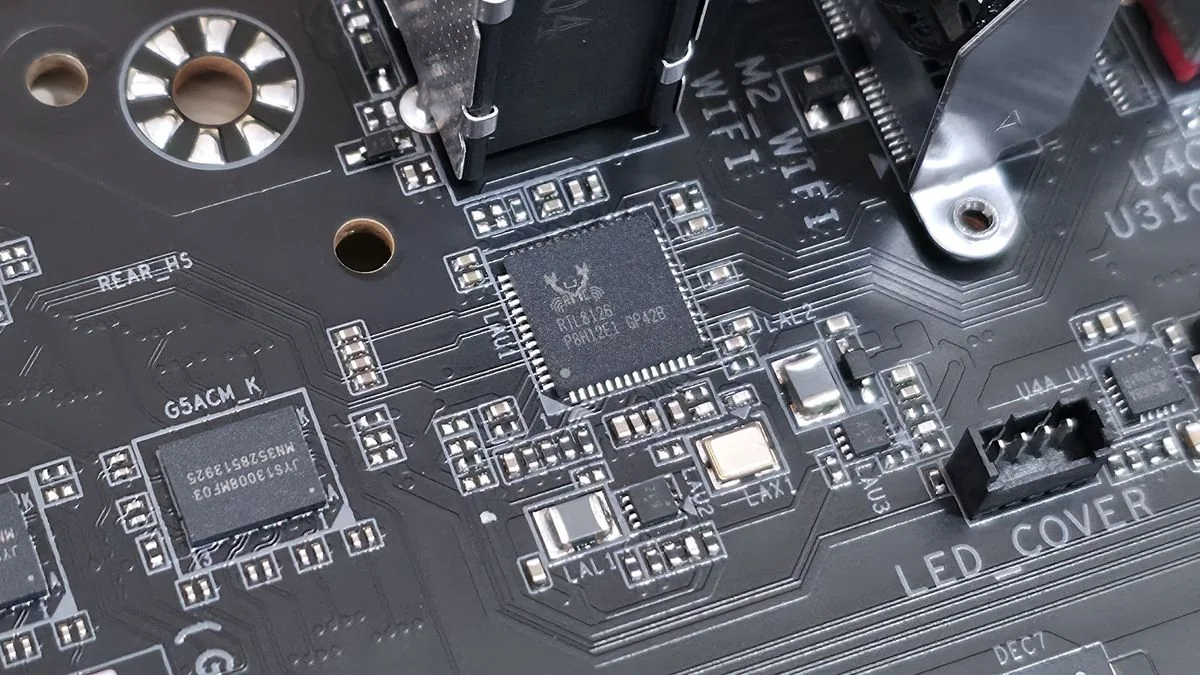
Under the large plate-style heatsink with Aorus branding are two additional M.2 sockets (M2B_CPU and M2D_SB). The M2B_CPU socket connects via the CPU and supports PCIe 5.0 x4 (128 Gbps). Notably, this socket shares bandwidth with the USB4 port, allowing it to run at PCIe 5.0 x2 (64 Gbps) or requiring the USB4 port to be disabled for full M.2 bandwidth. This bandwidth split is common across vendors. All M.2 sockets feature Gigabyte’s M.2 EZ-Latch Plus and EZ-Latch Click for simplified installation. The board supports RAID0/1/5/10 modes for NVMe, with RAID5 available for Ryzen 9000 series processors. Along the right edge, a vertical 8-pin PCIe connector enables QC-USB 65W charging on the front panel Type-C port when used. Below this are the front-panel USB 3.2 Gen 2x2 (20 Gbps) Type-C connector and the ATX power connector. Two 2-pin temperature headers for the included thermistors are located behind the ATX connector, and four SATA ports (supporting RAID0/1/10) are below it. Five LEDs are present: four for POST debugging (CPU, VGA, DRAM, Boot) and an orange LED for storage activity. The board integrates a mix of Infineon (PWM controller and MOSFETs) and Realtek (audio, USB, USB4, LAN) ICs.
At the bottom, several headers run the full width of the board, including front-panel audio and USB ports.
Front panel audio
4-pin fan header
3-pin ARGB
4-pin RGB
4-pin fan header
TPM header
(2) USB 2.0 headers
4-pin fan header
19-pin USB 3.2 Gen 1 header
4-pin fan header
Front panel
4-pin fan header
BIOS switch
OC Trigger Switch
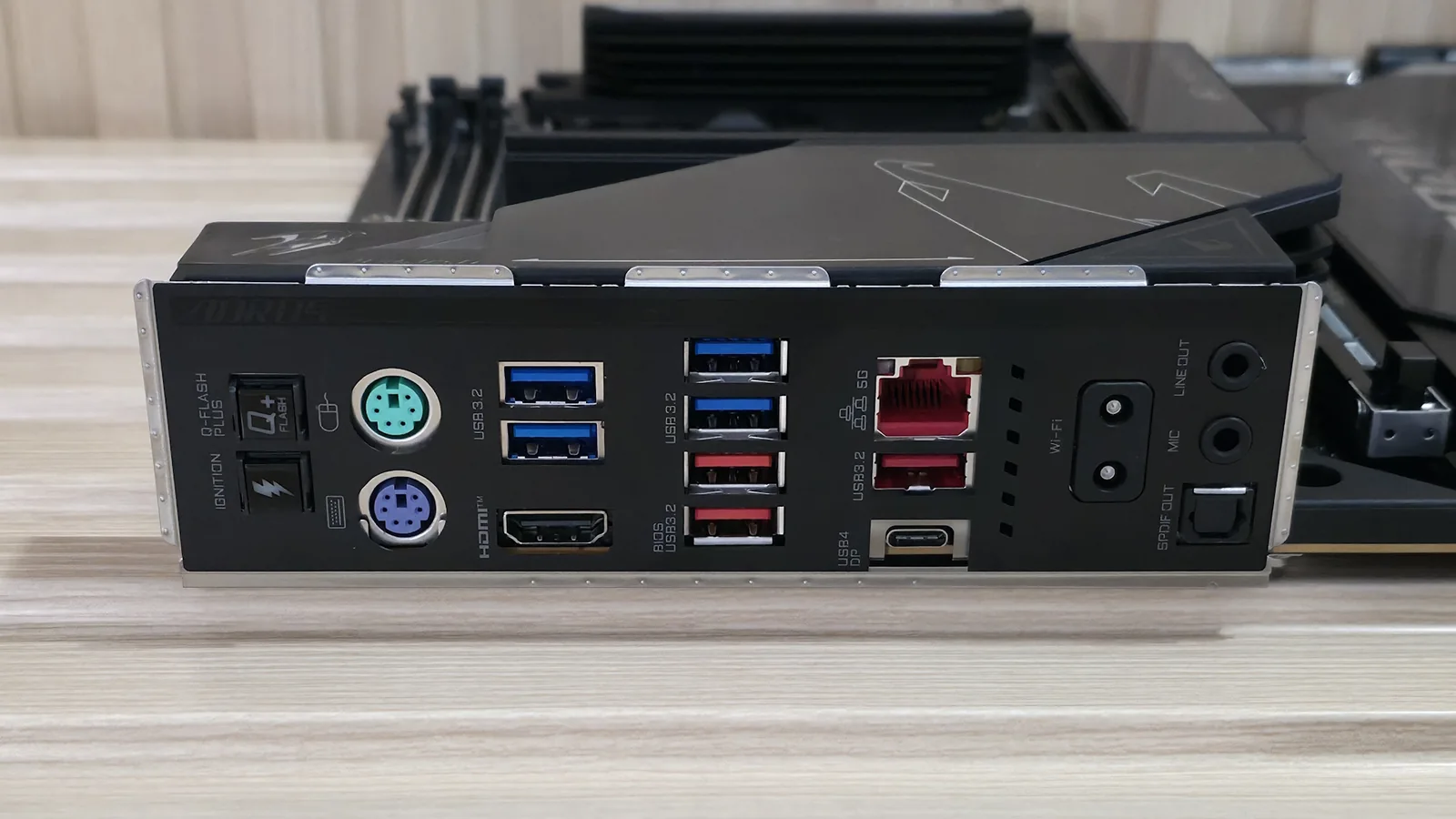
The rear I/O panel is densely packed with ports and buttons. On the left, a Q-Flash Plus button and an OC Ignition button allow pre-testing of water-cooling setups without booting. Two legacy PS/2 ports are included for keyboard and mouse, beneficial for extreme overclocking due to their lower system stress compared to USB. Following these are an HDMI port and two USB 3.2 Gen 1 (5 Gbps) ports. Further right, another USB 3.2 Gen 1 port and two USB 3.2 Gen 2 (10 Gbps) ports (with the bottom one used for Q-Flash) are present. The next stack includes a Realtek 5 GbE port, an additional USB 3.2 Gen 2 port, and the sole USB4 (40 Gbps) port. The Wi-Fi antenna connector is magnetic for easy attachment. The audio stack completes the panel, offering two 3.5mm jacks (line out/front speaker out, mic in/rear speaker out) and an optical S/PDIF connector. This comprehensive array of fast ports should satisfy most users.
Further right, we see another USB 3.2 Gen 1 port and two USB 3.2 Gen 2 (10 Gbps) ports (red; the bottom one is used for Q-Flash). The next stack holds the Realtek 5 GbE, another USB 3.2 Gen 2 port, and below that, the sole USB4 (40 Gbps) port. The Wi-Fi antenna connector is next and connects magnetically — just get it close and let the magnet connect it. Last but not least is the audio stack, which includes two 3.5mm jacks (line out/front speaker out, mic in/rear speaker out) and an optical S/PDIF connector.
It should have plenty of ports, and fast ones at that, for the average user.
MORE: Best Motherboards MORE: How To Choose A Motherboard MORE: Best Motherboard Deals MORE: Best Motherboard Combo Deals MORE: All Motherboard Content