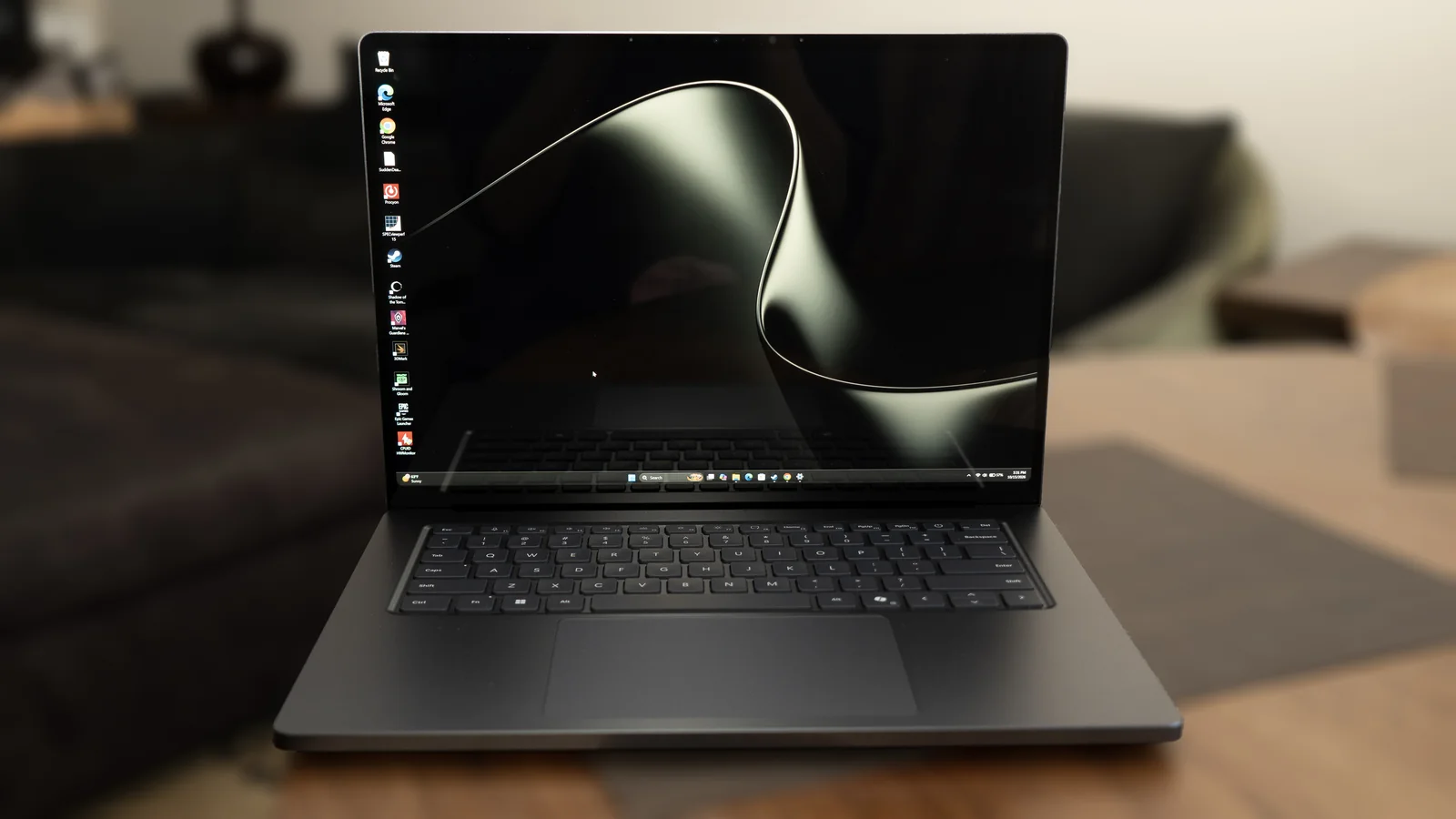
Overview and Architecture
Nvidia and industry partners have heavily promoted the Arm-based RTX Spark N1X chip, prompting Microsoft to introduce Windows updates that leverage its capabilities, such as AI developer tools and enhanced Arm support. The Surface Laptop Ultra serves as the flagship showcase device for these advancements, emphasizing creative workloads and local AI agents.
Among the wave of new RTX Spark devices, the Surface Ultra aims to stand out primarily through a long-overdue display hardware upgrade.
Unlike competitors relying on OLED technology, Microsoft opted to continue refining its PixelSense line with an LG IPS panel featuring a mini-LED backlight, dubbed PixelSense Ultra. Crucially, this panel finally introduces native HDR support, broadening its appeal for multimedia streaming and gaming.
Configurations and Pricing
The laptop is available in multiple tiers. Entry-level models start at $2,600 using an 18-core CPU and 5,120-core GPU, paired with 24GB of RAM and a 512GB SSD. Higher-tier models feature a 20-core CPU and 6,144-core GPU starting at $3,700 with 32GB RAM and a 1TB SSD, scaling up to $5,900 for a 128GB memory specification.
Configuration limitations exist; for instance, a 2TB SSD requires stepping up to the 64GB RAM tier, keeping maximum specifications below extreme cost boundaries.
Design and Build Quality
The industrial design matches a standard premium laptop aesthetic, offering a sturdy and polished chassis available in Nightfall mid-gray and Platinum finishes.
A notable hardware addition is the magnetic USB-C port. While it works exclusively with Microsoft’s proprietary cable due to connection parameters, flipping the cable reveals a standard end compatible with general power bricks.
The source review praised this magnetic mechanism for offering a secure hold compared to alternative magnetic ports, while its angled head helps prevent wear and tear around the port perimeter during blind connections.
However, because only the right-side port supports the magnetic feature, users who prefer left-side charging alongside right-mounted peripherals may find the layout restrictive.
Connectivity includes three USB-C 4 ports, an HDMI connector, and a full-size SD card slot. Because the underlying chip architecture is Arm-based, it lacks native Thunderbolt support.
In line with previous Surface iterations, the internal SSD remains user-replaceable.
Weighing 4.4 pounds for a 15-inch form factor, the device is moderately heavy compared to rivals like the Asus ProArt P16.
Under heavy sustained workloads while plugged in, thermal exhaust near the hinge can become quite warm, which may be noticeable for users working with the laptop resting on their lap.
A minor ergonomic annoyance is the lack of a prominent lid lip or grip notch, requiring two hands to open the tightly hinged display safely.
Display Evaluation and Professional Limitations
The mini-LED panel achieves exceptional brightness levels during testing, registering peaks of 1,000 nits in SDR and 2,000 nits in HDR to assist visibility in bright rooms.
Despite high brightness, the screen exhibits visible motion blur, haloing, and blooming artifacts. Black levels and contrast fall short of OLED alternatives, appearing slightly washed out.
While color accuracy across the P3 and sRGB gamuts is stellar, the display offers surprisingly few tools for professional creatives requiring color-critical workflows.
The glossy surface proves highly reflective in lit environments, often forcing users to raise backlight levels significantly.
Default color profiles prioritize vibrant consumer appeal rather than professional calibration standards. Advanced options lack hardware references and granular luminance locking for specific production standards.
The source review noted that these software limitations squander much of the physical panel's potential.
Performance and Battery Life
Performance metrics present a mixed scenario. Testing units defaulted to power-saving profiles even when connected to AC power, resulting in a lackluster battery longevity of around 10.5 hours.
Switching between active power profiles yields performance discrepancies of up to 40%, drastically affecting processing output when operating on battery reserves.
At maximum performance settings, the laptop competes closely with alternative RTX Spark hardware, though single-core execution lags behind competing architectures.
Graphics benchmarks highlight robust integrated GPU capabilities, achieving strong frame rates in gaming tests both plugged in and running on battery power.
Native Arm applications execute efficiently, matching or exceeding alternative hardware, though tasks reliant on x86 emulation experience noticeable speed reductions.
Ultimately, while the Surface Laptop Ultra functions as a capable everyday machine, it does not hold a distinct advantage in price, weight, or raw performance over its immediate market competitors.