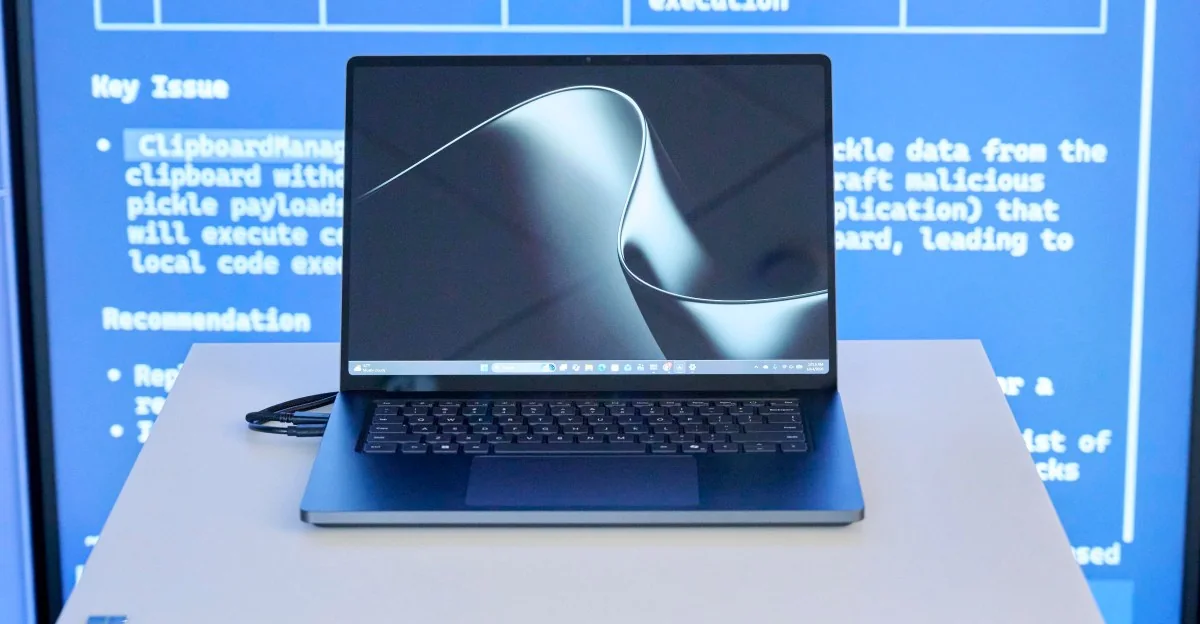
After setting up Microsoft’s Surface Laptop Ultra, the initial impression centers less on its MacBook Pro-like design or bright display and more on questioning what everyday tasks justify its premium price tag.
Surface Laptop Ultra review: a different kind of MacBook Pro
A beautiful laptop built for an AI future that has not quite arrived.
This MacBook Pro lookalike is designed primarily for developers and power users.
Design and Hardware
This is not a regular Windows laptop. Microsoft has teamed up with Nvidia to build a high-end device showcasing Nvidia’s Arm-based RTX Spark chips. It marks a significant moment for Windows on Arm, enabling the local execution of demanding AI models alongside modern AAA games and creative apps. The promise is compelling, though the practical reality of local AI remains messy.
Unlocking the full potential of top-tier configurations requires coding experience or patience for experimenting with AI agents. For the right technical audience, Microsoft delivers a powerful Windows machine; for others, it may not serve as the ultimate alternative to Apple's ecosystem.
Microsoft has achieved hardware parity with Apple's pro laptops through an all-aluminum design, large haptic trackpad, and high-end finish, complete with a dark colorway.
The 15-inch mini-LED display reaches up to 2,000 nits of peak HDR brightness at 262 pixels per inch (3270 x 2180), surpassing the peak brightness of competing MacBook Pro panels. It also features a 3:2 touchscreen aspect ratio, which is well suited for reading and coding.
The port selection includes three USB-C ports, a USB-A port, HDMI 2.1b, an SD card reader, and a headphone jack. A notable addition is Microsoft’s Magnetic Connect, which integrates magnetic charging directly into the USB-C port.
The magnetic USB-C connector adds versatility by allowing users to reverse the charging end and utilize the standard USB-C cable functionality for other compatible devices.
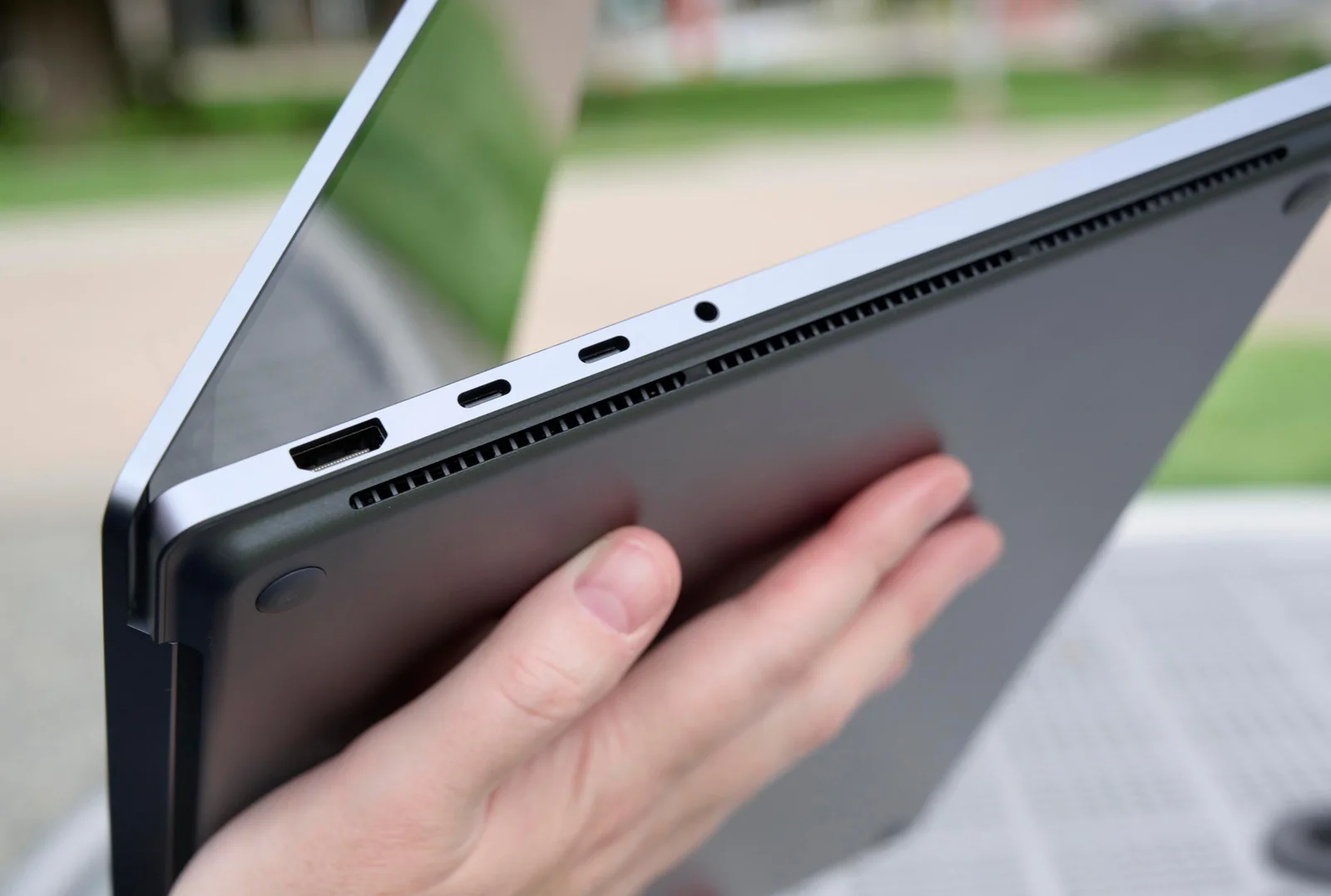
Left-side ports include an HDMI output, dual USB-C ports, and a headphone jack.
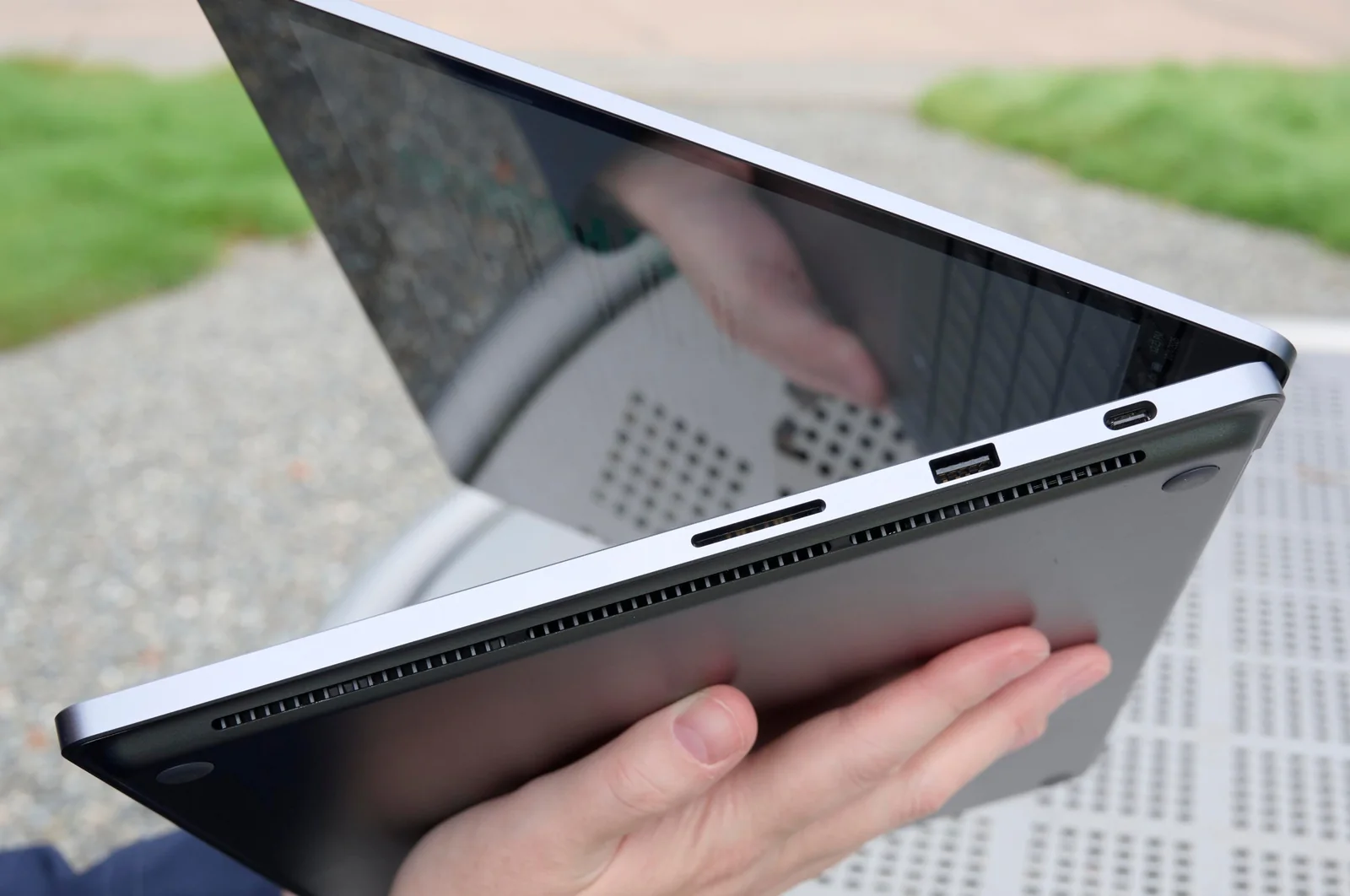
Right-side ports comprise an SD card reader, a USB-A port, and an additional USB-C port.
The haptic trackpad provides subtle tactile feedback integrated throughout Windows 11 and select creative applications, enhancing the feel of window management and alignment.
A 1080p front-facing camera supports Windows Hello face authentication and Windows Studio Effects for automatic framing, eye contact, and background blur.
Some hardware behaviors require adjustment, such as battery status indicators dropping slightly immediately after unplugging due to battery longevity protection mechanisms.
The magnetic USB-C charger serves as a welcome design enhancement.
According to Microsoft, charging pauses when the battery is full to reduce wear over time, resuming only after dropping to 95 percent, which explains minor initial discrepancies upon unplugging.
Display quirks such as minor motion ghosting can be mitigated by adjusting power profiles from efficiency settings to performance modes.
Occasional speaker interference sounds can be resolved by rebooting the system.
System reboots currently take longer than expected, though software updates could easily address this.
The machine is equipped to handle complex local AI workloads.
AI Performance and Workflow
The RTX Spark platform is architected around local AI tasks. The tested configuration features a 20-core CPU paired with a CUDA-capable GPU, massive unified memory, and high-speed storage. Entry-level specifications offer scaled-down core counts and smaller memory allocations.
Initial setup prompts users to select AI agents such as Hermes or OpenClaw, though configuring these tools can occasionally require troubleshooting and reinstalls.
Running advanced local models drives the GPU to maximum capacity, triggering fan activity and thermal output during intensive text or media processing.
While large models handle complex automation, simpler tasks can occasionally result in high resource utilization without immediate user-friendly outcomes.
The base configuration with lower memory will naturally restrict the selection of larger local AI models.
Local AI models currently prove most advantageous for coding tasks and privacy-focused workflows.
Many daily tasks execute faster via cloud-based models; local processing shines when running autonomous overnight workloads or avoiding recurring cloud API fees on massive datasets.
Running tasks like local audio transcription via servers avoids cloud subscription fees, though configuration requires technical patience.
Current AI agent interfaces lack mainstream user-friendliness, reinforcing that the hardware is primarily tailored toward developers and advanced power users.
Gaming and General Performance
Unlike standard Windows-on-Arm laptops with weaker integrated graphics, the dedicated Nvidia GPU integration allows the Surface Laptop Ultra to run demanding modern games effectively.
With native support for DLSS, Frame Generation, and ray tracing, users can optimize graphics settings to achieve smooth framerates on the 120Hz display.
Demanding titles such as Cyberpunk 2077 and Forza Horizon maintain playable averages at native resolutions using balanced graphics presets.
Certain graphically intensive games require lower settings or DLSS performance modes to maintain steady 60fps performance targets.
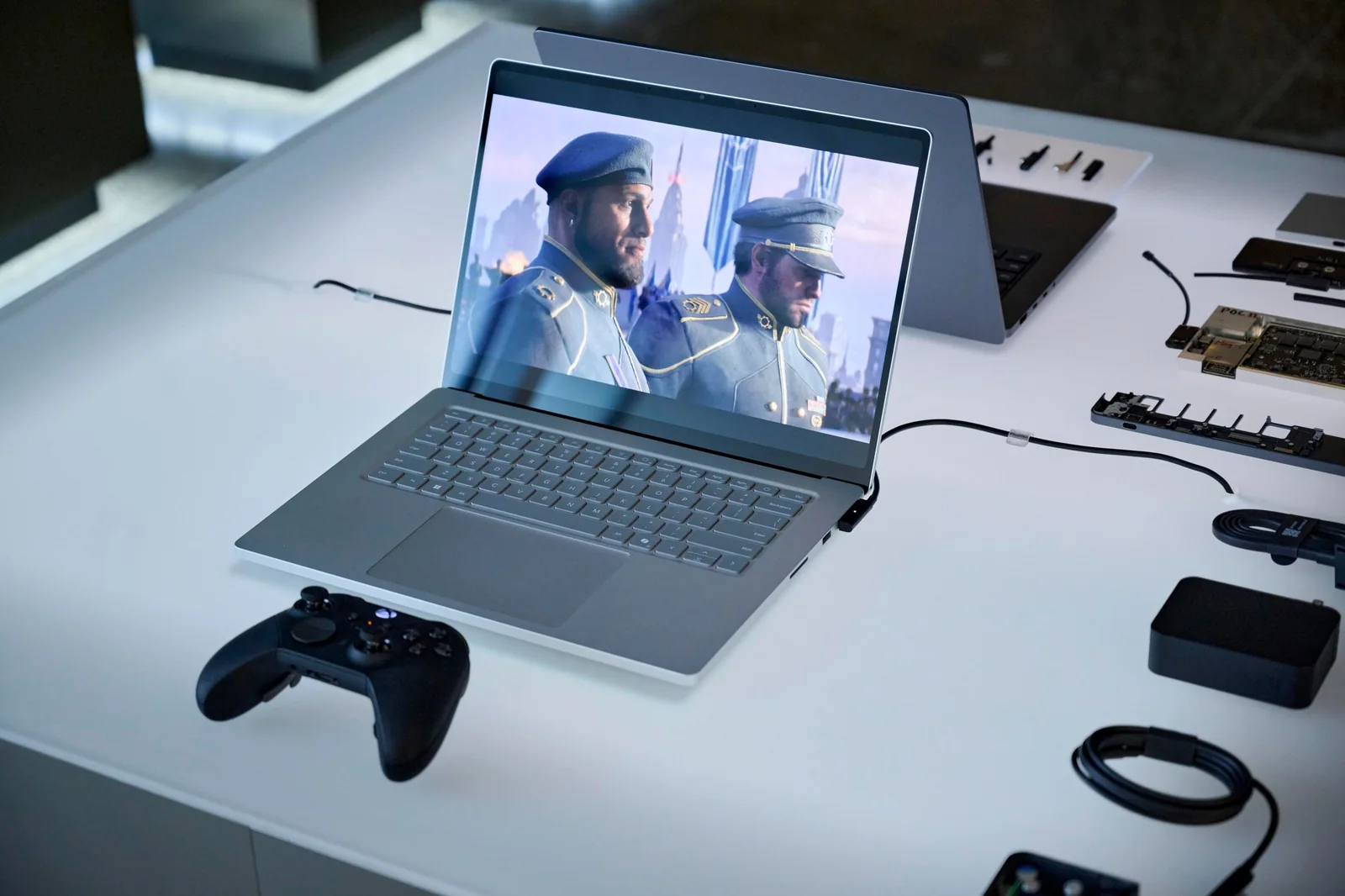
Gaming performance on the Surface Laptop Ultra handles major titles with respectable fidelity.
Medium settings on a 15-inch display provide a console-like visual experience that prioritizes smooth framerates over maximum graphical fidelity.
CPU-heavy games may encounter emulation constraints, indicating that native Arm ports improve compatibility.
Native Arm game releases demonstrate solid performance advantages where x86 translation introduces bottlenecks.
Industry collaboration continues to expand native compatibility for popular multiplayer titles reliant on complex anti-cheat engines.
Creative applications perform capably; 4K video exports complete rapidly in Premiere Pro, though minor software bugs in auxiliary encoder tools require workaround workflows.
Synthetic benchmarks indicate that raw single-core and multi-threaded CPU performance trails top-tier Apple silicon configurations.
Battery longevity spans approximately seven hours during intensive AI and gaming workloads, extending to ten hours or more during lighter productivity tasks.
The hardware accommodates demanding creative software suites like Blender.
The laptop offers specialized advantages primarily in CUDA compute and local AI workloads rather than universal performance gains, making it a specialized recommendation.
Power users who leverage its unique computing capabilities will find plenty to appreciate, while general consumers can find more cost-effective productivity alternatives.
Microsoft has delivered an impressive hardware alternative to pro macOS devices, but local AI remains an evolving frontier that commands a steep financial entry barrier.