Movavi Video Editor has consistently impressed with its capabilities, establishing itself as a strong contender among video editing software options, particularly for beginners.
With the recent release of version 27, the software introduces new features and refinements, prompting an evaluation of its improvements.
Movavi Video Editor 27: Pricing & Plans
Subscription plans are competitively priced.
The perpetual license shows a notable price difference for American users.
A free trial is available for new users.
Despite rising costs in many sectors, Movavi has adjusted its pricing structure favorably. A monthly subscription for the video editor costs $20, €19, or £18. The annual subscription offers significant savings at $55, €44, or £41, equivalent to just over two months of the monthly rate.
While not free like DaVinci Resolve, Movavi's annual pricing is considerably more affordable than alternatives such as Adobe Premiere Pro, which can cost around $276 annually.
For users preferring a one-time purchase, a perpetual license is available for £150, €90, or £90. The substantial discrepancy in pricing across currencies for the perpetual license is a puzzling aspect.
The software is multi-platform, supporting both PC and Mac operating systems, which adds to its versatility.
A free trial is offered for those unsure about committing to the application. This trial includes a watermark on exported videos and limits projects to 60 seconds, providing sufficient scope to evaluate Movavi Video Editor's capabilities.
Movavi Video Editor 27: Getting Started
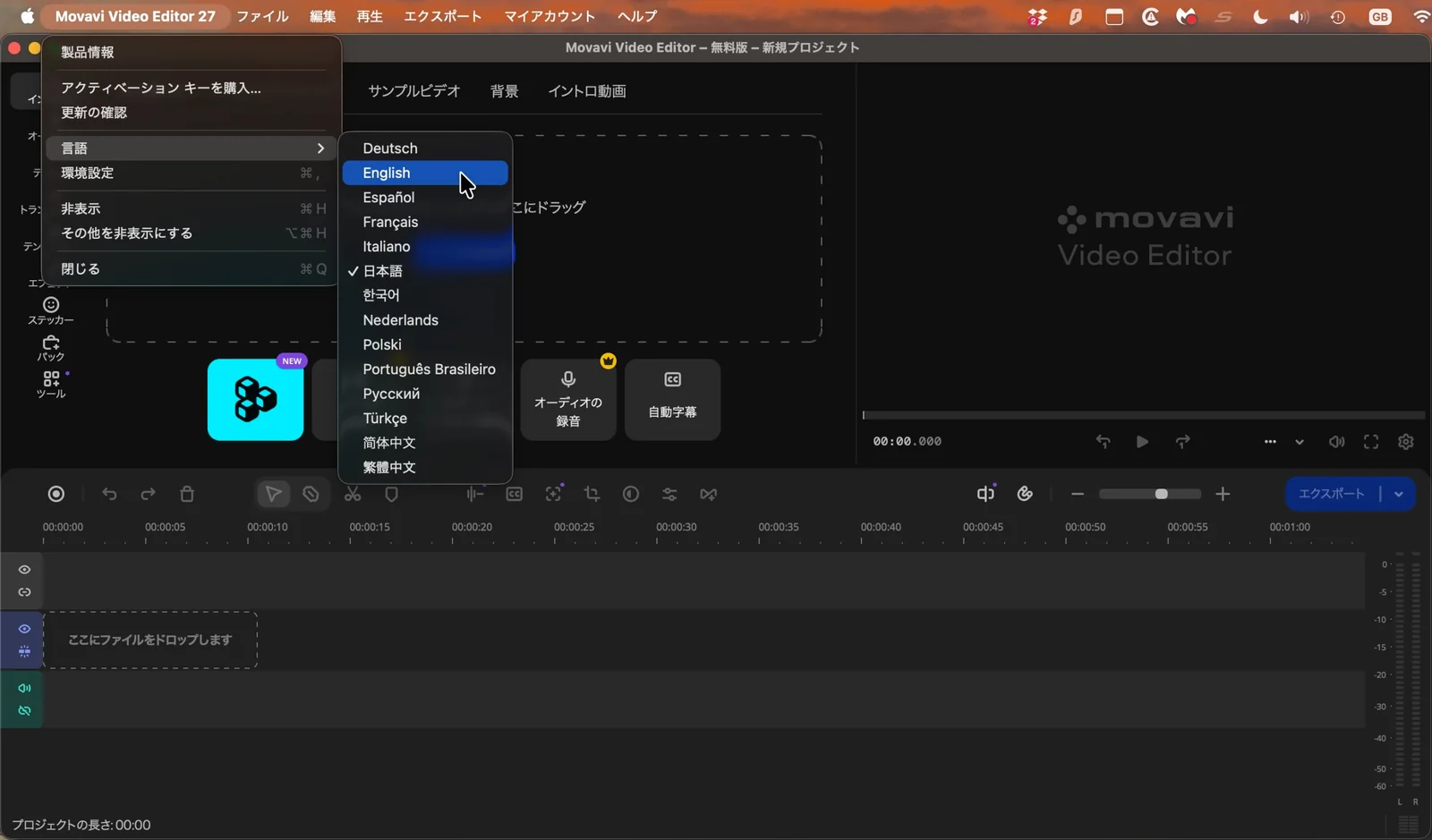
The software does not automatically detect the operating system's language setting.
It defaults to Japanese upon first launch.
A recurring issue noted in previous versions, the software's initial launch presents an interface entirely in Japanese. This can be an unexpected hurdle for users unfamiliar with the language.
While a workaround involves using translation tools to navigate the menus and change the default language, it remains a point of frustration that Movavi has not addressed this in version 27. Software is generally expected to detect and default to the operating system's chosen language, making this oversight surprising.
Movavi Video Editor 27: Editing
The software is an excellent video editor with a comprehensive suite of useful, powerful, and well-implemented tools.
A significant number of features are restricted to subscription plans.
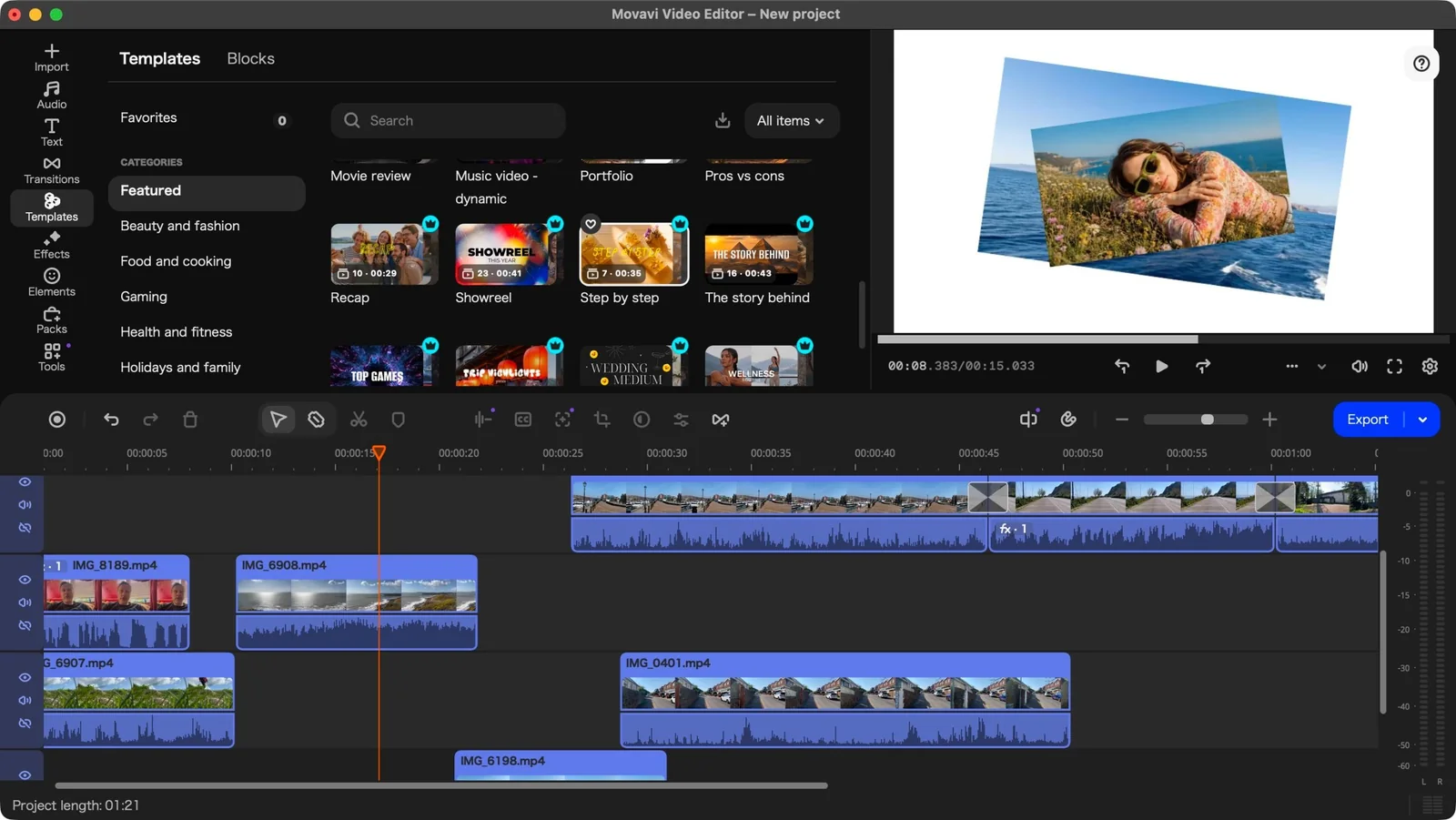
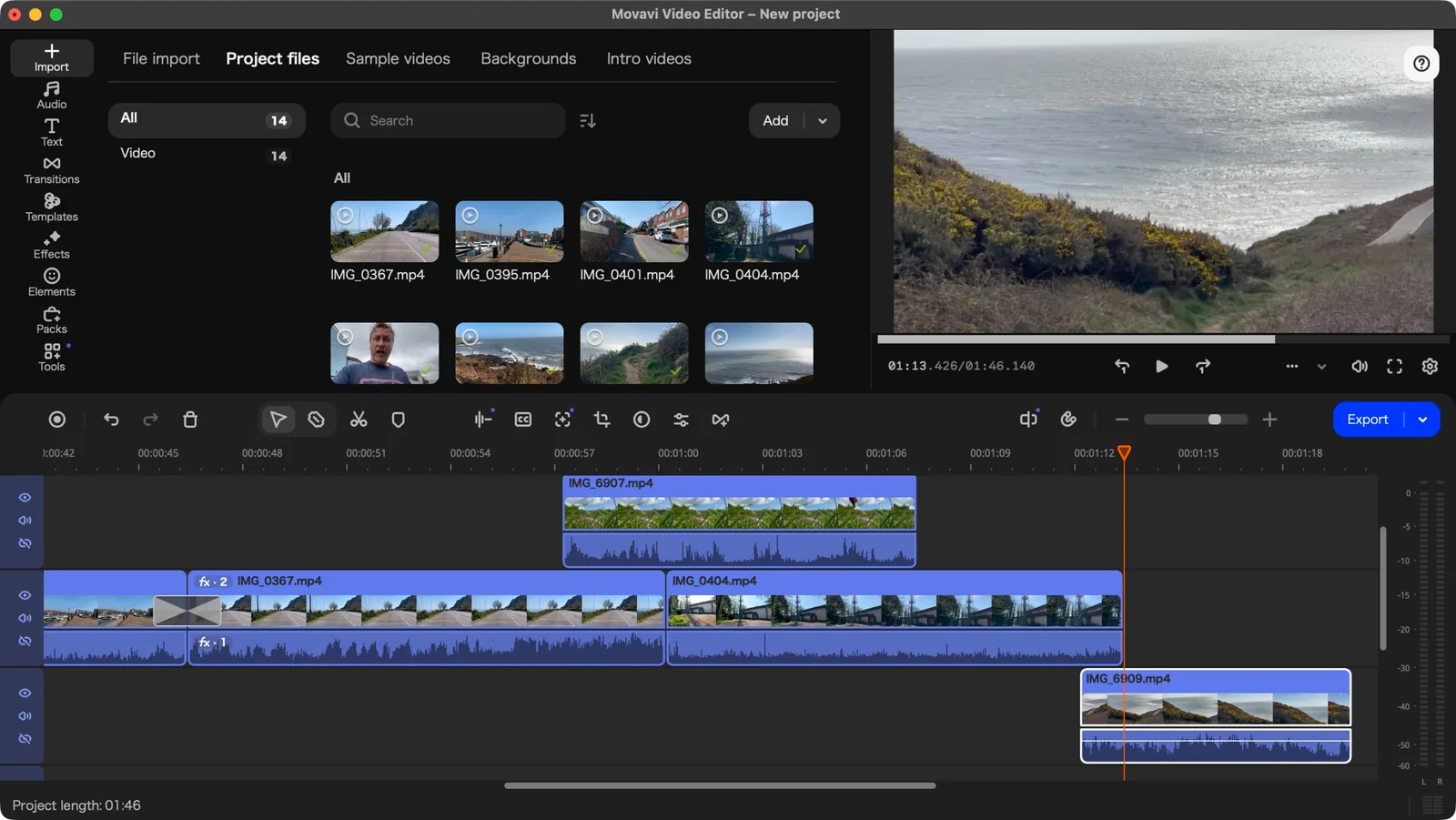
Beyond initial setup frustrations, Movavi Video Editor 27 excels in its primary function. The media section allows for easy clip preview by mousing over imported files, facilitating precise setting of in and out points.
While supporting multiple layers, a fixed base layer prevents adding clips beneath it, which may be inconvenient for complex projects requiring extensive clip rearrangement.
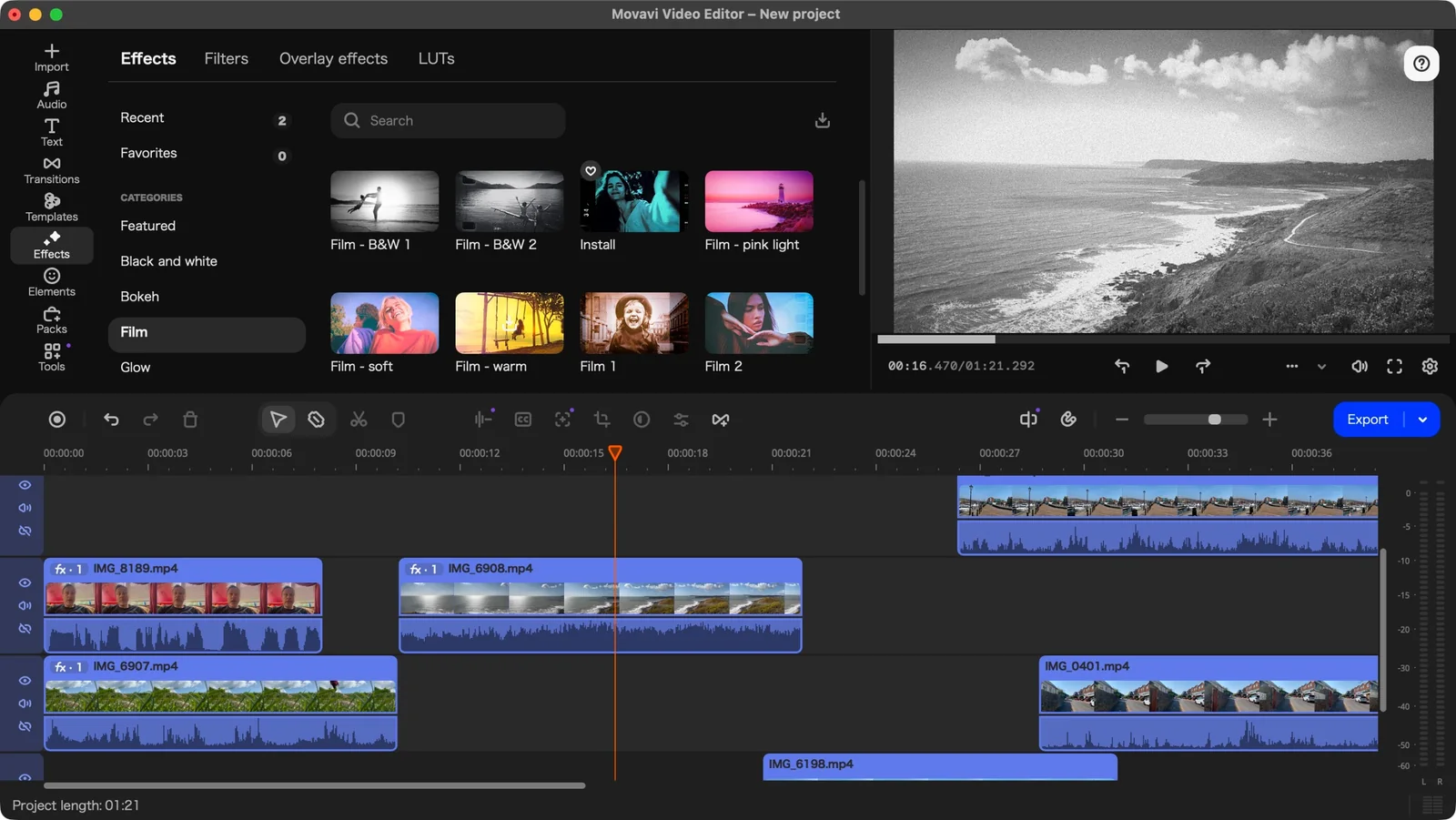
The software offers a wide array of Titles, Transitions, Effects, and Elements, categorized for easy searching. However, many of these assets are premium features, indicated by a 'crown' logo, and require an additional subscription for export.
This additional subscription, priced at €36 per month or €110 per year, is significantly more expensive than the base program. Users can, however, filter assets to display only free options.
The Tools section includes essential features such as image stabilization, background removal, green screen functionality, and an impressively effective AI-based subtitle feature. All tools within this section are included in the software's base cost.
A key innovation introduced in version 27 is the integration of Templates.
Movavi Video Editor 27: Templates
Templates provide a versatile and effective method to enhance video projects.
They can be utilized as complete videos or integrated as individual components.
The template system is designed to simplify video creation for users lacking extensive editing skills or time. Movavi offers a large collection of pre-made templates that can form an entire video, a segment of a larger project, or be combined with other templates.
These templates are organized into 12 categories, ranging from Beauty and Fashion to Gaming and Marketing. Most templates include premium features, though each category provides at least one free option.
Dragging a template to a project expands it into various sections, each indicating the number of placeholders requiring replacement. Some sections surprisingly lack the option to replace placeholders, necessitating their deletion and manual insertion of clips.
Replacing placeholders, while not immediately intuitive, becomes straightforward once the process is understood: clicking 'clips to replace' reveals a large thumbnail, which, when clicked, opens a media window for clip selection and application.
Further customization is available by double-clicking a Template's Section to access 'Clip Settings,' allowing for text field customization and review of applied effects.
Templates also include soundtracks, which can be used or discarded, and sections can be reordered or deleted, enabling users to mix and match elements from different templates to create unique projects efficiently.
The source reviewer found this a highly effective and enjoyable method for rapid content creation.
Should I buy Movavi Video Editor 27?
Buy it if...
You are engaged in video editing and seek an affordable application that provides robust functionality, especially if you value the addition of versatile and customizable templates to accelerate your workflow.
Don't buy it if...
You do not dedicate sufficient time to video editing to justify the cost of such software, preferring free alternatives even if they offer fewer tools.