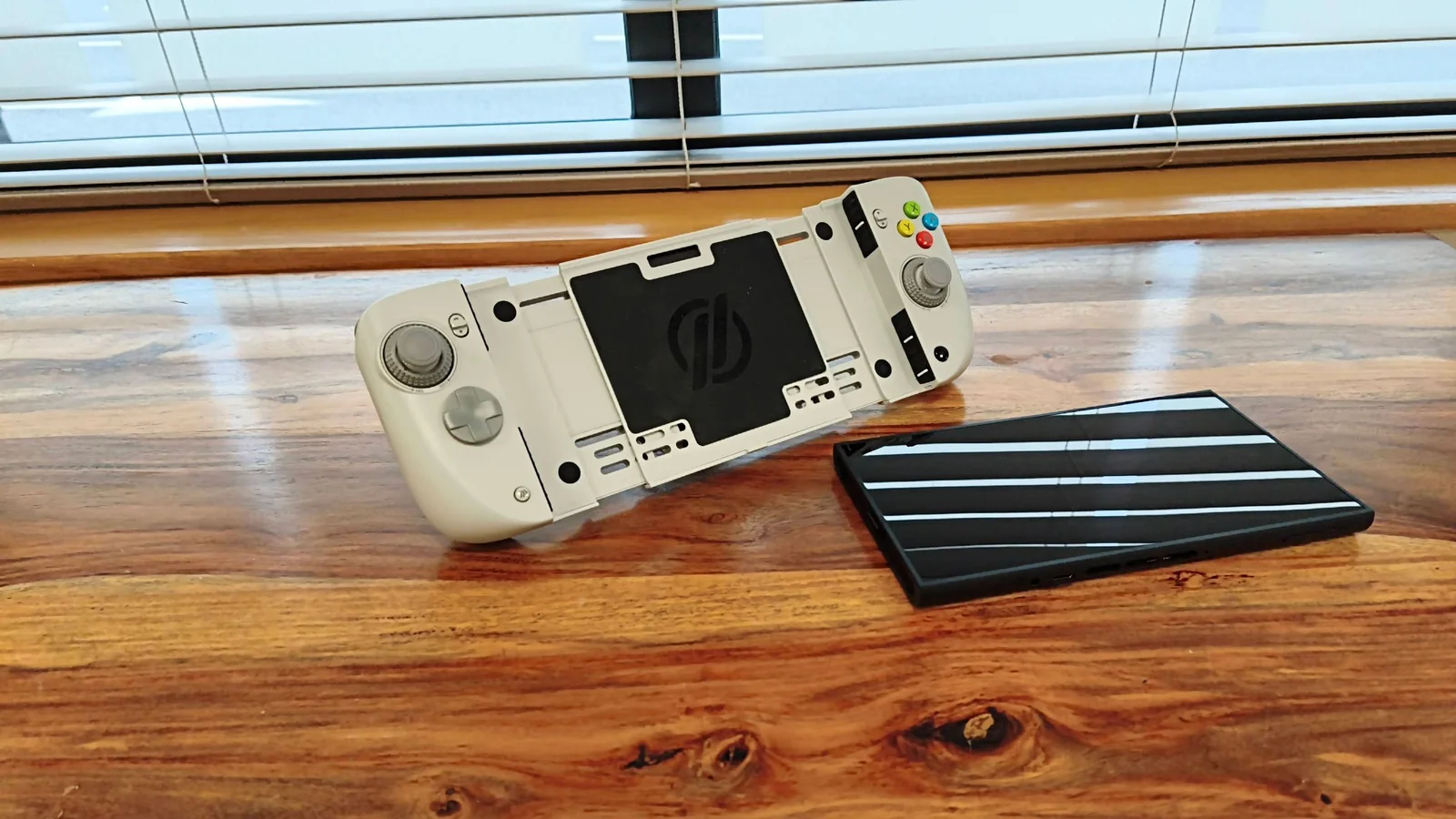
The CRKD Nitro Deck 2 is designed as a versatile handheld controller for both the Nintendo Switch and the upcoming Switch 2, building upon CRKD's previous accessories for the original console.
The Nitro Deck 2 features a functional design prioritizing ergonomics over pure aesthetics. Certain colorways, such as the Pal Grey variant, evoke a retro Nintendo feel with colorful face buttons and dark grey accents.
Design and Build Quality
The controller attaches to the Switch and Switch 2 by clamping securely onto the sides, rather than utilizing the Joy-Con slots. A rear button mechanism ensures a tight grip, preventing any movement of the console. Connectivity options include wireless Bluetooth or a wired connection via an included U-shaped USB adapter.
CRKD provides a mobile app for remapping inputs and enabling a 'No Deadzone' mode for the joysticks. While the app's interface is clear and bug-free, the need to reconnect to it every time it's opened by holding two buttons for three seconds detracts from its convenience.
The buttons offer satisfying clicky feedback and responsiveness. However, the rear buttons are positioned awkwardly, leading to accidental activations by the source reviewer.
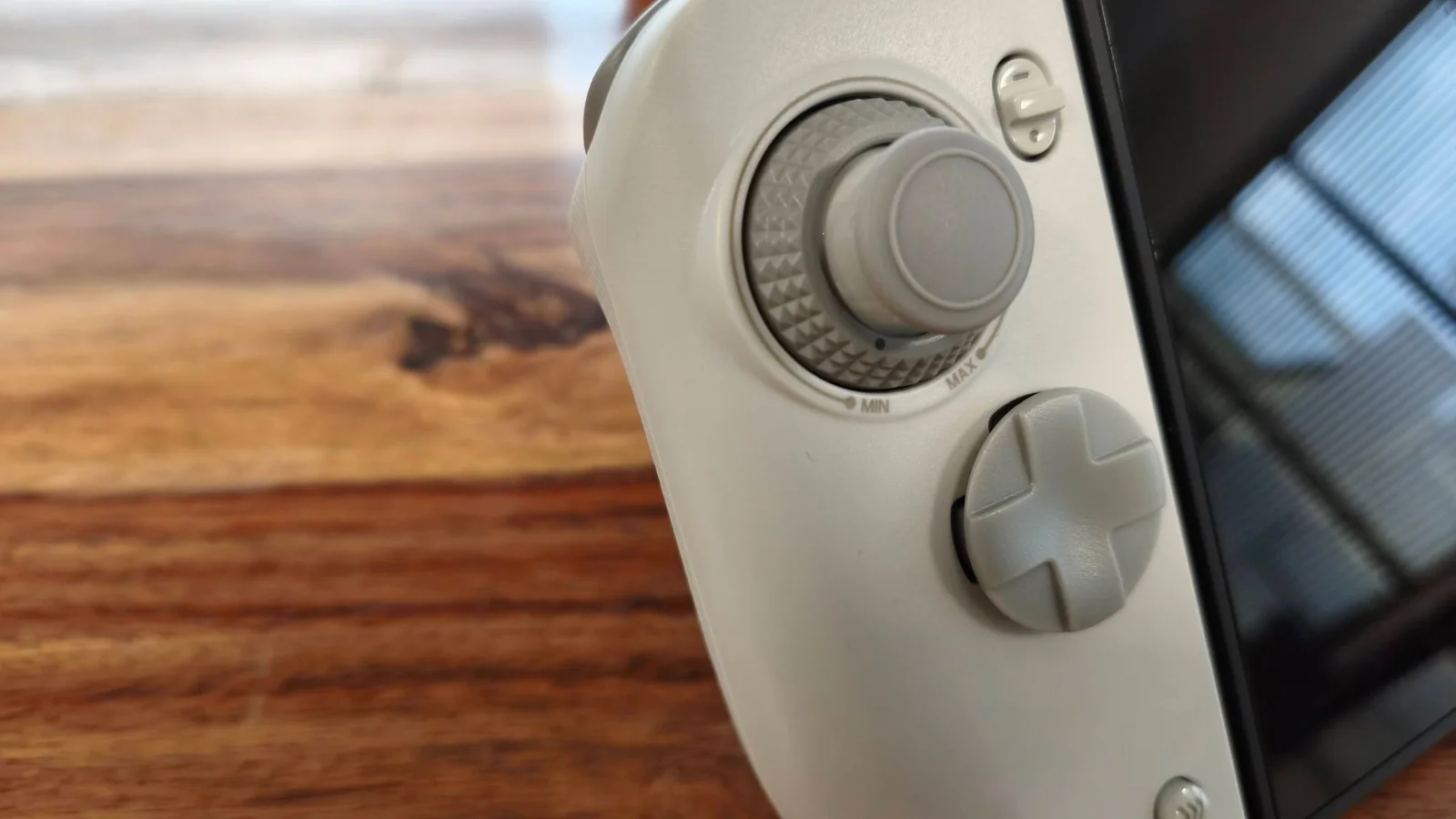
A standout feature of the Nitro Deck 2 is its joysticks, which are precise and responsive. They incorporate tension adjustment dials at their bases, allowing users to customize the feel on the fly for preferred control.
Ergonomics and Portability
Despite positive performance aspects, the Nitro Deck 2's ergonomics are a notable drawback. The grips angle inwards at the bottom, deviating from typical gamepad designs, and the unit becomes heavy when a console is attached. These factors contribute to a cumbersome and awkward user experience, particularly during upright gaming sessions.
Bluetooth pairing with Switch consoles is straightforward, though reconnection after sleep mode can be slow. Wired mode offers faster, but not instantaneous, reconnection. While easy to pair with PC and Android, the lack of hot-switching between devices means re-pairing is required for each platform.
The Nitro Deck 2 offers reasonable battery life, aligning with CRKD's claim of 15-20 hours in testing. A minor inconvenience is the need to charge the controller separately from the console, as there is no passthrough charging.
Value and Versatility
Considering its feature set, the Nitro Deck 2 provides good value. It functions as a handheld controller and protective case for both Switch models, a standalone gamepad for PC and mobile, and includes a sturdy kickstand. While comfort issues are present, the device remains a versatile option for users who can tolerate its weight.
The Nitro Deck 2 is priced at $89.99 / £89.99 / AU$161 and is available in four color options: Smoke Black, Pal Grey, LRG Fusion, and White. The package includes a USB cable, a double-ended USB adapter, and a legacy adapter for Switch 1 compatibility. While joystick caps and the D-pad hat are replaceable, no additional sets are provided.
This pricing is considered reasonable given the unit's multifunctionality as a handheld case and controller for both Switch models, and a wired/wireless standalone gamepad for PC and mobile.
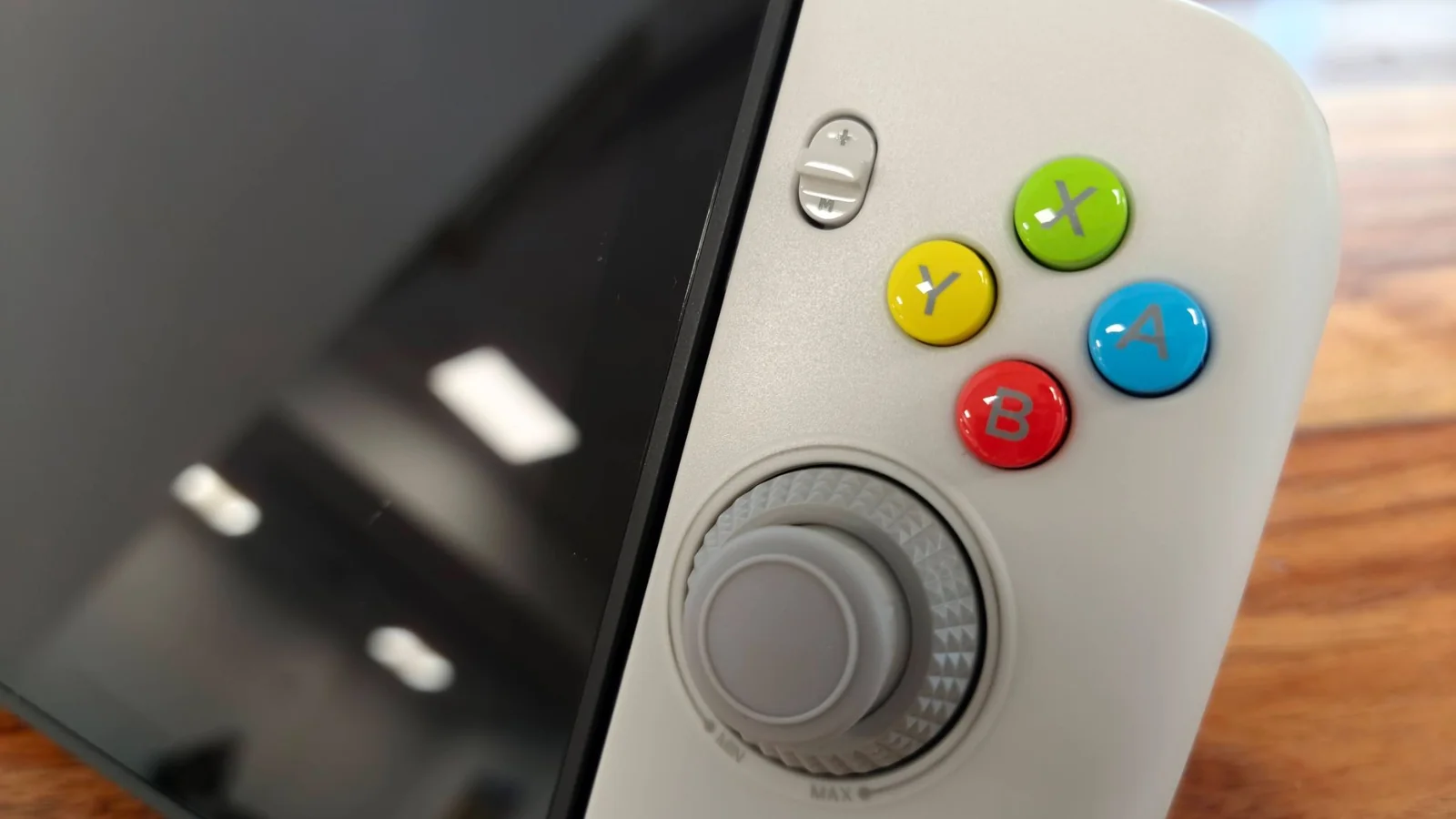
The Nitro Deck 2's design prioritizes function and ergonomics, featuring soft edges and curves. The Pal Grey finish, with its dark grey accents and colorful face buttons, provides a retro aesthetic reminiscent of classic SNES controllers.
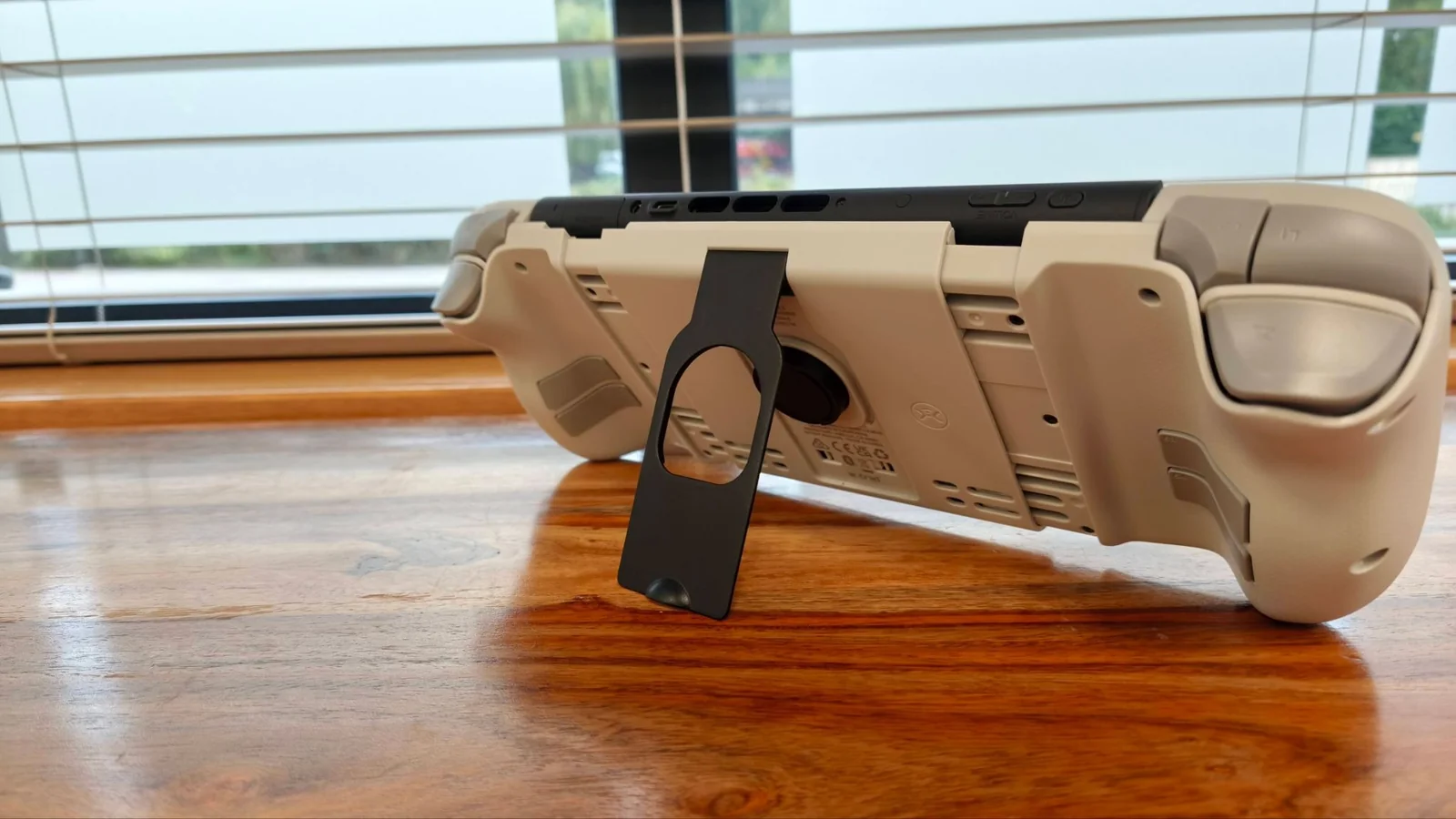
The build quality is solid; despite an initial impression of a non-premium plastic shell, the unit feels sturdy and robust in hand. The sliding mechanisms for the controller pads also operate smoothly.
The controller pads clamp securely to the sides of the Switch or Switch 2, rather than using the Joy-Con slots. A rear button mechanism tightens the clamp, requiring some force to engage and release, but providing a very secure fit.
The Switch 2 fits snugly and securely within the Nitro Deck 2, with no looseness reported by the source reviewer. The unit aligns precisely with the console's dimensions, though accessing the game card flap can be fiddly due to limited space. This issue is not present with the Switch 1, as its flap opens in a different direction.
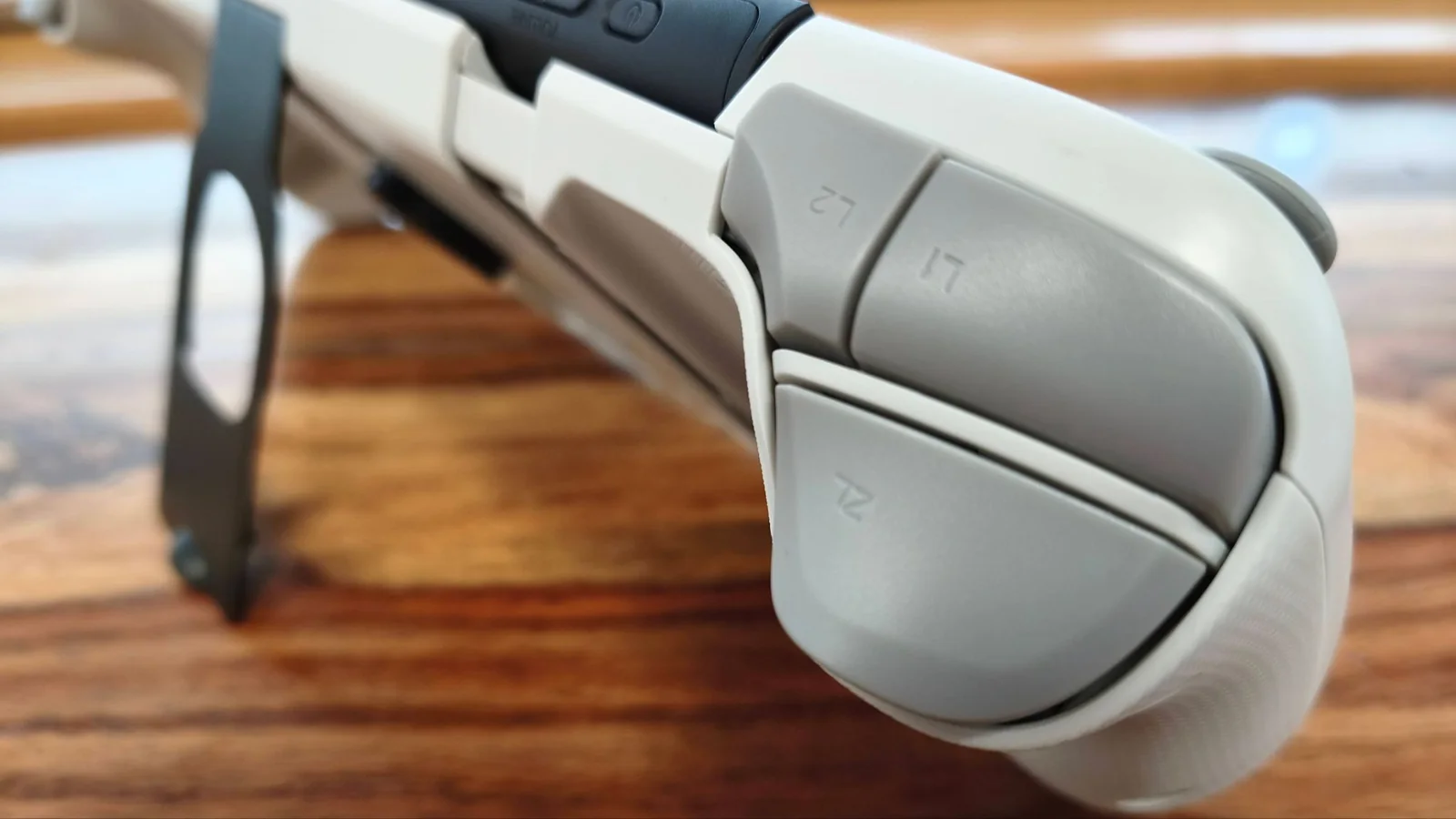
The Nitro Deck 2 is compatible with both the Switch 1 and Switch 2. A legacy adapter ensures the USB-C port remains accessible for a wired connection, facilitated by a double-ended U-shaped USB-C jack that connects the Deck to the console.
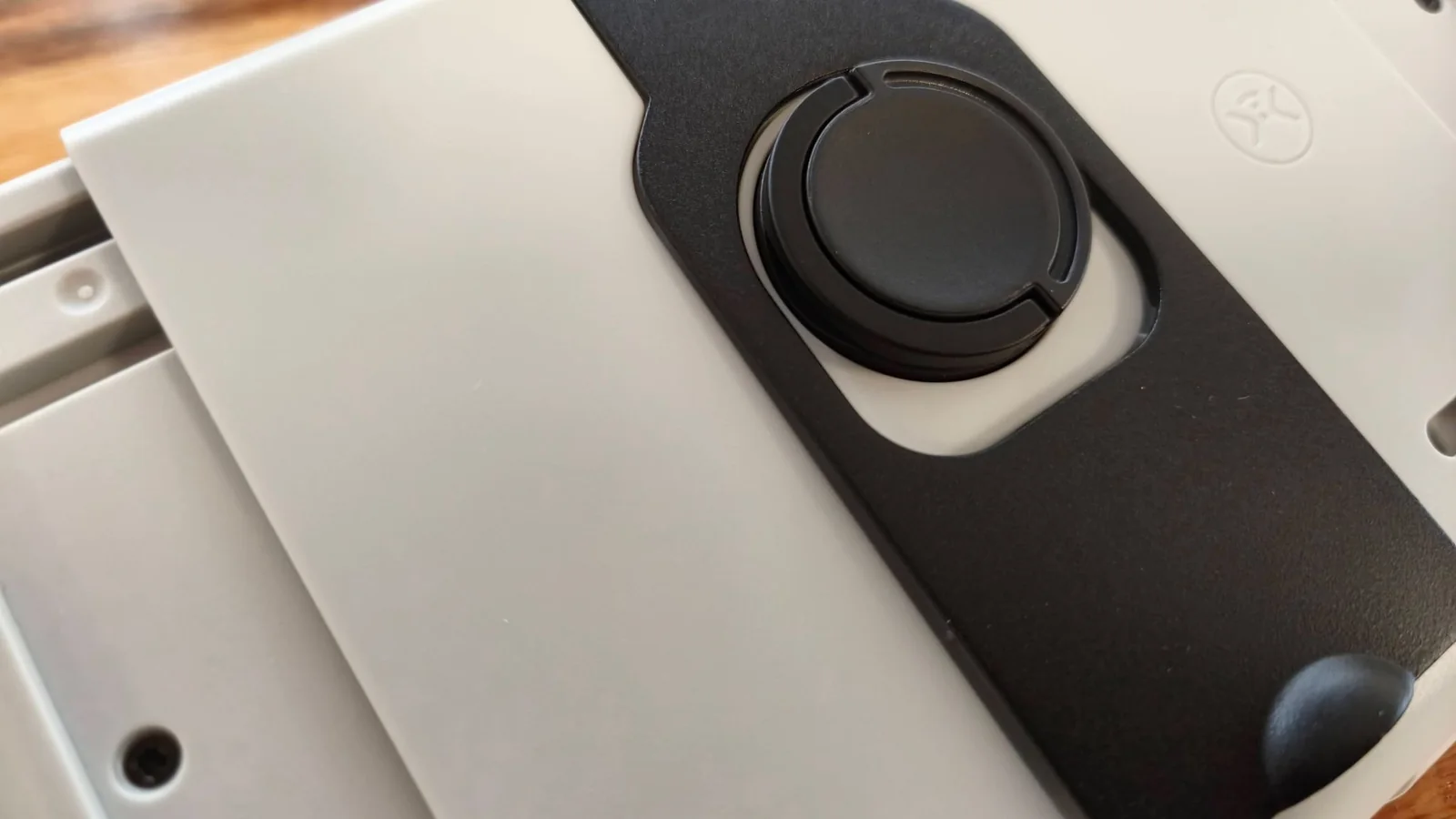
A sturdy metal kickstand is integrated into the back of the Nitro Deck 2, enabling tabletop play with a separate controller. It folds flush when not in use and, despite being slightly difficult to release, provides secure fastening.
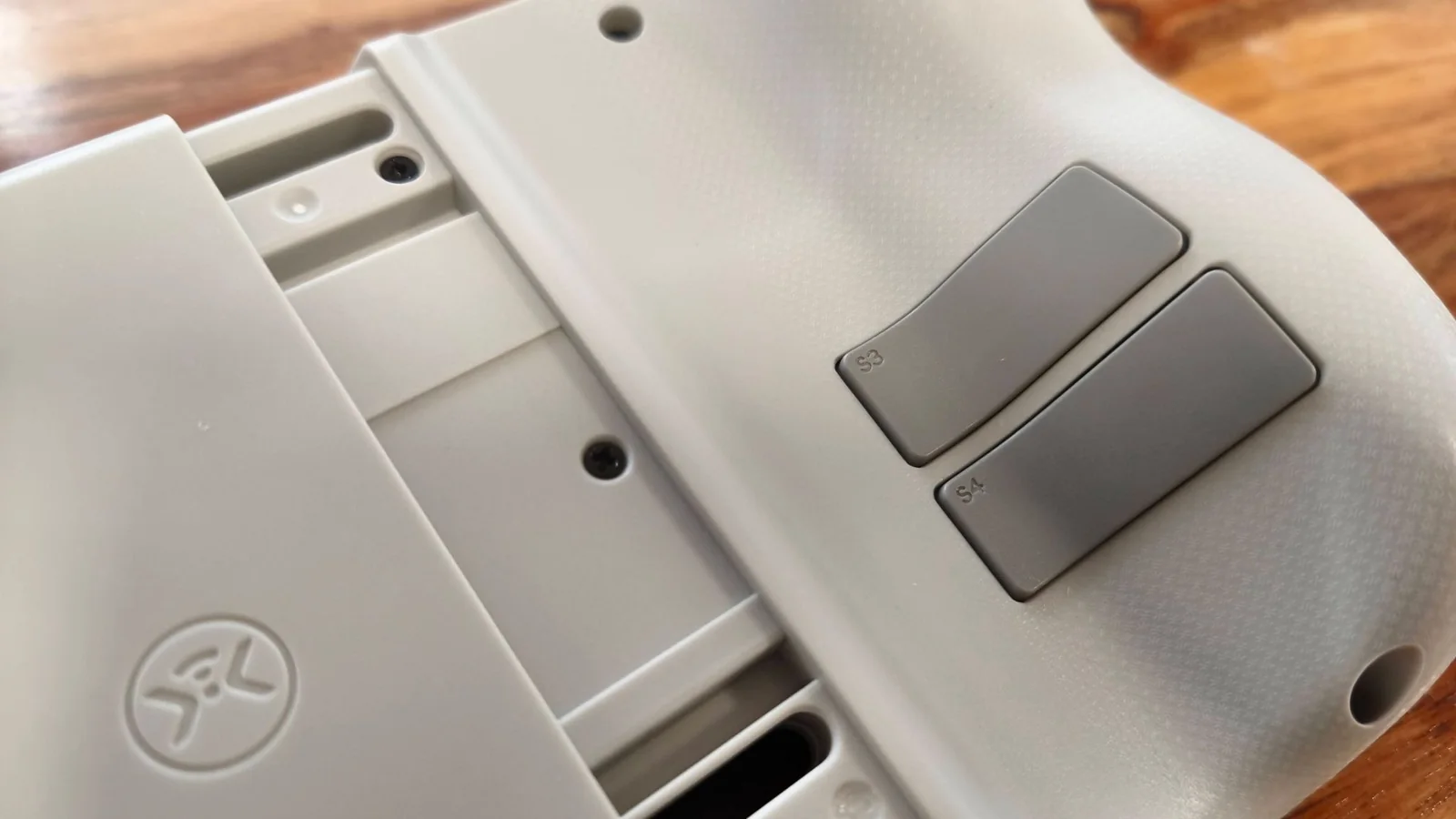
Button inputs, including extra shoulder and back buttons, can be customized using the M button in combination with others, or through CRKD’s mobile app. The app also allows for full button remapping and activation of a 'No Deadzone' mode for increased joystick sensitivity.
The companion app is well-designed and easy to navigate, with no reported bugs despite its low app store ratings. However, it is restricted to landscape mode, and switching between the app and the console requires holding specific buttons for three seconds each time, hindering a seamless user experience.
Performance and Usability
Despite an ergonomic appearance, the source reviewer found the Nitro Deck 2 challenging to hold comfortably, primarily due to its significant weight when a console is attached, making upright gaming difficult even for short durations.
Further ergonomic issues arise from the grips' orientation, which protrude outwards at the top rather than the bottom, creating an unnatural angle for the hands. While some acclimatization occurred, the source reviewer never achieved complete comfort.
The rear buttons were also noted as awkward to use, positioned too low for natural finger placement. Their low travel and resistance frequently led to accidental activations.
Beyond the ergonomic concerns, the Nitro Deck 2 delivers strong performance. The face buttons are clicky and satisfying, and the circular D-pad is comfortable, offering good feedback with ample travel. Shoulder buttons were also found to be easily accessible and usable.
The joysticks are a highlight, featuring tension adjustment dials at their bases for on-the-fly resistance customization. This innovative design allows for looser settings for quick maneuvers and tighter settings for enhanced control and precision.
Motion controls are included and were found to be accurate and responsive in games like The Legend of Zelda: Tears of the Kingdom. However, their practicality in handheld mode is limited, as the entire console moves with the user's hands.
The source reviewer noted minor connectivity issues; while initial pairing was quick, reconnection after waking the console could be slow. Wired connections offered faster activation, but still not instantaneous.
Compatibility with both Switch 1 and Switch 2 was consistent. However, the legacy adapter does not support console charging, which is a notable inconvenience.
The Nitro Deck 2 connected and functioned well with PC and Android smartphones via Bluetooth. However, hot-switching between devices is not supported, requiring re-pairing for each platform.
Battery life is reasonable, with testing confirming CRKD's claim of 15 to 20 hours. The absence of a passthrough charging feature means the console and Deck must be charged separately.
Score breakdown
Scored out of 10Price & Release Date
CRKD Nitro Deck 2