Introduction
Apple Wallet has long been a useful tool for storing virtual copies of credit cards, tickets, and official passes. However, its utility was previously limited to services with official app or issuer support.
The release of iOS 27 addresses this limitation by introducing the ability to create custom passes, bringing the platform up to speed with similar features available on Android devices.
This functionality makes it easy to back up physical cards like warehouse club memberships, theater loyalty cards, or local transit passes so you are never caught without them.
With these virtual backups stored on your device, you can access your barcode-based items directly from your screen even if you leave your physical accessories behind.
Thanks to iOS 27, keeping your frequently used cards accessible without carrying a bulky physical cardholder is now straightforward.
Step-by-Step Instructions
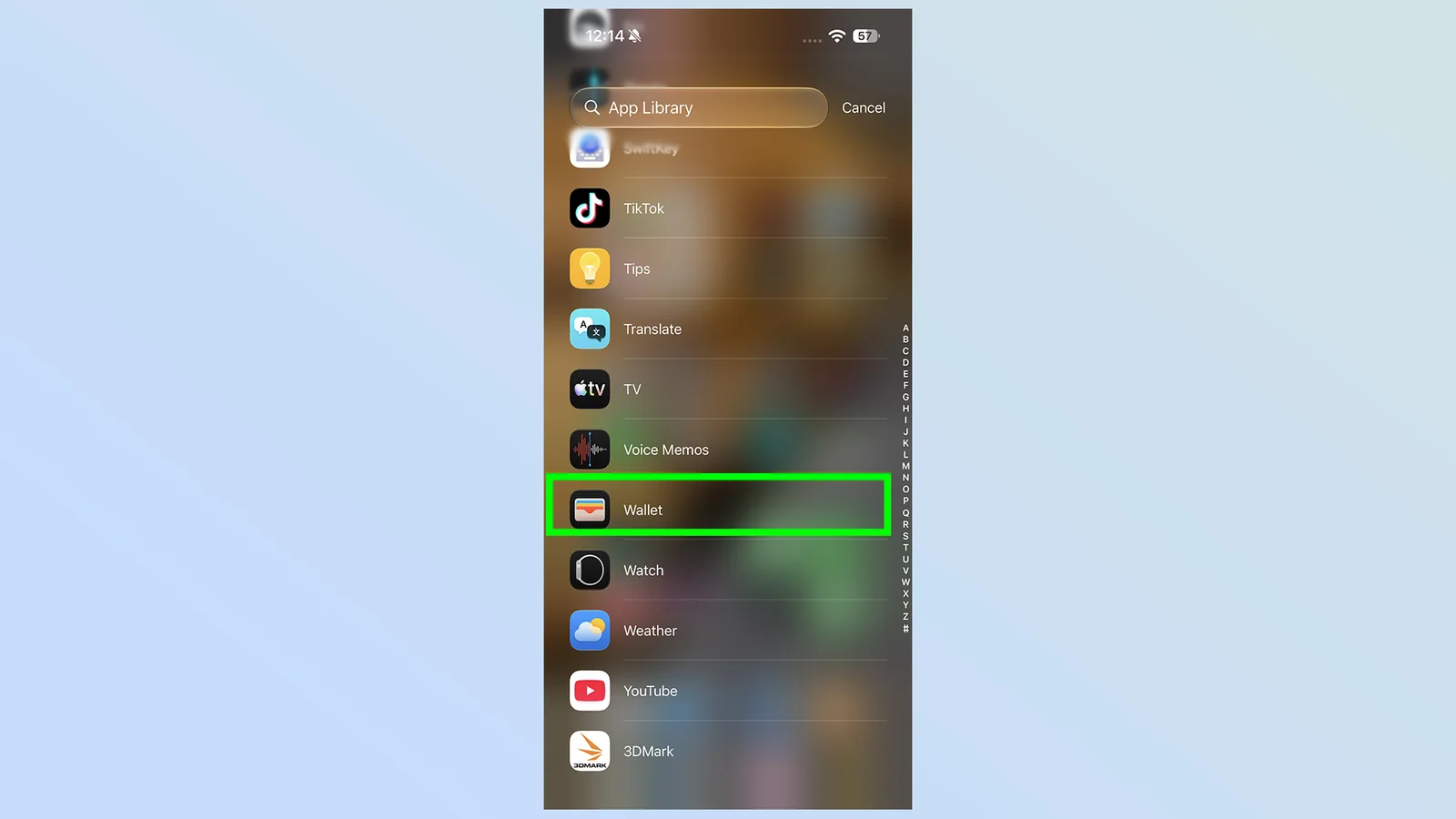
First, open Apple Wallet. The quickest method is to double-tap the device's power button, though you can also access the app through your App Library or using the iOS search feature.
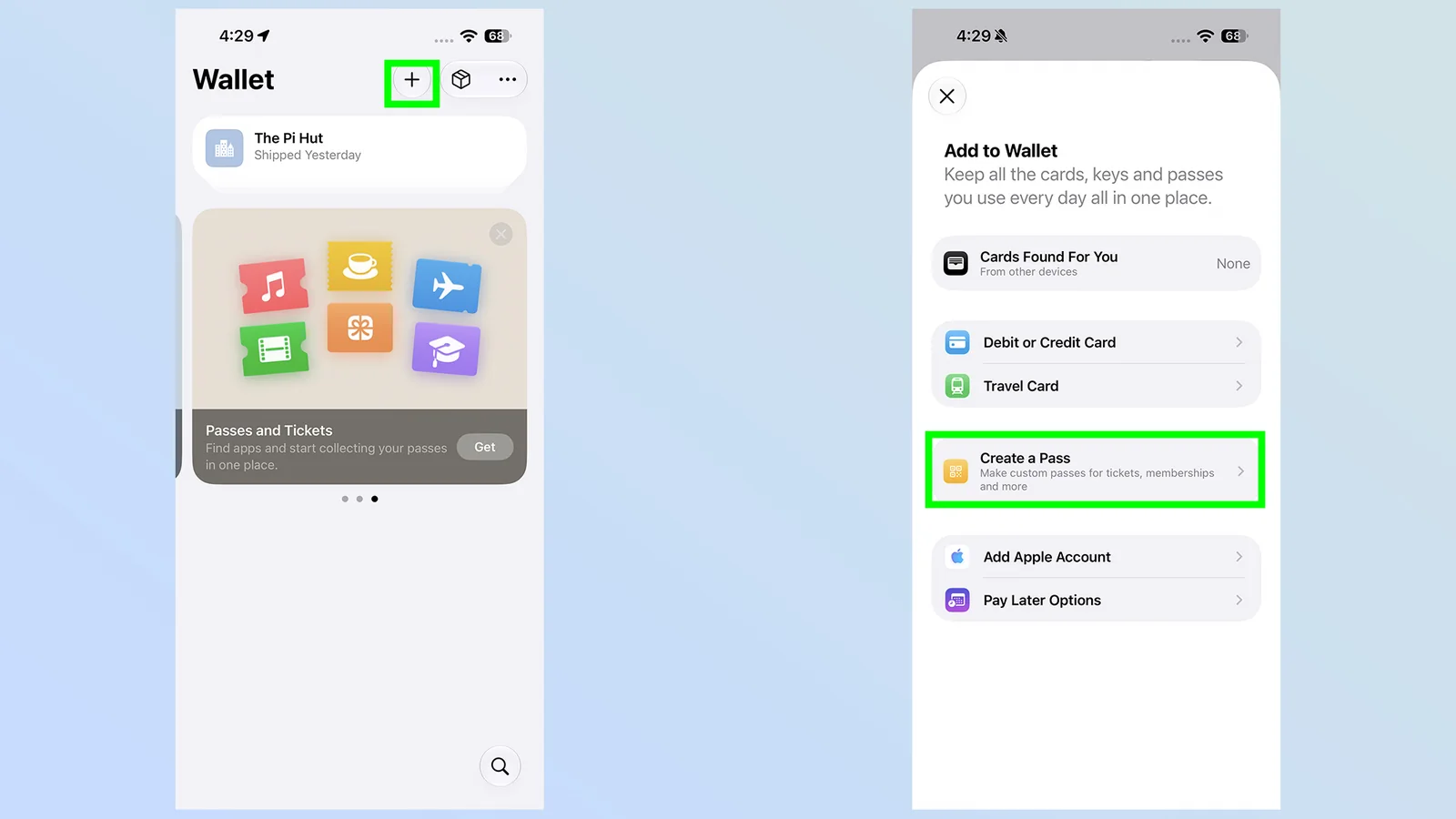
2. Press the plus button then Create a Pass
Tap the large plus button located in the top-right corner of the interface, then select the Create a Pass option from the popup menu.
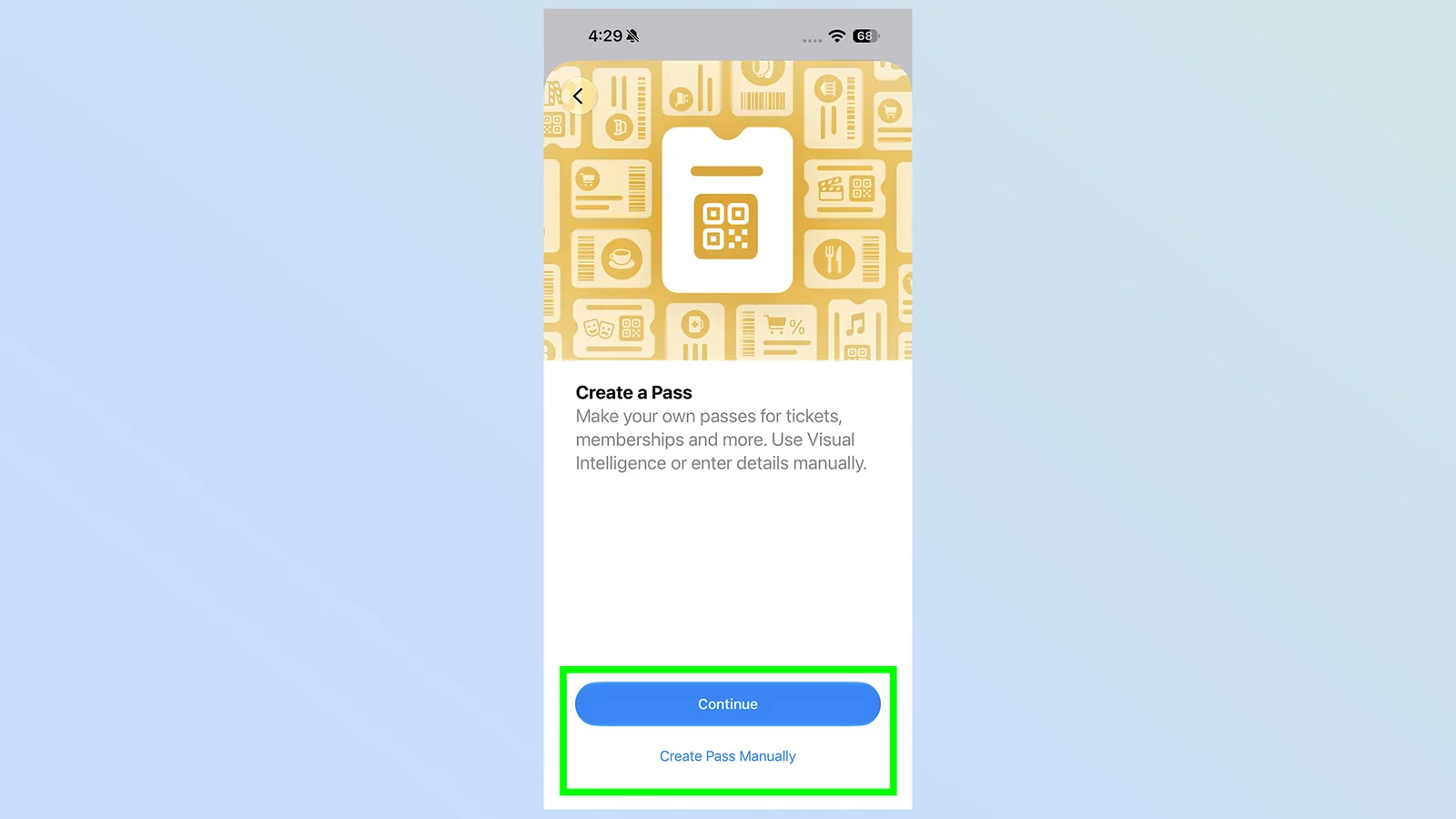
3. Choose how to add your Pass
You can choose to use Visual Intelligence to automatically read physical pass details or enter the information manually.
4a. Scan your physical pass
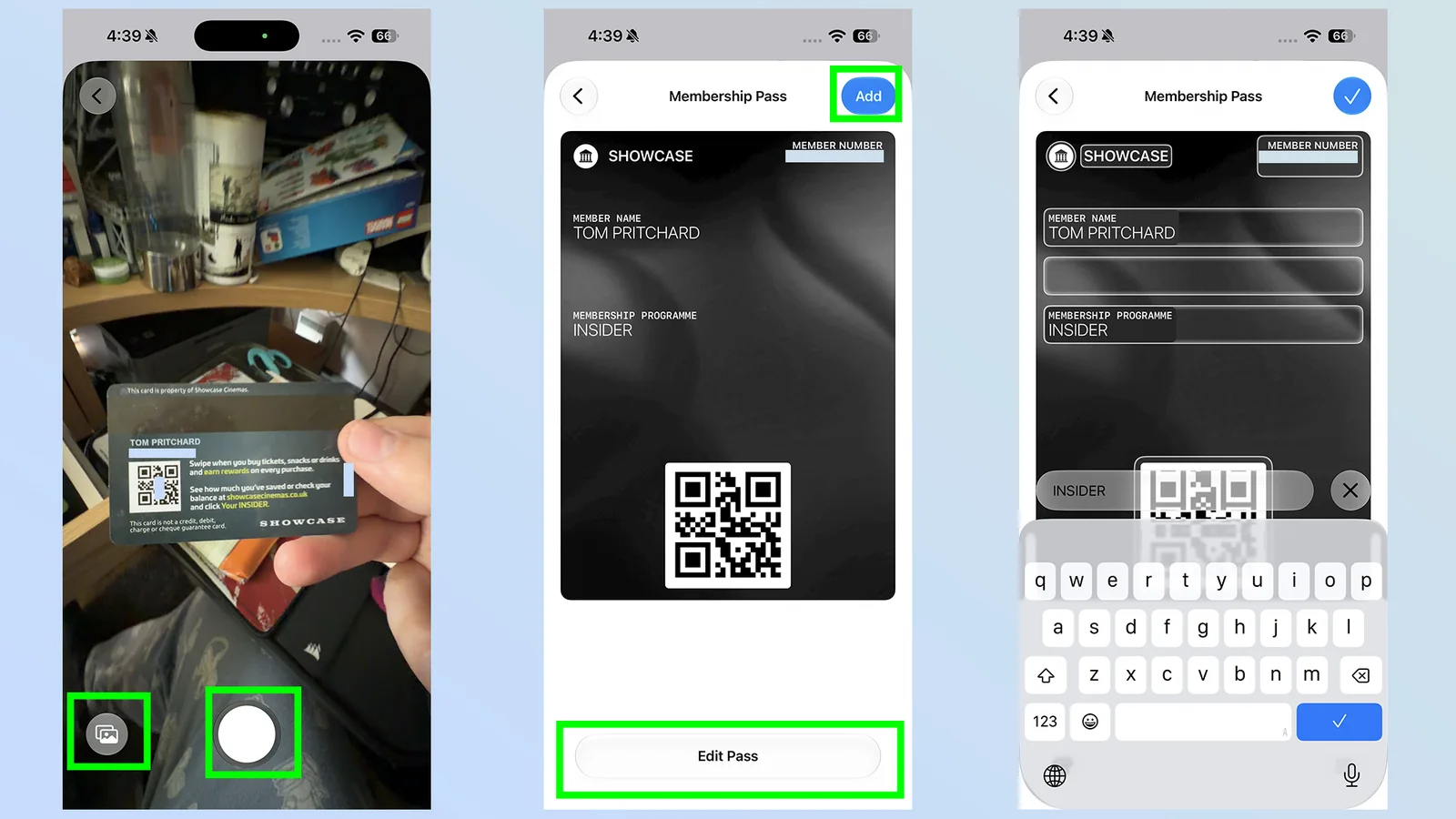
If you select Visual Intelligence, you can either scan the physical card with your camera or select an existing photo from your gallery. Apple's system will read the visible details to generate a custom pass. Tap Add to confirm or Edit Pass to adjust any extracted information.
4b. Enter your details manually
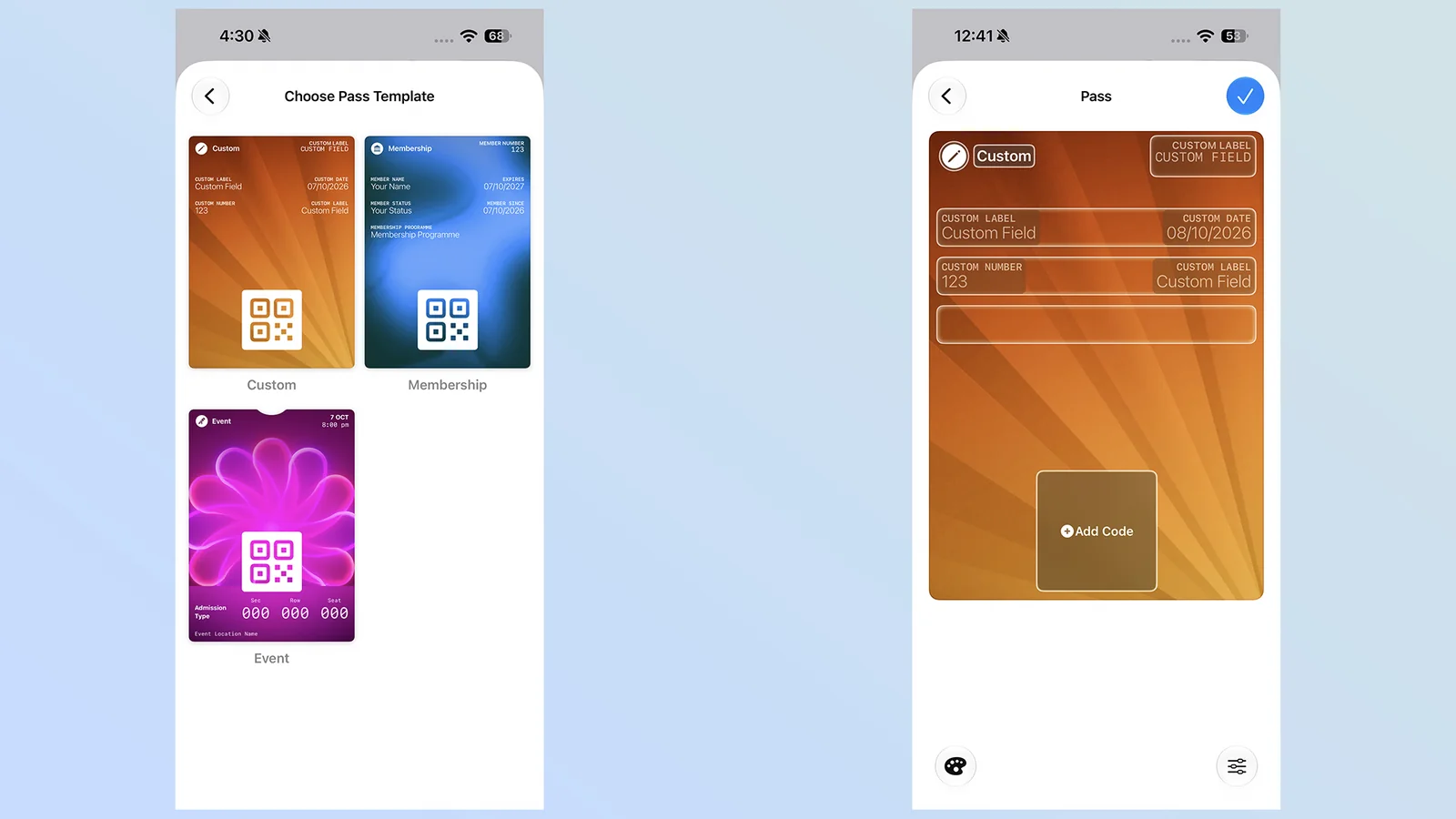
For manual entry, select a template matching your pass type—such as membership, event, or custom. Fill out the corresponding form and scan any associated barcodes or QR codes by tapping the Add Code button.
Conclusion
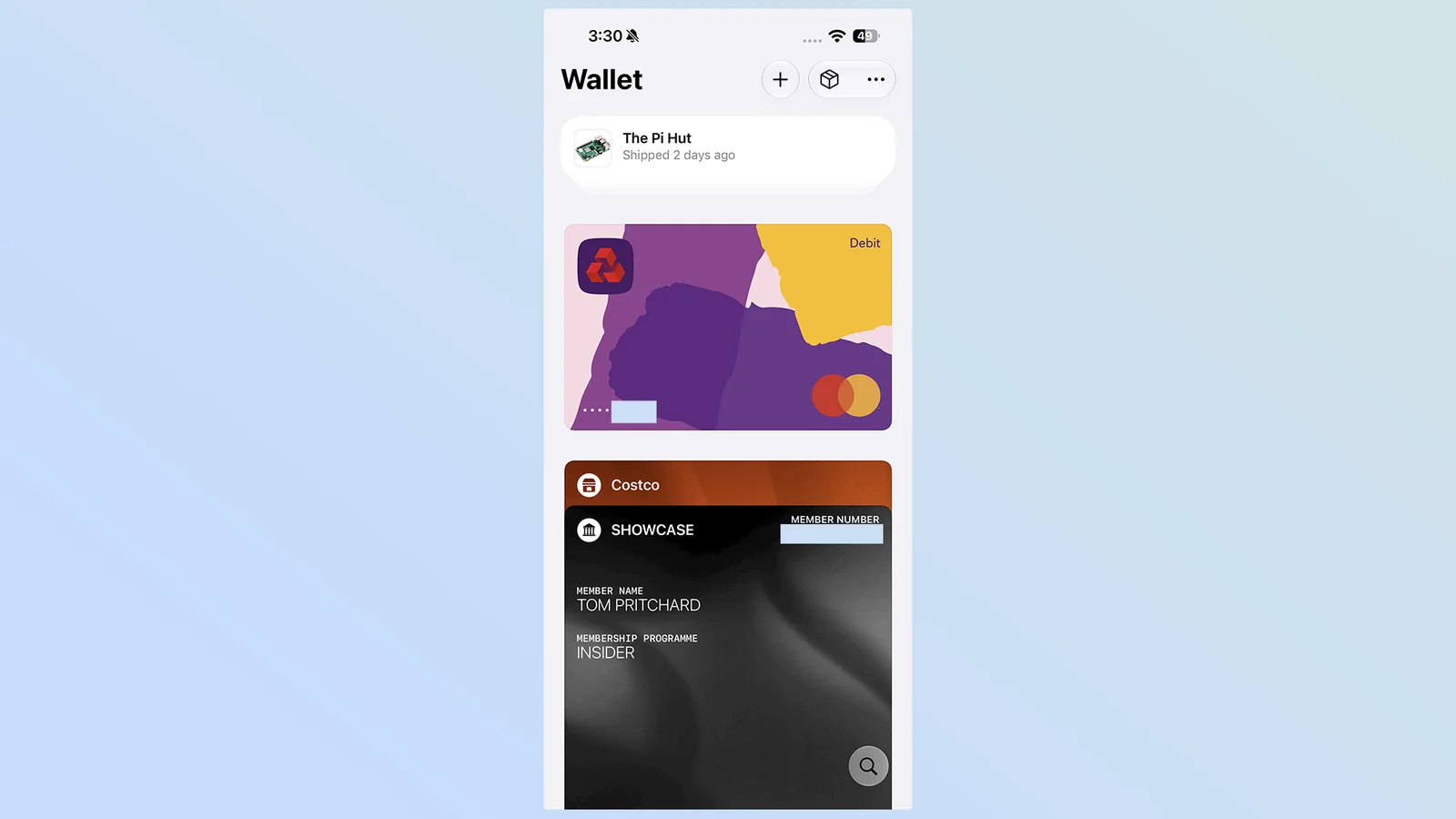
Once generated, your custom pass integrates into your card collection and remains available with a simple screen tap for items like gym memberships and parking passes.
While you can digitize many items featuring barcodes or QR codes, remember that custom digital alternatives may not always be accepted as official identification or legal credentials where strict verification is required.
Until official policies evolve across various institutions, utilizing this feature provides a convenient way to reduce physical clutter in your everyday carry.