Introduction
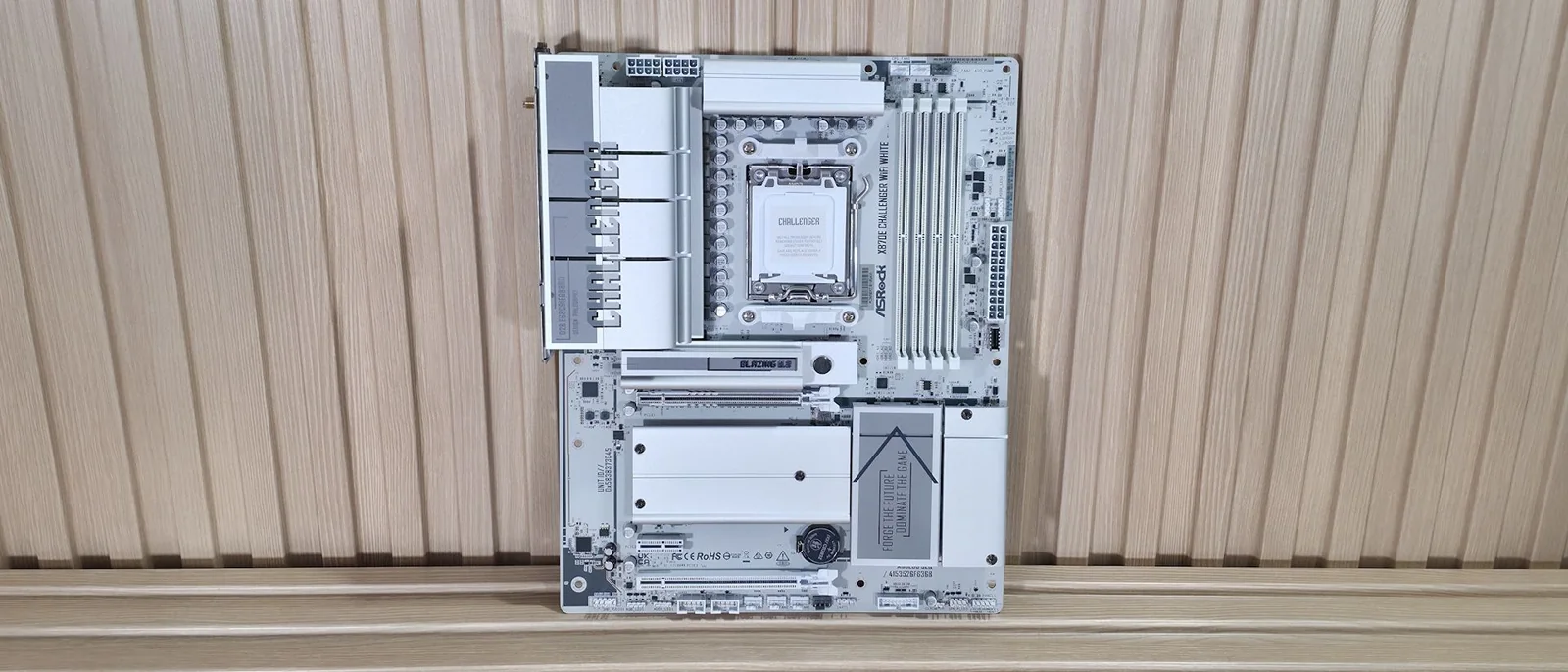
The latest all-white board to land on our test bench is from ASRock. But this time, it’s more affordable than the updated X870E Taichi White we recently covered. The $230 X870E Challenger Wifi White offers a surprising number of features for the price.
Specs-wise, the Challenger comes handsomely equipped for almost any price point. Features include a flagship audio codec, robust VRMs, and ample USB connectivity including USB4 ports. You also get plenty of internal storage options, with four M.2 sockets (one PCIe 5.0) and two SATA ports, and fast networking with 5 GbE and Wi-Fi 7 (160MHz). Looking at other boards at this price, some don’t include USB4, offer slower 2.5 GbE, or provide weaker audio solutions. For $230, the Challenger is a great deal for an X870E-based board, though it has drawbacks that we cover below.
On the performance front, the X870E Challenger delivered average-to-below-average results across most tests, as we had to use our secondary DDR5-6000 kit since the initial Kingston kit wasn’t officially supported and didn’t work after enabling the XMP/DOCP profile. Still, we’re confident it would perform a bit better if you snag some RAM on the board’s QVL list that has tighter secondary and tertiary timings.
Design and Layout
The retail packaging includes a few accessories to help you get up and running. You get the standard Wi-Fi antennas, two white SATA cables (one with a 90-degree connector), an installation guide, and some stickers. It’s not a lot, but par for the course in this price bracket.
Design and Features of the ASRock X870E Challenger Wifi White
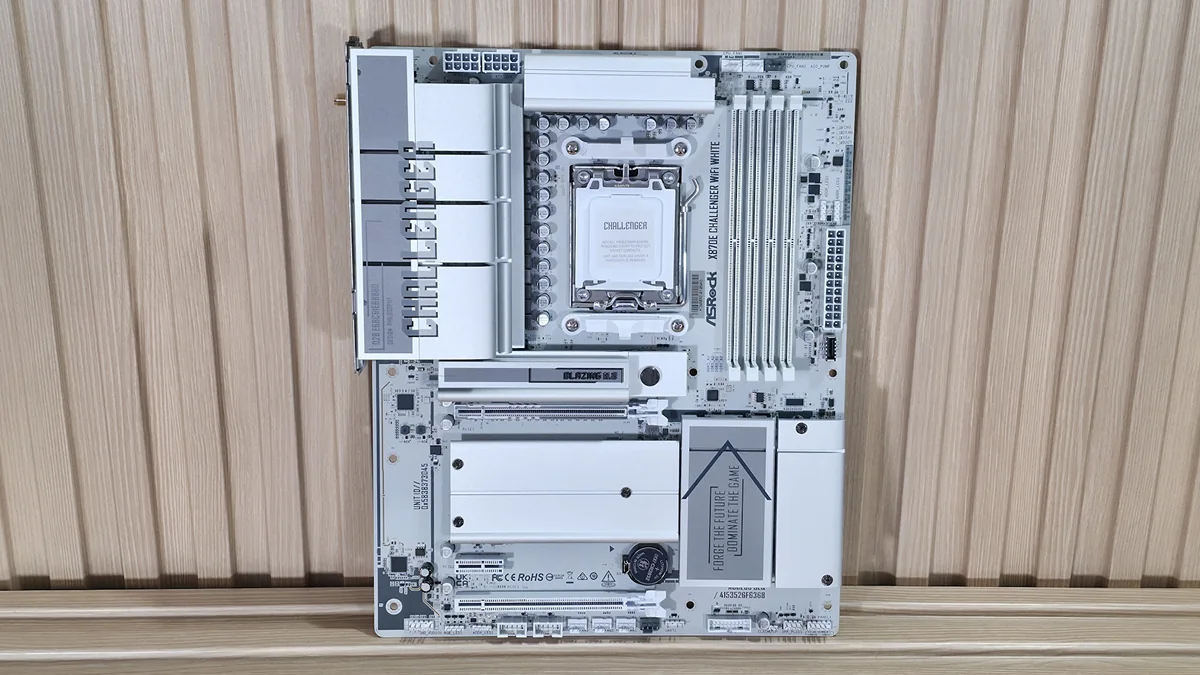
The X870E Challenger Wifi White is all white, with everything save for two light-gray fan headers matching the theme, along with the onboard chips and screws that secure the M.2 heatsinks to the 8-layer, server-grade PCB. Oversized VRM heatsinks cover the top-left part of the board, with Challenger written across them.
The bottom part of the board has a DIY-friendly, toolless multi-layer heatsink for the primary M.2 socket, plus basic plate-style heatsinks with screws for the M.2 sockets and dual promontory chipset. Overall, it’s a no-frills board lacking integrated RGB lighting and larger plate-style heatsinks found on more expensive models.
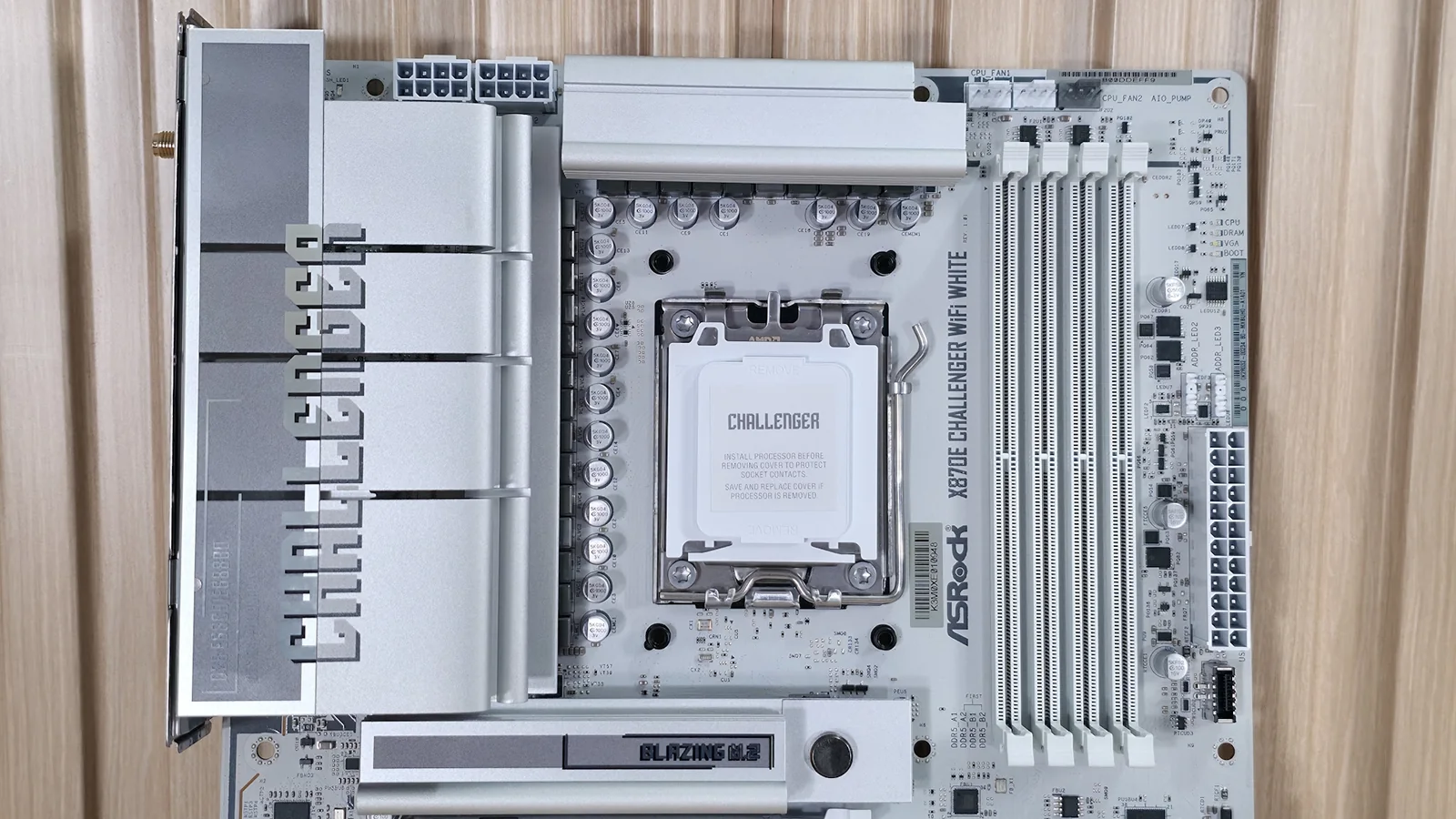
Starting in the top left corner, we see two high-density 8-pin EPS connectors to power the processor. Surrounding those are the two XL heatsinks to cool the flagship-class power delivery below. To the right of the socket are four DRAM slots with locking mechanisms on both sides, supporting up to DDR5-8200.
Above the DRAM slots are the first three of seven 4-pin fan headers. Each header supports PWM- or DC-controlled devices and can be tweaked through the BIOS or ASRock’s Windows-based software.
Shifting focus to the right corner, the next feature is the 4-LED POST Status Checker with LEDs for the CPU, Boot, VGA, and RAM to help identify boot issues during startup.
Continuing down the edge, we find two 3-pin ARGB headers above the main 24-pin ATX power connector. ASRock’s Polychrome Sync application controls the attached RGBs, offering several canned light patterns and adjustments alongside the front panel USB 3.2 Gen 2x2 Type-C connector.
Power Delivery and Performance
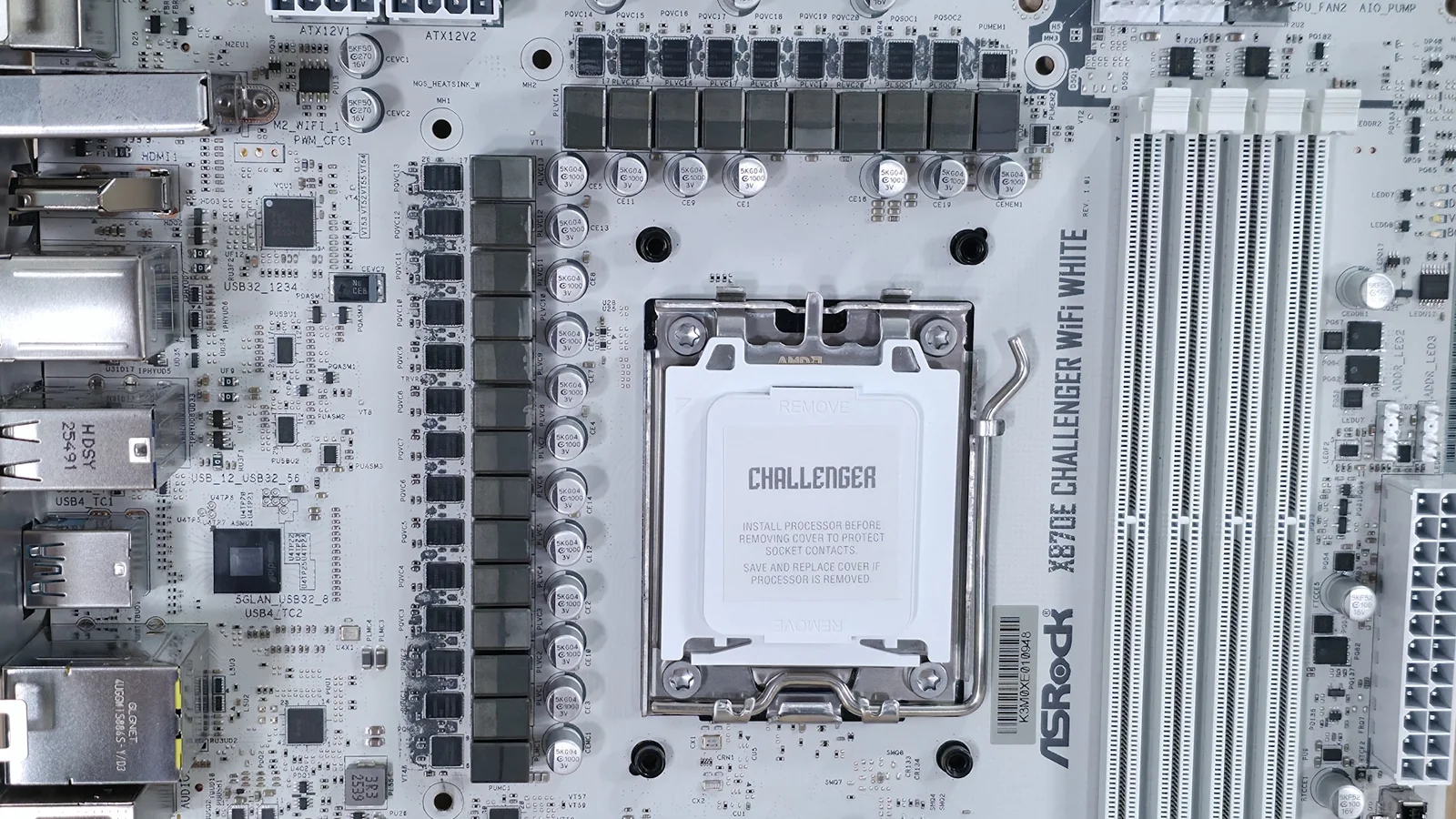
Power delivery on the X870E Challenger is robust for a $230 budget-class motherboard, featuring 23 total phases with 20 dedicated to Vcore. Power flows from the 8-pin EPS connectors to a Renesas RAA229628 20-phase PWM controller and R2209004 110A SPS MOSFETs, capable of handling flagship processors like the Ryzen 9 9950X.
On the bottom half of the board, an exposed audio solution houses the Realtek ALC4082 codec along with dedicated audio capacitors, providing a premium audio option on an inexpensive motherboard.
In the middle of the board are three PCIe slots. The top slot uses ASRock’s Reinforced Steel Slot and connects through the CPU as a PCIe 5.0 x16 slot for video cards.
Mixed among the PCIe slots sit four M.2 sockets. The top socket is a PCIe 5.0 x4 Blazing M.2 socket, while the remaining sockets support PCIe 4.0 x4 drives without sharing lanes or degrading bandwidth.
Hidden under the M.2 heatsink along the right edge are a 19-pin USB 3.2 Gen 1 header and two SATA ports supporting RAID modes.
Rear I/O and Connectivity
At the bottom are several headers including front-panel audio, RGB, USB headers, and fan headers.
Front panel audio
4-pin RGB
3-pin ARGB
(2) USB 2.0 headers
(4) 4-pin fan headers
19-pin USB 3.2 Gen 1 header
2-pin Clear CMOS jumper
Power LED and Speaker
Front panel
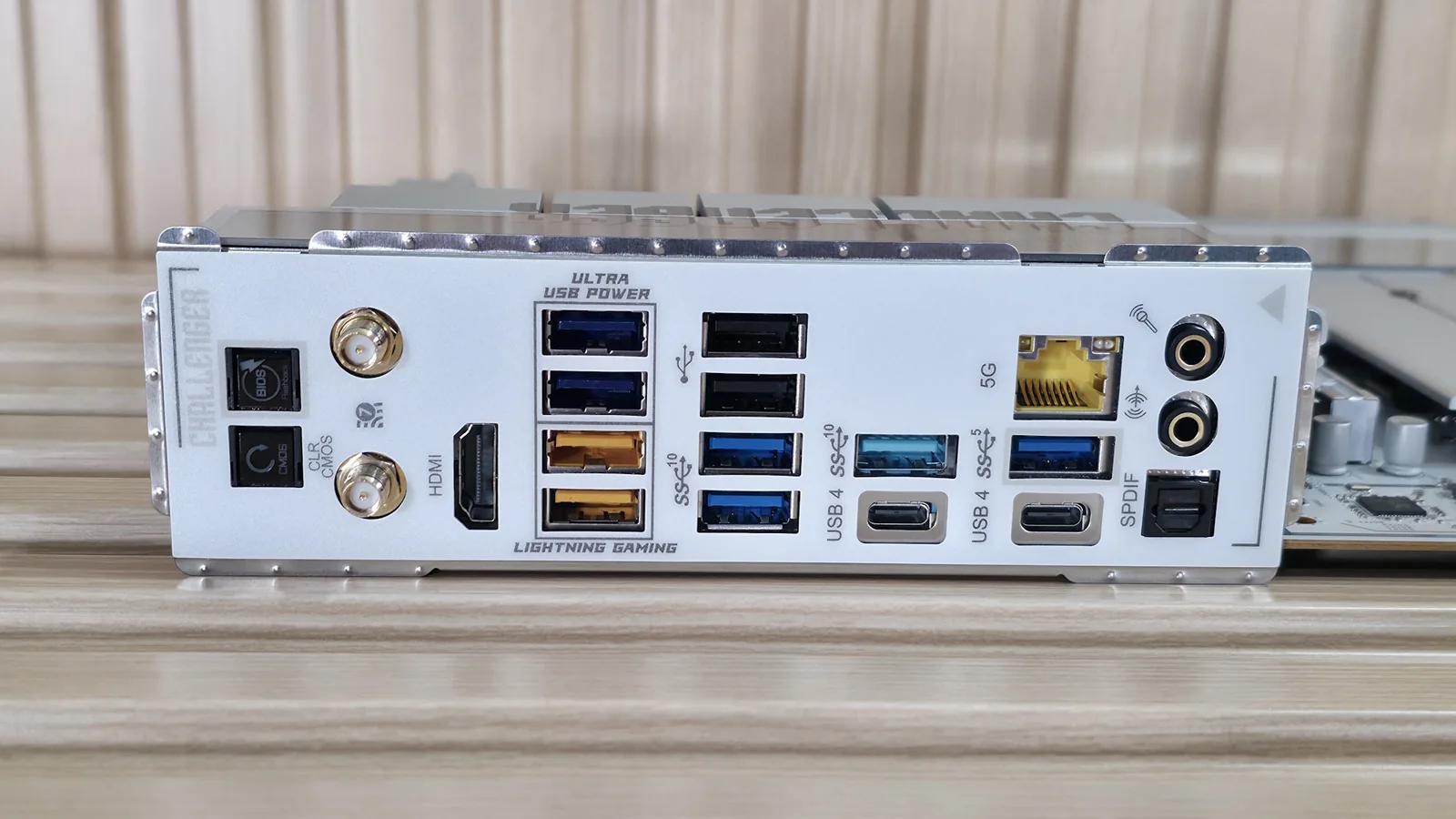
Flipping the board around to the rear I/O reveals numerous ports, including Clear CMOS and BIOS Flashback buttons, Wi-Fi 7 antenna connections, an HDMI 2.1 port, two USB 4 Type-C ports, and multiple USB 3.2 ports.
For esports gamers where every millisecond counts, the lighting gaming ports could come in handy, though the feature adds minimal value for the average user.
MORE: Best Motherboards MORE: How To Choose A Motherboard MORE: Best Motherboard Deals MORE: Best Motherboard Combo Deals MORE: All Motherboard Content