Booting Windows 11 on 128MB of RAM
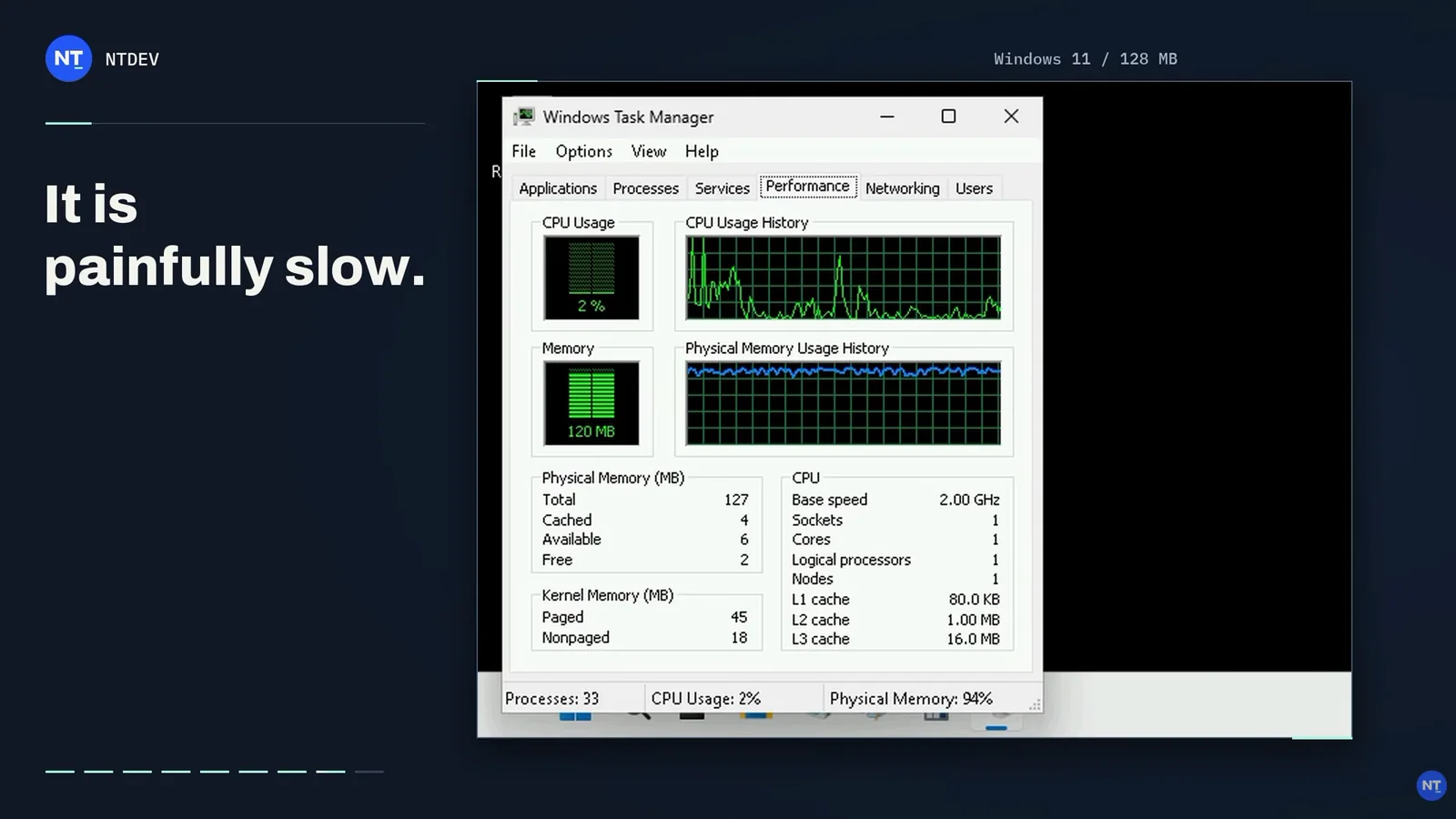
The developer behind the Tiny11 project has once again tested the hardware boundaries required to run Windows 11. In a recent video demonstration, the developer booted the latest Windows 11 26H2 on a system equipped with just 128MB of RAM. Despite the severe memory constraints, the heavily stripped-down installation successfully loaded the Desktop, File Explorer, Start menu, and the classic Notepad application.
While impressive, the developer noted that the system is painfully slow, positioning the feat as a technical experiment rather than a practical computing solution. Microsoft officially requires at least 4GB of RAM for Windows 11, meaning this experiment utilizes merely 3.125% of the recommended minimum specification. Although a detailed component removal log was not provided, the build continues years of experimentation with ultra-lean Windows configurations.
Previous Low-Memory Experiments
This milestone follows a 2023 experiment where the developer ran the operating system using only 176MB of RAM by trimming system components, core drivers, and background services. That earlier test relied on an IDE storage interface to minimize required drivers while omitting the standard Windows desktop environment entirely.
In a separate project utilizing the upcoming Pico11 tool, an entire Windows 11 installation was compressed into a CD-ROM-sized ISO file totaling approximately 700MB. Tested on a virtual machine with 4GB of allocated RAM—where the OS consumed roughly 883MB—the build successfully booted into a functional desktop capable of running basic utilities like the Calculator, Settings, Notepad, and Paint.
Limits of Operating System Customization
Such projects highlight how much of the Windows codebase can be removed while retaining core functionality. However, they remain advanced technical demonstrations rather than viable alternatives for everyday computing. Stripping away essential components, drivers, and background services inevitably introduces severe performance degradation, compatibility hurdles, and reduced system stability.