Introduction to Pyrowave in Steam
Game streaming over a local area network typically borrows video streaming technology designed for other tasks rather than interactive games. Developer Hans-Kristian Arntzen created a video codec called Pyrowave specifically designed for in-home game streaming, which has now been implemented in the Steam beta client.
A typical LAN features less than 10 milliseconds of latency, or under one millisecond if wired. However, in-home game streaming often incurs higher latency due to the combined processes of rendering, encoding, transmitting, and decoding frames, which can introduce noticeable input lag.
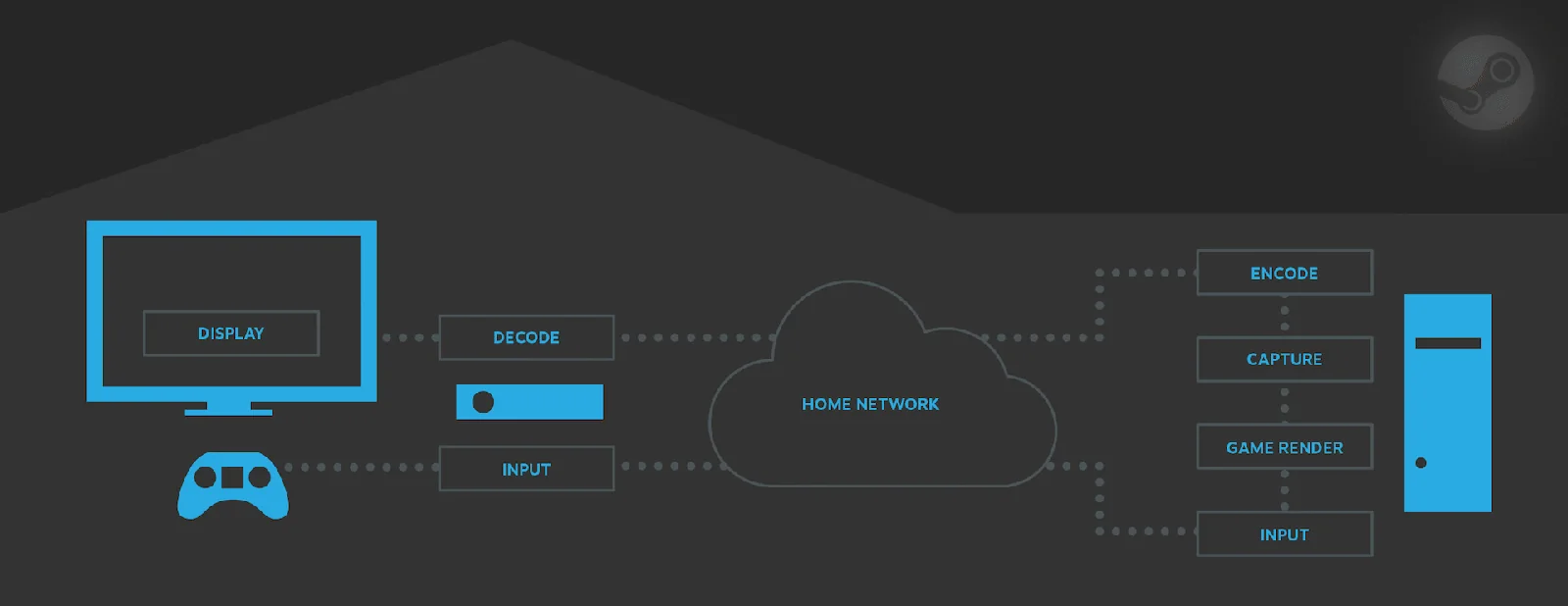
Image Quality and Bandwidth Trade-offs
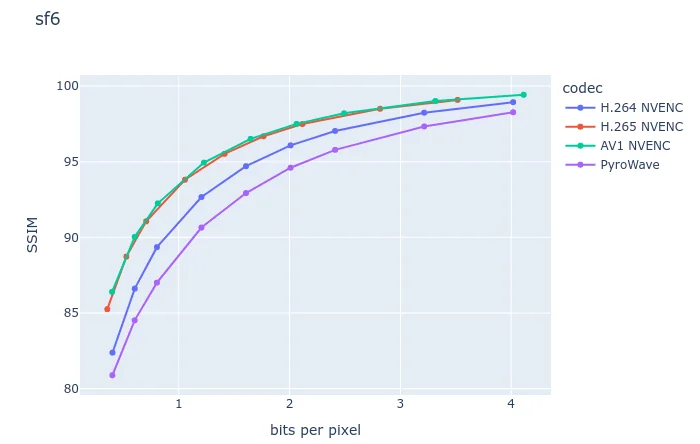
Standard video codecs like AVC and AV1 rely on compression techniques such as chroma subsampling to reduce data usage, which can cause color fringing and make text difficult to read. While 4:4:4 video solves this, it lacks broad hardware support.
Arntzen's Pyrowave uses Discrete Wavelet Transforms and intra-frame encoding rather than traditional Discrete Cosine Transforms and inter-frame encoding. Computed on the GPU's shader array, it delivers consistent frame quality, error resilience, and extremely low latency without relying on fixed-function video hardware.
Bandwidth Requirements and Performance
According to Valve's patch notes, the codec uses five to ten times the bandwidth of other streaming codecs. In testing, Pyrowave on default settings clocked at about 210 megabits per second, translating to over 26 megabytes per second of video stream data.
The stream proved tangibly more responsive than standard Remote Play, with exceptional image quality particularly when using 4:4:4 mode, tested using an RTX 5070 Ti with frame rates capped at 120 FPS.
Network Considerations
Pyrowave streaming is intended strictly for local networks rather than the internet, meaning it does not consume external data allowances. While it generates substantial local traffic, the data volume remains small compared to the bandwidth transferred between a graphics card and display via DisplayPort or HDMI.
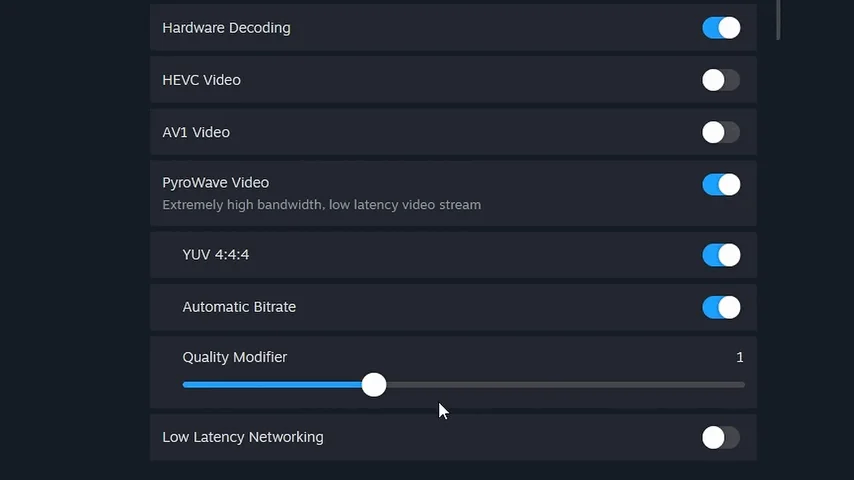
Availability and Requirements
To test the Pyrowave codec, users must opt into the Steam beta client and enable it within the Remote Play settings. The feature is currently available for standard games on macOS, Windows, and Linux, with upcoming support planned for the Steam Link mobile app. It requires at least Gigabit Ethernet, though user reports indicate compatibility with robust Wi-Fi 6E or Wi-Fi 7 connections.