Initial Impressions
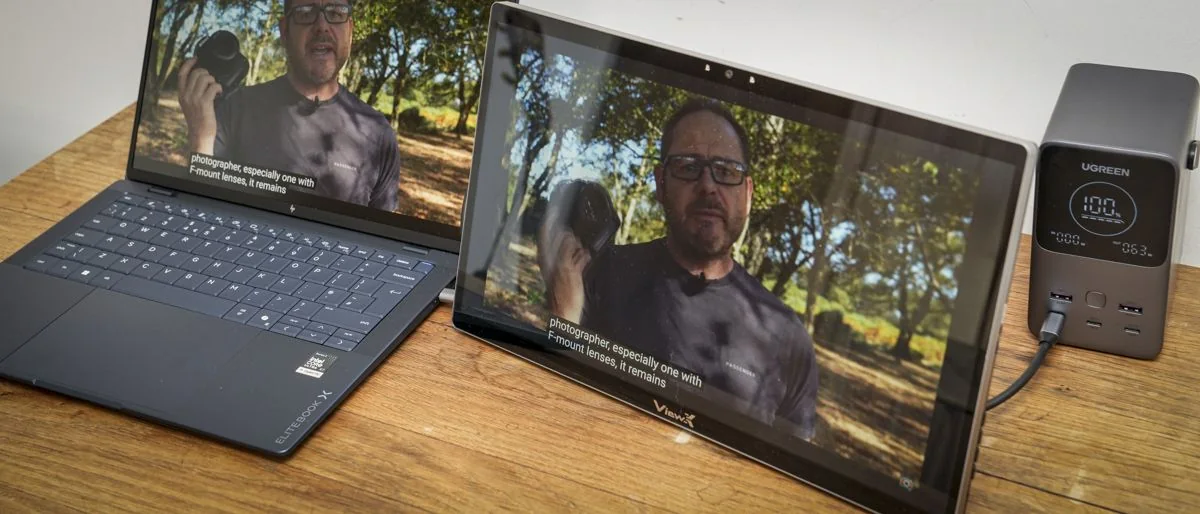
Upon unboxing, the ViewX Liber 15.6-inch monitor presents as a well-constructed portable display, featuring a 16:9 screen, a robust metal stand, an integrated camera, and a selection of discreetly placed ports.
The monitor also includes physical buttons on its right side for switching between 2D and 3D modes, accessing the menu, and adjusting volume and brightness.
The on-screen display offers a standard, well-organized layout for brightness, black level, contrast, and other settings. While each button has dual functionality, requiring some familiarity to navigate, software installation is straightforward with clear instructions.
Once the software is installed, minimal further action is required. Games can be launched via the dedicated 3D Playground Lite game launcher, or downloaded videos through the 3D Spatial Gateway. While downloaded video content appeared excellent, the game launcher initially seemed linked to a Chinese system, despite appearing compatible with Steam. However, launching games directly generally worked well, with titles like Indiana Jones and the Great Circle demonstrating impressive 3D effects.
A notable drawback is that some application settings are not fully translated into English, requiring external translation tools for comprehension, which can be inconvenient for users.
This 3D monitor represents an interesting advancement in portable display technology, akin to a smaller, highly portable version of earlier 3D televisions. It serves as an intriguing proof of concept, likely appealing to early adopters.
The AI-enhanced video feature, which converts standard 2D video into 3D, was particularly effective. Once accustomed to the effect and the necessity of remaining stationary in front of the monitor, the experience proved quite engaging.
The monitor may not cater to the general portable monitor market, positioning itself as a highly niche device for specific workflows. While offering a three-dimensional effect, it is not entirely flawless, exhibiting occasional glitches such as screen flicker with head movement and compatibility issues with certain background applications and games.
Despite these early limitations, the overall quality of the offering is considered decent.
Design and Build Quality
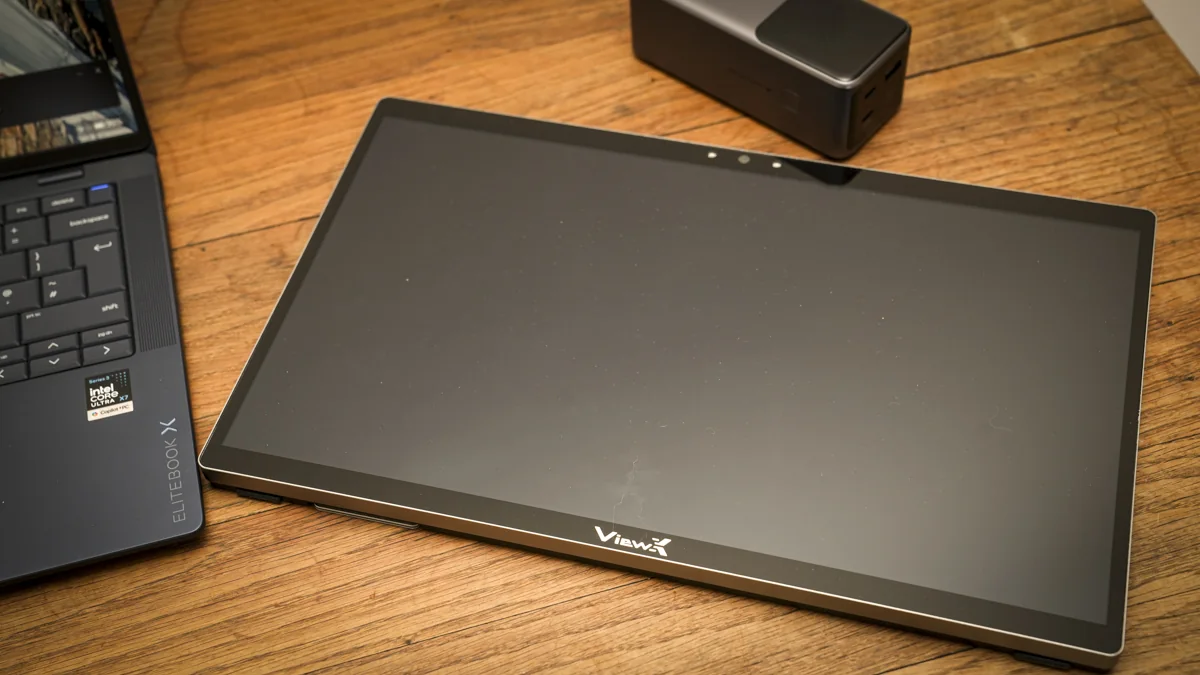
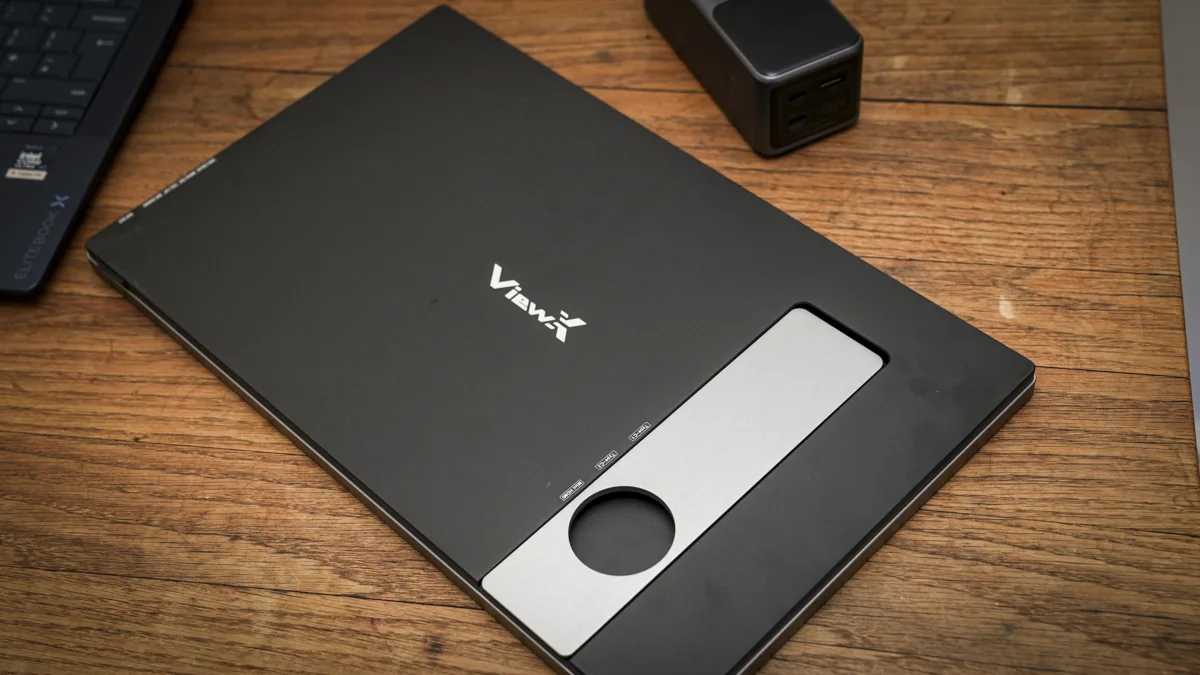
The monitor's build quality is immediately apparent upon handling, conveying a solid and high-quality feel. It features a relatively thin bezel, with the ViewX logo at the bottom and a small camera at the top, flanked by two sensors that facilitate 3D positioning.
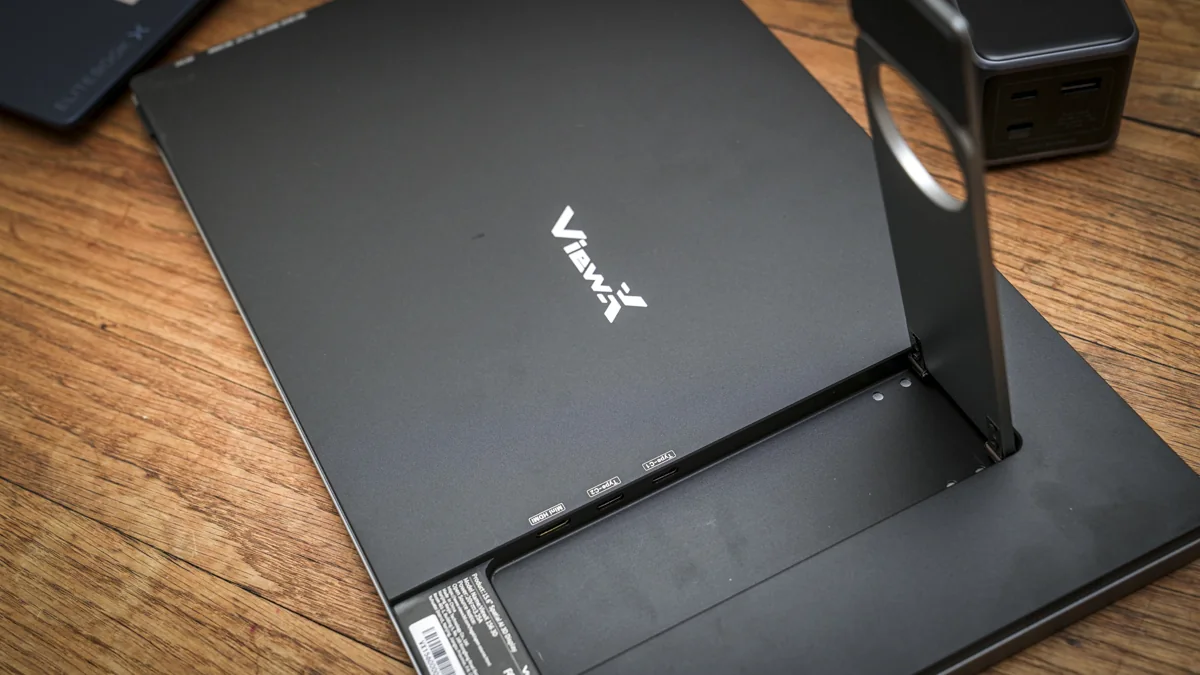
A sturdy, offset metal stand on the back provides reliable support and angle adjustment. Opening the stand reveals three ports: two USB-C for video and power delivery, and one mini HDMI.
On the right side, a series of buttons includes a 3D-to-2D toggle. The source reviewer initially perceived a design glitch with this button, but discovered that optimal 3D mode requires the user to be seated directly in front of the monitor for accurate position gauging; movement will cause it to revert to 2D.
Alongside these controls, a micro USB port is present, likely for firmware updates. Additional buttons manage source input (HDMI/USB-C), menu navigation, volume, and brightness.
An auxiliary output for headphones is also included. Designed for portability, the monitor measures 356.7 x 216.8 x 16.3mm, making it slightly wider than an average 15-inch laptop. Weighing 1,274g, it is somewhat heavier than many other portable monitors.
Key Features and Display Technology
The standout feature of this monitor is its out-of-the-box 3D functionality, which requires no additional hardware. This is complemented by standard features such as 4K resolution, a 15.6-inch screen, a built-in camera, speakers, and a design optimized for portable use in both home and business environments.
The 3D spatial AI display intelligently converts 2D content to 3D without the need for glasses or specialized equipment. Users simply connect via HDMI or USB-C for video, and the monitor handles the conversion. While supplementary software enhances video and gameplay, the device largely operates as plug-and-play.
Connectivity options include USB-C, which supports both video and power delivery, and HDMI, for which power can be supplied via USB, a power bank, or the included AC mains adapter.
Power Requirements and 2D Performance
The source reviewer noted that a USB-C port capable of outputting over 18W is required, and several high-end laptops failed to meet this demand. Running the monitor from a small power bank proved a viable mobile option, though the high power draw resulted in relatively quick battery depletion.
With a brightness of 350cd/m², the monitor is easily viewable in most moderately shaded conditions. Despite a glossy finish, effective anti-reflection coatings ensure detail remains discernible even in brighter environments like a café.
In 2D mode, the monitor performs comparably to other portable displays, rendering productivity and creative applications with decent color and tone. Upon switching to 3D, the monitor and the viewer's eyes require a few seconds to adjust. The source reviewer found that maintaining a distance of 40–70cm and remaining as still as possible was crucial for the 3D effect.
The color gamut and other specifications, such as color depth, are mid-range, with a refresh rate limited to 60Hz and NTSC/sRGB values of 72% and 100% respectively, which are typical for a portable monitor of this type.
These mid-range color and tonal qualities may not suffice for critical creative work, but the monitor's primary focus is its unique specialist 3D display at this scale.
Two front sensors are integrated into the 3D feature set, detecting user position to adjust the display accordingly. This means the display adapts to movement, and if the user moves beyond the 40º viewing angle, the monitor reverts to a static 2D mode.
Directly facing the monitor provides 3D visuals, but moving to the side or standing up triggers a switch back to 2D. This intelligent adaptation, while clever, can cause occasional screen flicker and requires some user adjustment.
Performance and User Experience
Setting up the monitor is straightforward, with the source reviewer expressing surprise at the speed and ease of getting it operational and switching to 3D mode.
The Quick Start Guide directs users to a website for necessary PC software to enable 3D functionality. The source reviewer successfully used the monitor with an HP EliteBook X but found it incompatible with a Mac, confirming it as a PC-only display.
The monitor's software page can be somewhat confusing, offering multiple options like a game launcher, AI Depth Transformer, and the user manual, rather than a single, clear software download. However, the PDF manual provides clearer setup instructions.
For basic operation, connecting the monitor directly to a computer via USB-C is sufficient. The source reviewer found it largely plug-and-play on a PC after software installation.
The supplied HDMI cable, featuring a 90-degree connector, can also be used to connect directly to a PC.
Power is essential, either through the mains (using the provided AC plug) or via USB-C. The source reviewer initially encountered issues with USB-C power, as their HP machine did not output the required 17.8W. Despite the monitor's stated power draw, it failed to start up.
The source reviewer resorted to AC power for initial testing, later switching to a UGREEN Power bank, which provided only two hours of use despite its 20000mAh capacity. Once external power was secured, software downloaded, and packages installed, the monitor became operational.
The monitor's power consumption is a critical consideration, as most laptops limit USB-C output to 15W, falling short of the monitor's 17.8W requirement. Consequently, an external power source is necessary, and single-cable power and data connection to a laptop is generally not feasible.
Once connected and with video and gaming applications installed, accessing and viewing various content types is straightforward.
3D Immersion and Caveats
The monitor's 3D mode presents a distinct visual experience, and it is not intended for use as a standard monitor for most tasks. It offers two primary modes.
In standard 2D mode, the 4K resolution delivers clean and clear visuals. The source reviewer observed good visual quality when set to 3840 x 2160 at 60Hz in 8-bit RGB.
For general productivity, extending a laptop's 15.6-inch screen, the color and tone were well balanced. However, its limited color gamut suggests a focus on media playback rather than professional creative work.
During tasks such as working with documents and browsing the internet in 2D mode, the display's resolution and quality were highly regarded by the source reviewer.
The 60Hz refresh rate is sufficient for most productivity applications, particularly in business settings, with higher refresh rates typically only necessary for gaming.
Holding down the 2D-to-3D button on the monitor's right side initiates a switch to 3D mode after a few seconds of adjustment.
The source reviewer found that using the monitor as a screen extension, with the laptop screen for primary content and the monitor for 3D content, worked effectively. The initial transition to 3D was described as a unique experience, requiring some time for the eyes to adapt to the effect.
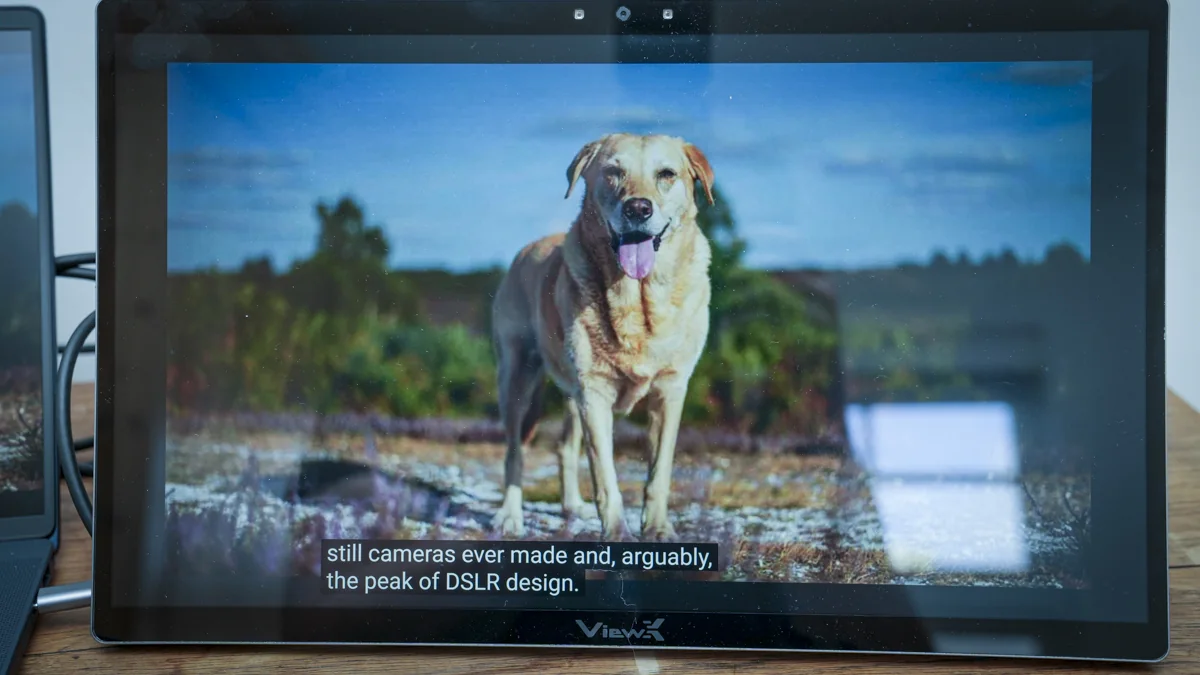
Once adapted, true 3D visualization was achieved. Standard 2D videos on platforms like YouTube were converted to 3D without the need for glasses or additional hardware, solely relying on the monitor's capabilities.
The monitor's 3D feature proved particularly dramatic and immersive during gaming, as observed by the source reviewer when playing titles like Indiana Jones and the Great Circle via Steam.
While resolution and clarity may appear less sharp when using 3D with standard applications, the effect becomes exceptional during immersive gaming or video watching, provided the user remains relatively still.
Movement is a key limitation; the source reviewer quickly discovered the necessity of sitting relatively still. Any significant lateral movement caused the screen to flicker.
Even when stationary, occasional slight flicker or brightness changes occurred as the screen adapted to content during video playback or gameplay. Despite these minor issues, the overall 3D effect was exceptionally good and surpassed previous experiences for the source reviewer.
The source reviewer found an optimal setup by using the laptop screen as the main display and the 3D monitor as an extension for games and media consumption.
Visuals in this configuration were impressive, with exceptional clarity and tone despite a slight reduction in detail. The source reviewer also explored its compatibility with 3D applications, such as Bambu Studio for 3D printing.
When using Bambu Studio on the monitor, some palettes were difficult to discern, and the resolution in 3D mode did not appear as clean as expected, though the 3D representation of typically 2D application elements was noted as interesting.
Adjustments in the system display, including enabling HDR, helped mitigate some highlights, and the 4K resolution at a 300% scale appeared excellent.
An attempt to reduce flickering by lowering the refresh rate to 29.97Hz yielded minimal change, with a slight adverse effect on motion smoothness, particularly during gaming.
The monitor excels in converting and displaying standard 2D video content into 3D directly, without requiring specialized 3D video.
Similarly, games appear superb, and despite some flickering, the 3D effect provides a more engaging visual experience than a standard 2D monitor, assuming the user remains relatively steady.
Streaming services like YouTube or Netflix can display videos in 3D, an impressive feature that adds significant interest. While a slight reduction in detail is present, it tends to become less noticeable during extended viewing.
The source reviewer also explored the 3D Spatial Gateway application, which processes and converts locally stored videos into 3D using AI. This yielded slightly improved quality, though some stuttering was still observed.
Video processing for 3D viewing requires some time, and maintaining a static position is again necessary. However, the resulting effect is described as quite spectacular.
The frame rate in 3D mode appeared somewhat stilted, lacking the smoothness of 2D video, though the difference was not extreme, and persistence of vision helped compensate during prolonged viewing.
Audio can be routed through the monitor's internal speakers, but these are of relatively low quality, producing a tinny sound typical of small portable monitors. While not a highlight, they serve as a functional option when needed.
The monitor is not well-suited for direct use in a 3D environment for tasks requiring text readability, as the resolution and detail rendering make text extremely difficult to read.
However, for visual content such as videos, presentations, gaming, or viewing 3D models (as demonstrated by the source reviewer for a museum exhibit), the monitor performs exceptionally well, albeit requiring some adjustment from the user.
When attempting to showcase the 3D effect to multiple individuals, the monitor can become disoriented, necessitating that viewers approach it one by one.
Gaming is where the monitor truly excels, providing a significant sense of depth far beyond what is experienced on a 2D display.
The ability to experience glasses-free 3D anywhere is a notable advantage, allowing for immersive visual experiences during travel or remote work without additional equipment.
While the initial impression of the three-dimensional effect is impressive, it becomes truly immersive only after extended viewing of videos or gameplay.
The monitor's 3D depth perception appeared to improve over time, though it is unclear whether this is a visual adaptation by the user or an enhancement by the AI.
The source reviewer observed a definite improvement in 3D depth quality with progressive viewing of images and video, noting increased gradation in depth perception by the end of the test, despite some visible layering.