A Strong Debut with Familiar Traps
The HomeView handles core smart home duties exceptionally well, serving as a reliable smart home controller, a capable kitchen companion, a solid speaker, and a vibrant digital photo frame. It also introduces the first Apple smart speaker with Siri AI, which improves local command processing despite occasional latency. However, the device struggles when it attempts to expand beyond its core functions, introducing friction through overlapping features.
Hardware and Design
The HomeView features a compact aluminum enclosure anchored by a sharp 7-inch square touchscreen. It supports customizable watch-style faces and is available in tabletop and wall-mounted versions priced at $299. The tabletop variant sits comfortably on kitchen counters, offering easy maneuverability via a lengthy USB-C cable.
The screen provides clear visibility across various lighting conditions, making it effective for reading messages or following recipes. A built-in Center Stage camera handles video calls cleanly, maintaining user framing during movement, though audio can sound slightly tinny at longer distances. Sound output is robust for the hardware size, delivering clean mids and noticeable bass.
A notable hardware omission is the absence of physical buttons. Adjusting volume quickly or muting Siri requires tapping the display or using a connected phone.
For users preferring alternative placement, wall mounting is supported via accessories from Schneider Electric, including a USB-C mount ($59.99) and a hardwired AC mount ($79.99), alongside a planned Power-over-Ethernet option ($129.99).
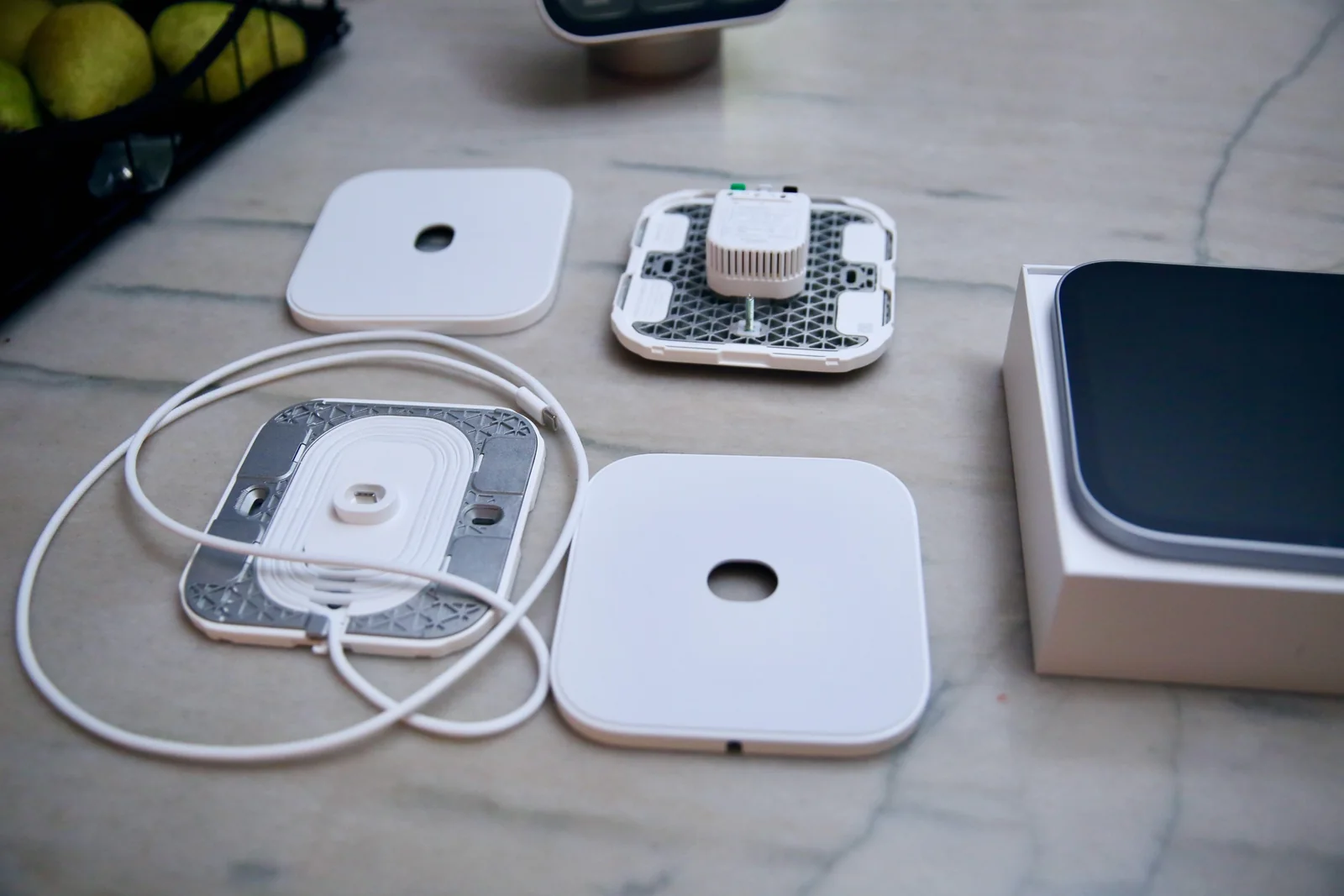
However, opting for a wall-mounted setup increases total expenses because the base unit does not bundle a mount or power adapter, pushing total costs higher once extra hardware is purchased.
The HomeView excels at core smart display tasks, including home automation management, video doorbell monitoring, hands-free kitchen assistance, and media playback.
Smart Home Integration and Automation
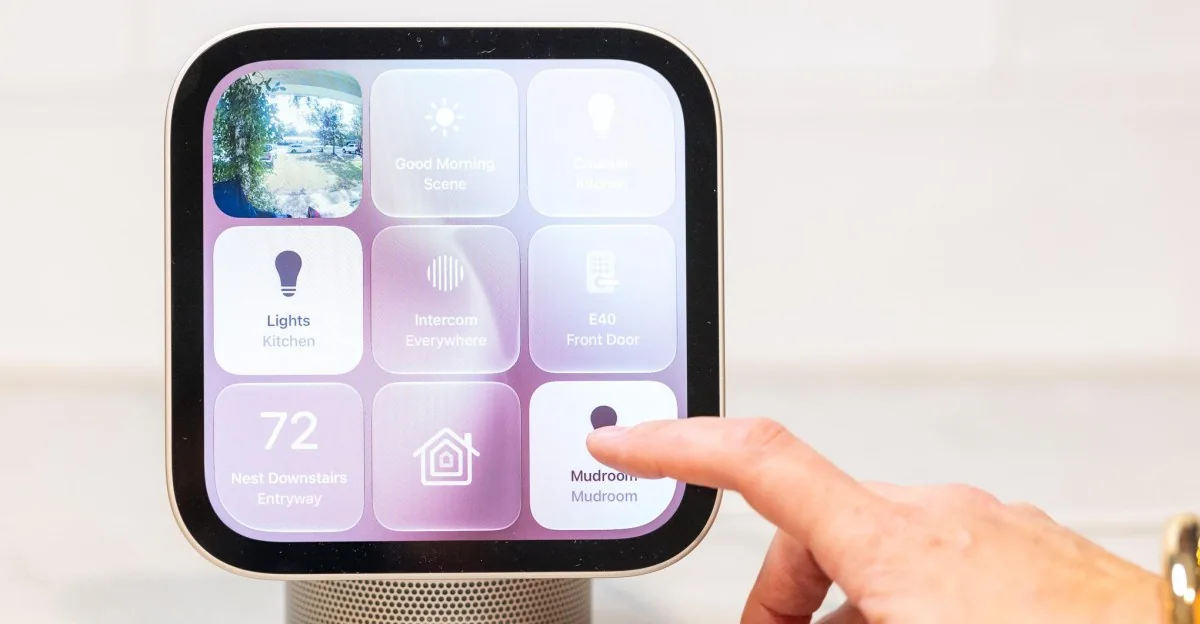
Equipped with a Thread radio and Matter controller, the HomeView functions as a responsive Apple Home hub featuring an always-on screen. Integration with the Home app allows rapid control over connected lights, thermostats, locks, and cameras, executing commands as quickly as a physical wall switch.
Users can configure multiple Smart Home faces to display customized buttons, lighting scenes, and live security feeds.
The Camera face streams up to nine HomeKit Secure Video feeds simultaneously, pulling up instant live views when a doorbell rings.
Recipes sent via Handoff from an iPhone initiate a guided cooking interface that simplifies meal preparation.
Siri assists during cooking by suggesting ingredient substitutions and automatically setting active timers that populate into Live Activities at the top of the screen.
Live Activities integration also extends to phone calls and music playback, allowing convenient call management while moving around the kitchen.
Music playback features onscreen album art controls, with reliable AirPlay handoff to compatible external speakers.
Despite strong smart home performance, limitations exist. The internal temperature and humidity sensors cannot utilize the 12MP camera as a motion detector for automations, and device support remains restricted to Apple Home compatible ecosystems.
Privacy and Multi-User Friction
Intended to act as a family hub, the HomeView utilizes face and voice recognition to display individual calendars, messages, and calls for up to six household members.
In practice, profile switching can be overly lenient. Testing revealed that users could occasionally remain on another household member's profile and scroll through private text messages due to grace periods or proximity tracking.
While the system generally distinguishes between users on busy mornings, privacy safeguards require careful manual profile management to prevent unintended access to personal data.
The HomeView successfully handles multi-user scheduling requests when callers swivel the display to align with face recognition.
Because incoming text notifications do not trigger audio alerts unless the device detects the user, relying on the HomeView as a standalone nightstand phone replacement risks missed communications.
Siri AI Performance
Siri AI integrates across general knowledge queries, smart home commands, and personal context retrieval, utilizing visual bubble animations to indicate listening states. While local smart home executions run quickly, personal context retrieval can experience noticeable latency and occasional processing errors.
Smart home voice commands support conversational adjustments and chained instructions, providing immediate visual confirmation on-screen after execution.
Personal Context features offer capabilities beyond competing assistants, though heavy dependency on connected iPhones can cause processing bottlenecks during rapid multi-user queries.
Testing revealed occasional contextual errors, such as misinterpreting event locations when parsing complex calendar entries without direct address associations.
Furthermore, executing cross-app requests like retrieving email routes can encounter limitations due to the absence of dedicated native mapping applications.
Beyond core functions, the software ecosystem encounters friction.
Built-in apps like Music, Calendar, Weather, and Safari operate smoothly. However, third-party widgets depend entirely on a connected iPhone and support restricted formats derived from CarPlay and Mac-compatible widget architectures.
Consequently, many widgets serve primarily as glanceable indicators rather than interactive application interfaces, and video streaming options are strictly limited.
Safari functions as a functional workaround for web browsing and media streaming, though lack of native sharing sheets or copy-paste functionality requires returning to a phone for basic tasks.
Compared to competing platforms from Google and Amazon, Apple offers superior smart display hardware quality and personal assistant depth, though rival AI systems maintain advantages in multi-device execution and third-party device compatibility.
Siri AI is also free of monthly subscription fees, unlike competing services that gate advanced capabilities behind paywalls.
The HomeView establishes a strong foundation for Apple's smart display lineup, delivering powerful smart home management alongside a competitive $299 price tag. While it excels at core tasks, it falls short of replacing a comprehensive family organization hub.
Friction arises when the device attempts to replicate an iPhone experience. Although Siri AI and Personal Context provide unique capabilities, potential privacy overlaps regarding text messages and occasional processing delays remain notable drawbacks.
Ultimately, the HomeView delivers strong value for iPhone and iPad users drawn to smart home controls, making it an appealing option within the Apple ecosystem.
Score breakdown
Scored out of 10Price & Release Date
Apple HomeView