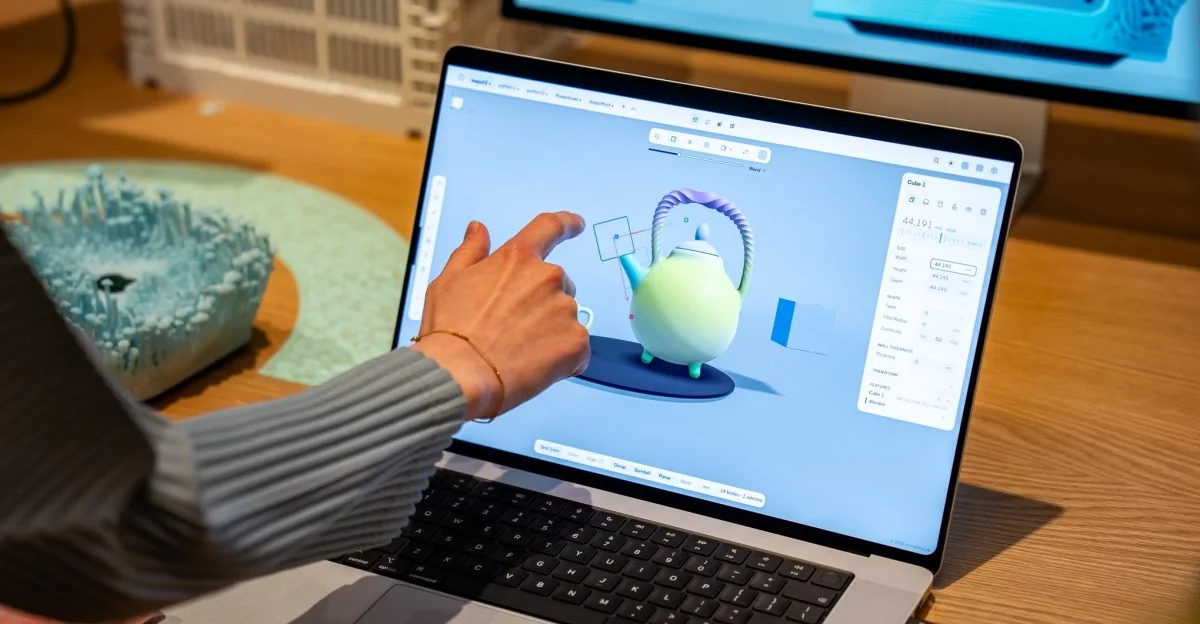
Apple’s long-awaited touchscreen MacBook Pro is finally here. I got to try this MacBook that, according to the last two Apple CEOs, shouldn’t exist. The most surprising thing is how normal it is.
The touchscreen MacBook Pro is just a MacBook Pro with a touchscreen
It’s thinner, lighter, and has an incredible OLED display, but after all this time, the touchscreen feels like an afterthought.
The touchscreen MacBook Pro is just a MacBook Pro with a touchscreen
It’s thinner, lighter, and has an incredible OLED display, but after all this time, the touchscreen feels like an afterthought.
Display and Design
The MacBook Pro with PROLED XDR Display has one of the nicest screens seen on a laptop. The OLED panel provides even inkier blacks, super bright output, rich colors, and infinite contrast. It supports Apple CMF 2026 color modes.
Apple spent years arguing against touchscreens on laptops, raising questions about ergonomics and utility. However, the company has finally introduced touch capabilities to its flagship pro machine.
Ultimately, it functions as a standard touchscreen laptop.
Users can interact directly with the screen using standard touch gestures.
Software and Touch Integration
Certain UI elements in macOS magnify slightly when tapped, but the interface does not fundamentally reinvent how users operate a laptop.
While Windows manufacturers experimented with convertible form factors and touch-heavy operating systems years ago, Apple waited before introducing minor touch improvements to macOS.
Pro workflow demonstrations show that while tapping and swiping can feel natural for specific tasks like photo collaging, traditional mice and trackpads remain equally efficient.
The conservative approach sets the stage for touchscreens to eventually reach more accessible laptops like the MacBook Air, maintaining a traditional keyboard, trackpad, and touchable screen combination.
Most touch gestures map directly to existing trackpad shortcuts. Professional users tend to default to the keyboard and trackpad rather than letting touch redefine their core workflows, and features like Apple Pencil support or 360-degree hinges are absent.
The overall hardware package remains solid.
Hardware Enhancements
The new OLED panel and lighter chassis are major upgrades alongside the touchscreen. The Dynamic Island replaces the notch, and the return of the illuminated Apple logo provides a nostalgic design touch.
Apple has successfully delivered a touchscreen laptop while retaining the core identity of the MacBook Pro.
Photography by Antonio G. Di Benedetto