How to find your Amazon 'About You' page (and how to edit it)
See if Amazon thinks you have flat buttocks.
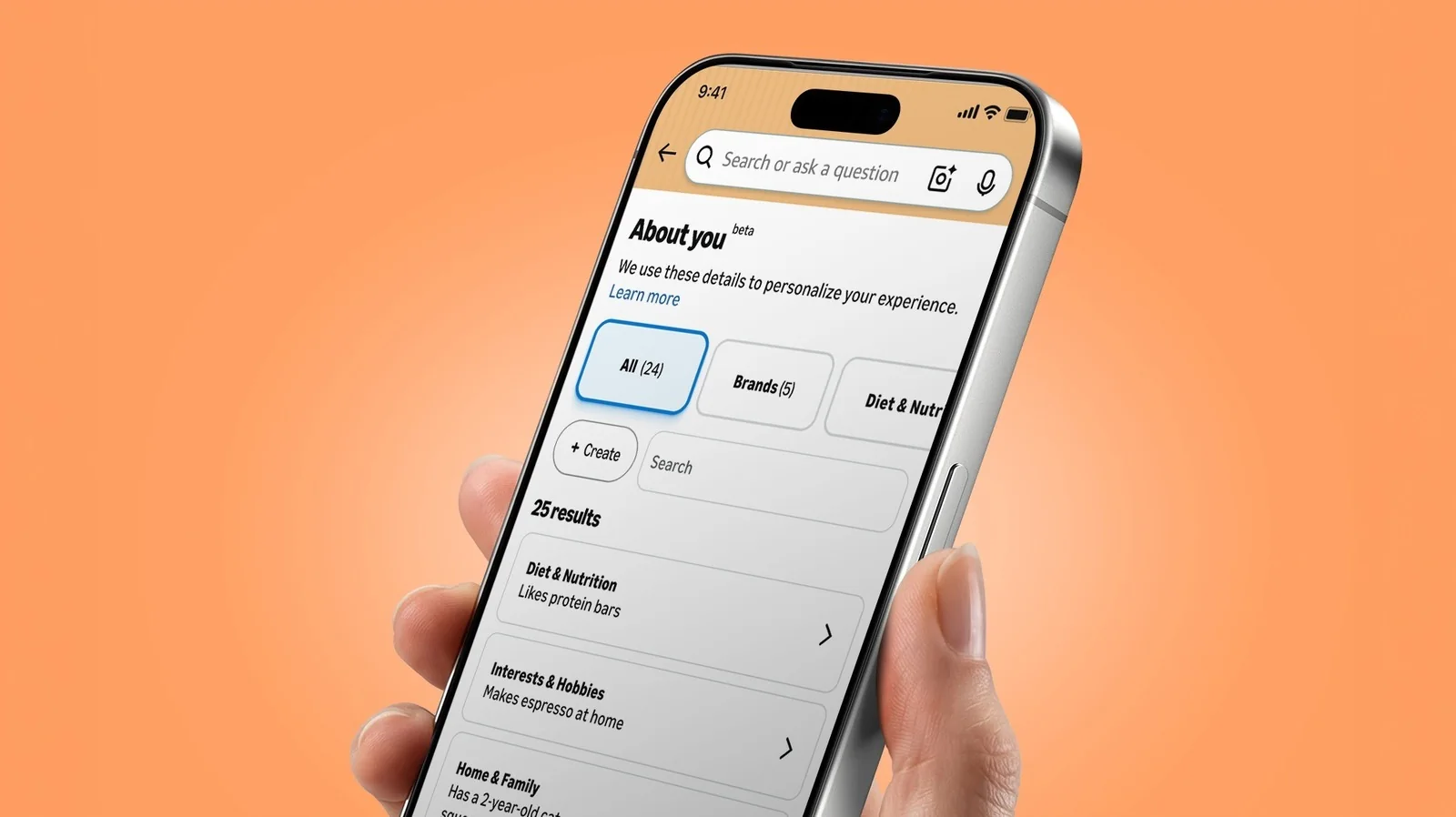
Online profiling isn't new. And for that matter, neither is Amazon's About You page, which acts as a sort of dossier of details Amazon uses to personalize your shopping.
Part of the reason for renewed interest is that About You notes can be oddly specific, ranging from observations about household items to quirky personal traits gathered from shopping habits and interactions.
Whether you find those details harmlessly amusing or a little concerning, it is worth checking what information Amazon thinks it knows about you.
Finding your About You page
The process for finding the page differs between mobile and desktop. In the mobile app, open the Me tab by tapping the person icon at the bottom, tap your name, then select About You. If you are using the web, go to Account & Lists > Account, and choose About You under the ordering and shopping preferences section.
You can also find it via Alexa for Shopping by asking what the assistant knows about you to receive a list of preferences along with a direct link.
Editing or removing About You notes
You can select any individual observation in your dossier to open a pop-up menu that allows you to remove or update the detail. A text box is also available to provide feedback or additional information if something looks incorrect.
If you want to add details manually, click the create button at the top left of the page to input information regarding your style, hobbies, interests, or who you shop for.
Editing or removing details does not opt you out of personalized shopping entirely; it simply tells Amazon not to use that specific detail for personalization. Note that clearing a note does not delete the underlying purchase, review, or search query that generated the observation.