You can now generate and edit GIFs with ChatGPT - here's how
If you feel like classic reaction GIFs have been overdone, OpenAI offers a new option for creating the right animated clip for the moment.
There's an art to selecting the perfect GIF. But if years of clips pulled from TV shows and movies isn't cutting it, OpenAI now allows you to make and edit your own.
OpenAI rolled out Images 2.6 for ChatGPT, Codex, and the API. The update introduces the ability to create GIFs using a text prompt or photo. Once created, you can also edit the image before saving or downloading.
OpenAI claims people generate more than 500 million images each day on average. If you are interested in turning ideas into animated images for your group chat, here is how to do it using Images 2.6 and ChatGPT.
Creating Your GIF
Log in to ChatGPT and type your prompt into the box at the bottom. A descriptive prompt goes a long way, such as asking for a GIF of a yawning tortoiseshell cat. According to OpenAI, Images 2.6 generates images about 50 percent faster than the previous iteration.
Editing and Adjusting
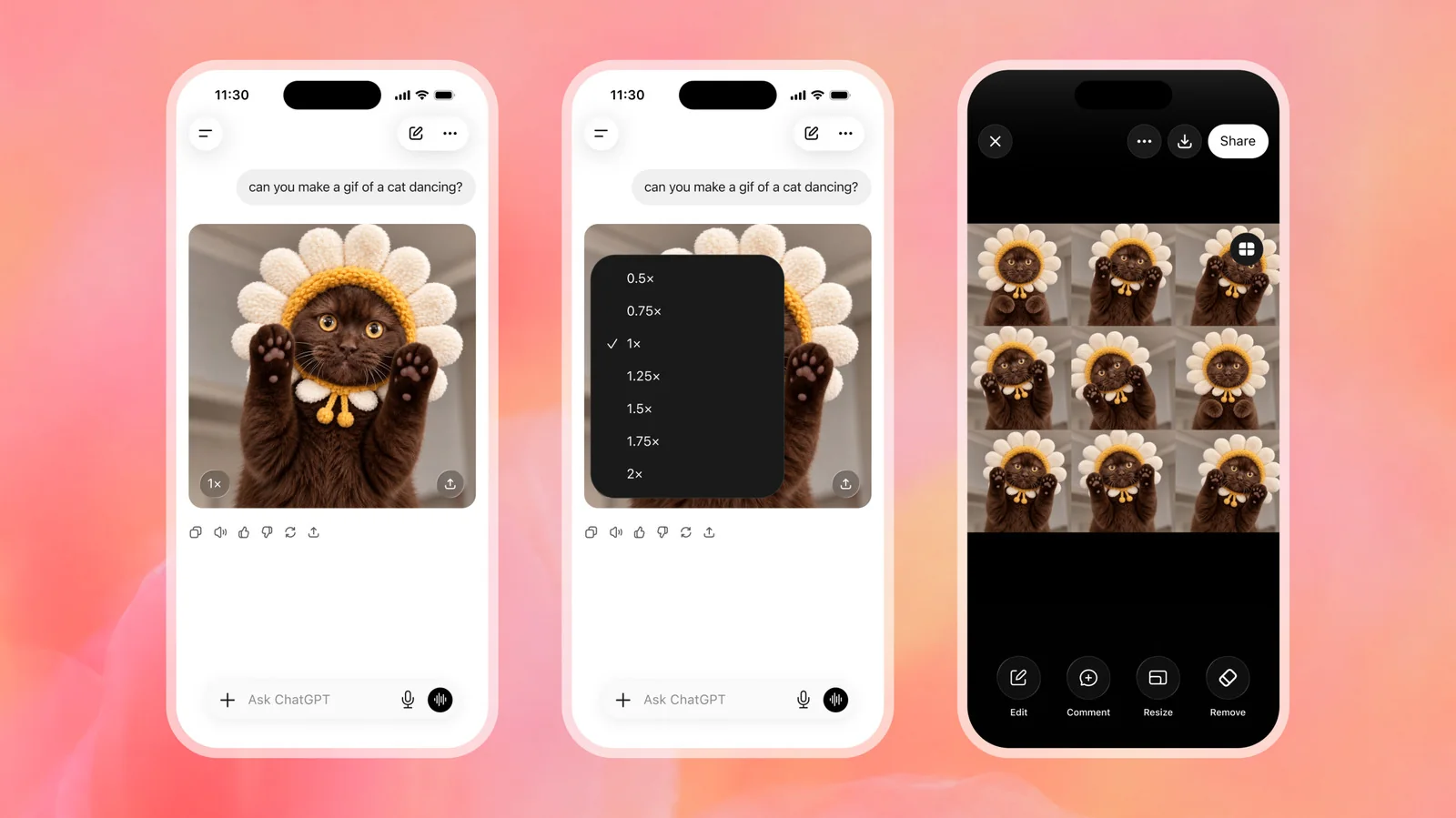
Once you have your GIF, there are multiple ways to tweak it. You can change the playback speed by clicking a button like "1x" in the bottom left of the image. You can also tap the image and select Edit to prompt ChatGPT for changes, or view individual frames using the Sheet option.
When you are satisfied with your GIF, you can download or share it using the built-in interface buttons.
Additional Features
GIF generation is not the only update included in Images 2.6. You can upload a photo or a minimal sketch to serve as a basis for creating a GIF. You can also save and tag it as a reference image for future use with people, pets, and characters.
Via the API, developers also have the option to choose between different performance modes depending on how fast, detailed, and consistent they need their image generation to be.
Images 2.6 is available to users through ChatGPT and Codex. Account tiers determine how many images you are able to generate.
If you feel like standard reaction clips have been overdone, you now have a functional option for creating customized visual content.