Jeffrey Hazelwood/CNET
Pros & Cons
Extremely portable
Rechargeable battery
Great option for folks with smaller hands
Can get uncomfortable after extended gaming
No additional accessories at this time
Look elsewhere if you have large hands
Overview and First Impressions
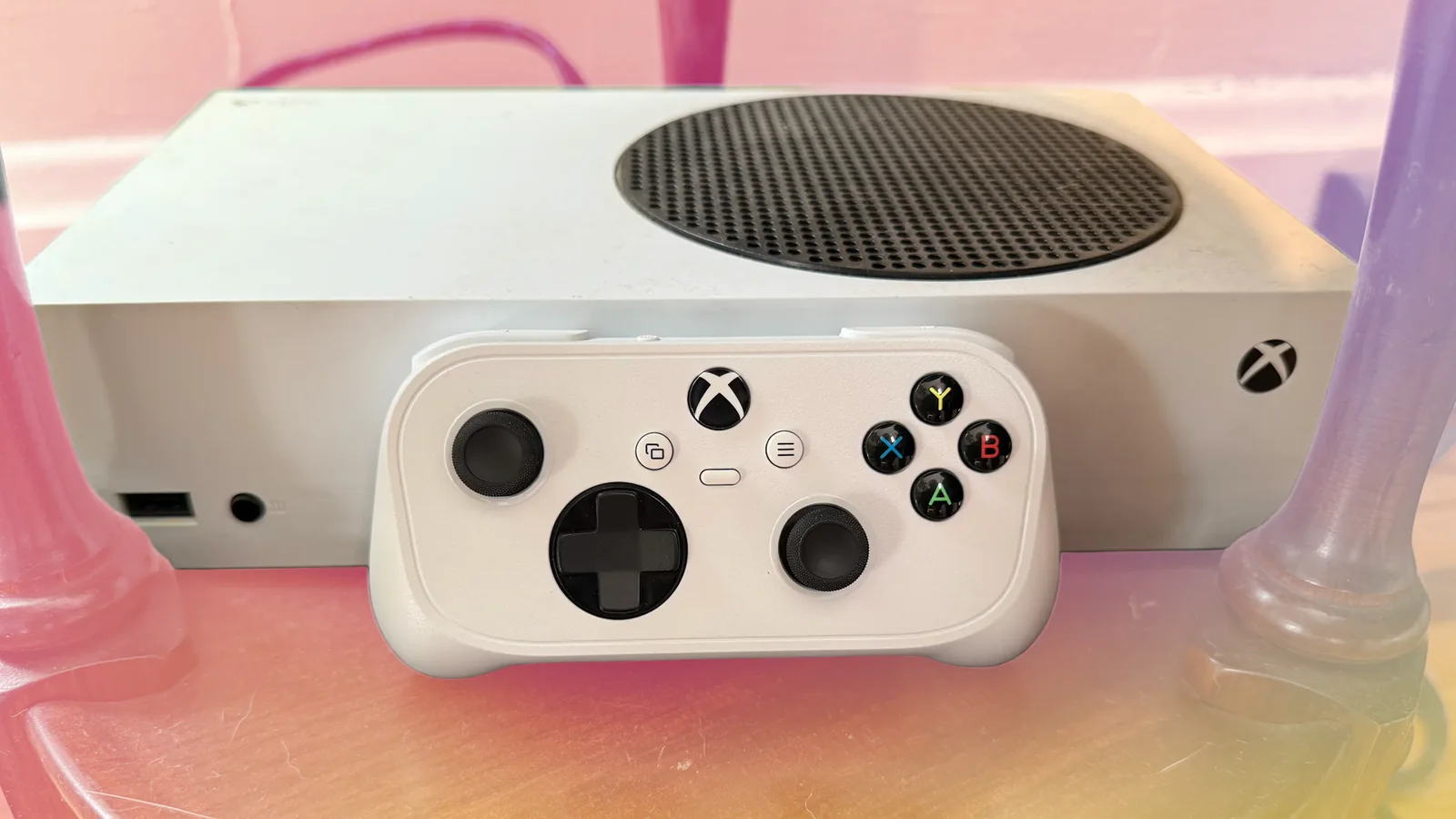
As soon as Microsoft announced its $50 Xbox Nano Controller, the adorable little device won my heart with its cute design. However, after gaming with the small controller, I don’t plan to use it as my main gamepad anytime soon.
Over roughly 30 years of gaming, I’ve used all sorts of controllers, including some Mad Catz N64 gamepads that still haunt me. While I prefer first-party controllers because of those early experiences, I’ve also used some small third-party wireless controllers from GameSir and 8Bitdo for gaming on the go, since there aren’t many small first-party options.
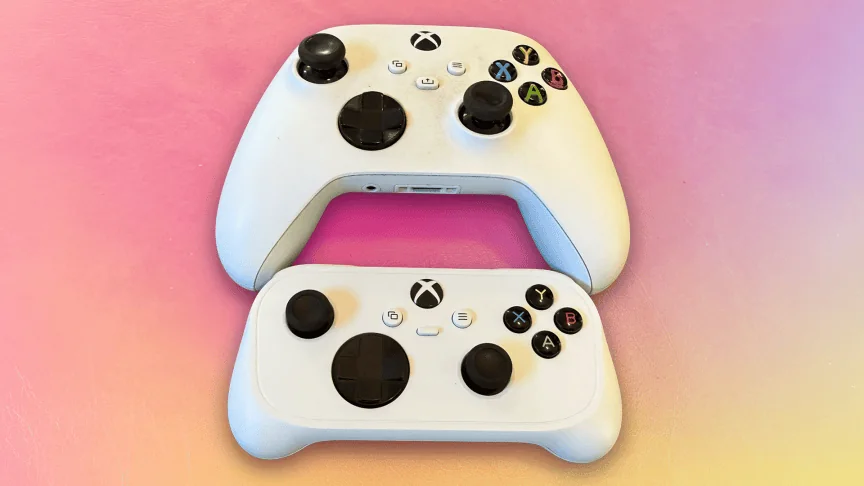
The Xbox Nano Controller is the smallest Xbox controller yet, which is both a gift and a curse. It’s just as portable as some of its third-party competition, and I rarely noticed it when I carried it in a pants pocket or backpack. But its small size made it uncomfortable for me to play with after a while. For reference, my hands measure about 7 inches long. According to Healthline, the average adult male’s hand length is about 7.6 inches, so I have slightly smaller-than-average hands.
Still, the Xbox Nano Controller is a good option for gaming on a commute or during your lunch break, and it won’t take up too much space when packing it for a trip. The Nano is the perfect size to give to your kid or younger cousin so they can join in on the fun, and it’s a good backup controller. Plus, its rechargeable battery gives it an edge over the standard Xbox controller.
Box Contents and Connectivity
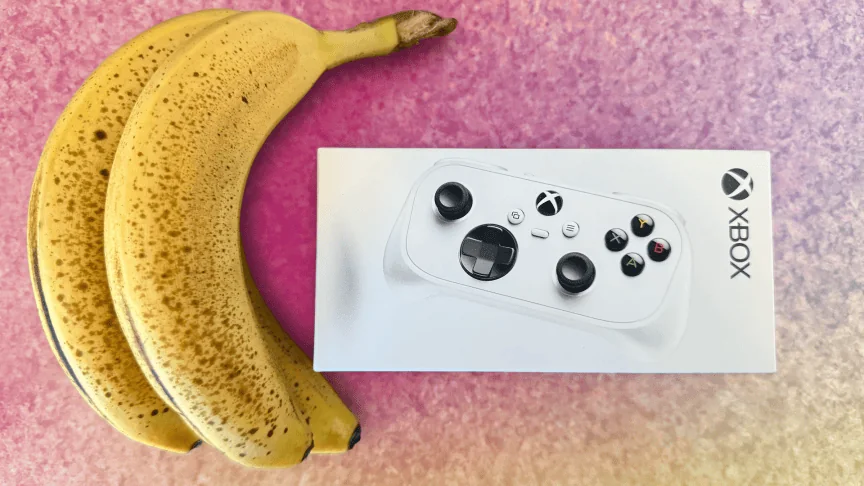
The Nano’s box just barely covers the size of the controller, and when it arrived, I dug around in the larger package to make sure I wasn’t missing anything. The box only contains the controller and the user guide, which was a little disappointing – there’s not even a charging cable included. You’ll get a charging cable with the Xbox Elite Wireless Controller Series 2 as well as most wireless gamepads from third parties. So it’s unusual that the Nano doesn’t include a cable.
You can charge the Nano via USB-C, a welcome change from the standard Xbox controller, which still requires batteries if you don’t have a battery pack. However, I was hoping a cable would be included to ensure the gamepad charges properly. I’ve bought devices before that charge via USB-C, and not all cables worked. That extra reassurance would have been nice. Luckily, the handful of other cables I tried have charged the controller without a problem.
Microsoft offers a USB-C cable sold separately as part of an Xbox battery pack, or you can buy a third-party USB-C cable if – unlike me – you don’t have a spaghetti mess of cables lying around.
Connecting the Nano is just as easy as any other Xbox controller
I didn’t run into any issues pairing the Nano with my Xbox Series S, MacBook Pro or iPhone. The only problem I encountered was that I had to go through the Nano controller pairing process each time I tried to swap from gaming on my phone to my console or vice versa.
Having to re-pair when switching platforms isn’t unusual in my experience, and I’ve had to do this with other controllers. It’s still annoying, though, especially when my laptop said the controller was paired, yet no matter how many buttons I pressed, nothing changed until I re-paired the gamepad. So like most other gamepads on the market, don’t expect to use this controller seamlessly across multiple platforms.
Portability and Travel Performance
The Nano’s small stature makes it a great travel companion for gaming on the go, enhancing the mobile play experience. It doesn’t add much weight to your luggage, and its size makes it easy to grab before heading out the door. But carrying the gamepad in a pocket comes with its own set of challenges.
In my testing, I found it easy to slide this gamepad into a jacket, backpack or a pants pocket. It’s small enough to fit in almost every pocket I could think of, including the little side pockets on my carpenter’s pants. I also packed it into my gym bag so I could get a gaming session in while on the stairmaster. I usually play Balatro on the stairmaster via touch controls, but the Nano let me play other games, like Halo: Campaign Evolved, which made my workout fly by.
I prefer the Nano compared to touch controls for most games. Certain games on Xbox Game Pass are optimized for touch controls, like Dead Space and Gears 5, but not many, so having a controller opens up the possibility of what you can play on the go.
I’ve also never liked touch controls because the weird control map overlaid on your screen is distracting, and I’m never sure if I hit the right button or not without looking. A physical controller offers a more tactile experience that lets me focus on the game, and my muscle memory handles the on-screen actions. Balatro is the only game I’ve played where I prefer touch over physical controls.
Despite its portability, the Nano’s joysticks can snag on a pocket depending on how you wear your clothes. I wear baggy, loose pants, so I could usually slide the controller in and out of almost every pocket without issue. I imagine if you wear tighter pants, the joysticks would catch more often. Microsoft didn’t say whether there were any accessories, like a carry case, in the works for the Nano, but I think a case would be a great addition to keep the controller from snagging on clothes or other surfaces. If you don’t already have one, you can grab a third-party travel bag for gaming.
The Nano controller is lightweight without feeling flimsy, which impressed me given its size. I intentionally dropped the controller a couple of times from about 3 feet off the ground onto a carpeted surface to simulate the height at which someone might put the controller into their pocket. After those drops, the controller didn’t break, the joysticks still worked well, and the buttons still gave satisfying clicks and never felt mushy.
However, the controller doesn’t have haptics or a rumble feature, both of which provide tactile gaming feedback, like vibrations or pulsing. I didn’t mind the omission because I find some haptics distracting, but if you like touch feedback, you’ll miss it with the Nano.
The Nano has a programmable Action button near the center of the controller, which isn’t offered in the standard Xbox controller. You can program this button to perform actions like taking screenshots or screen recordings. But you have to program the Action button through the PC-only Xbox Accessories app. Since I don’t have a PC, I couldn’t test this out.
Portability is the Nano’s middle name, and I plan on taking this controller on many vacations and other trips in the future. Its portability also makes it a great companion for Xbox Game Pass and cloud gaming when on the move. That portability does come at a cost, and some folks may not find this controller the most comfortable.
Ergonomics and Long-Term Comfort
While the controller buttons mostly resemble those on a standard-size Xbox controller, it’s not nearly as comfortable to game on as that controller. That mostly has to do with the shoulder buttons, which might be too small and make gaming feel cramped for some folks. I was hoping the Nano would be a little more comfortable after long gaming sessions. I wouldn’t recommend this controller if you have larger hands or are looking to replace your main gaming controller.
The shoulder triggers, for example, are thin, paddle-shaped and slightly concave at their widest point. The Nano’s triggers are smaller than the standard Xbox controller’s shoulder bumpers, just with those small indentations – I’d prefer them to be a little more substantial, with more of a curve that I can rest my fingers into. If you have smaller hands, this may not be an issue for you.
Going from the triggers to the shoulder bumpers can be a real pain in a long gaming session. After playing a few rounds in Gears of War: E-Day, my index fingers started to cramp from alternating between these buttons. I would regularly adjust my grip to hit the bumpers, which was annoying and got uncomfortable after more than an hour.
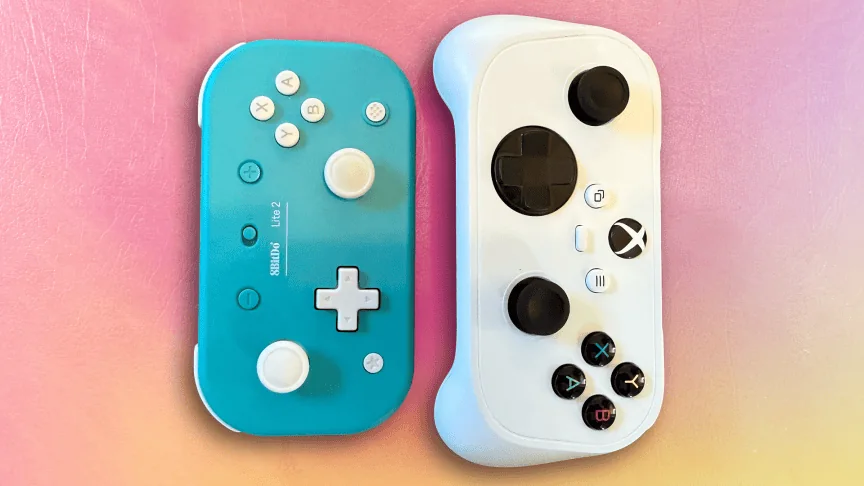
The controller has small bump-outs in the back for grip, but I don’t find them nearly large enough to provide decent grip. These bump-outs make the Nano more comfortable than other mobile controllers, like the 8BitDo Lite 2. The 8BitDo is flat as a pancake, and the Nano at least has a little booty. I think a comfort-grip accessory could reduce cramping and alleviate the issues I had with the shoulder buttons.
Final Verdict
I love tiny controllers, and I was hoping to make this my main controller moving forward. After testing it, though, I’m relegating it to my backup or travel controller. I’m also hoping Microsoft makes some first-party accessories for the Nano, like a case or grip. If it doesn’t, I’m sure someone else will – perhaps third-party options from companies like 8BitDo, or even 3D-printed grips and cases.
I recommend the Nano for someone who likes to game on the go, travels frequently or has smaller hands. It’s not as diminutive as other similarly sized controllers, and that extra size makes the Nano more comfortable than those other mobile controllers — but when I’m home, I’ll stick with my full-size gamepads, thanks.