Introduction to Apple HomeView
Apple’s long-rumored smart display, the Apple HomeView, has arrived. The HomeView puts a small, vibrant screen atop a speaker base for taking video calls, beautifully displaying photos, and providing information at a glance with Apple’s Siri AI voice assistant. The device’s square shape makes it feel less imposing than larger smart displays like Google’s Nest Hub Max or Amazon’s Echo Show 11.
Apple launches HomeView, its first smart display for the home
As Apple debuts Siri AI in the home, it’s focusing on a multipurpose screen rather than innovative new smart home features.
The HomeView is a smart speaker with a touchscreen display. It’s available in silver, starlight, rose pink, and space gray.
Pricing and Availability
The HomeView is the centerpiece of Apple’s new push into the home. It costs $299 and launches alongside a new collection of cameras, thermostats, and a door lock designed for Apple Home. As a smart home hub, Matter controller, and Thread Border Router, the HomeView can orchestrate these and other Apple Home and Matter smart home devices. It’s available in eight countries at launch: the US, UK, Canada, Australia, New Zealand, Singapore, South Africa, and India. Preorders are open now, with devices shipping November 13th.
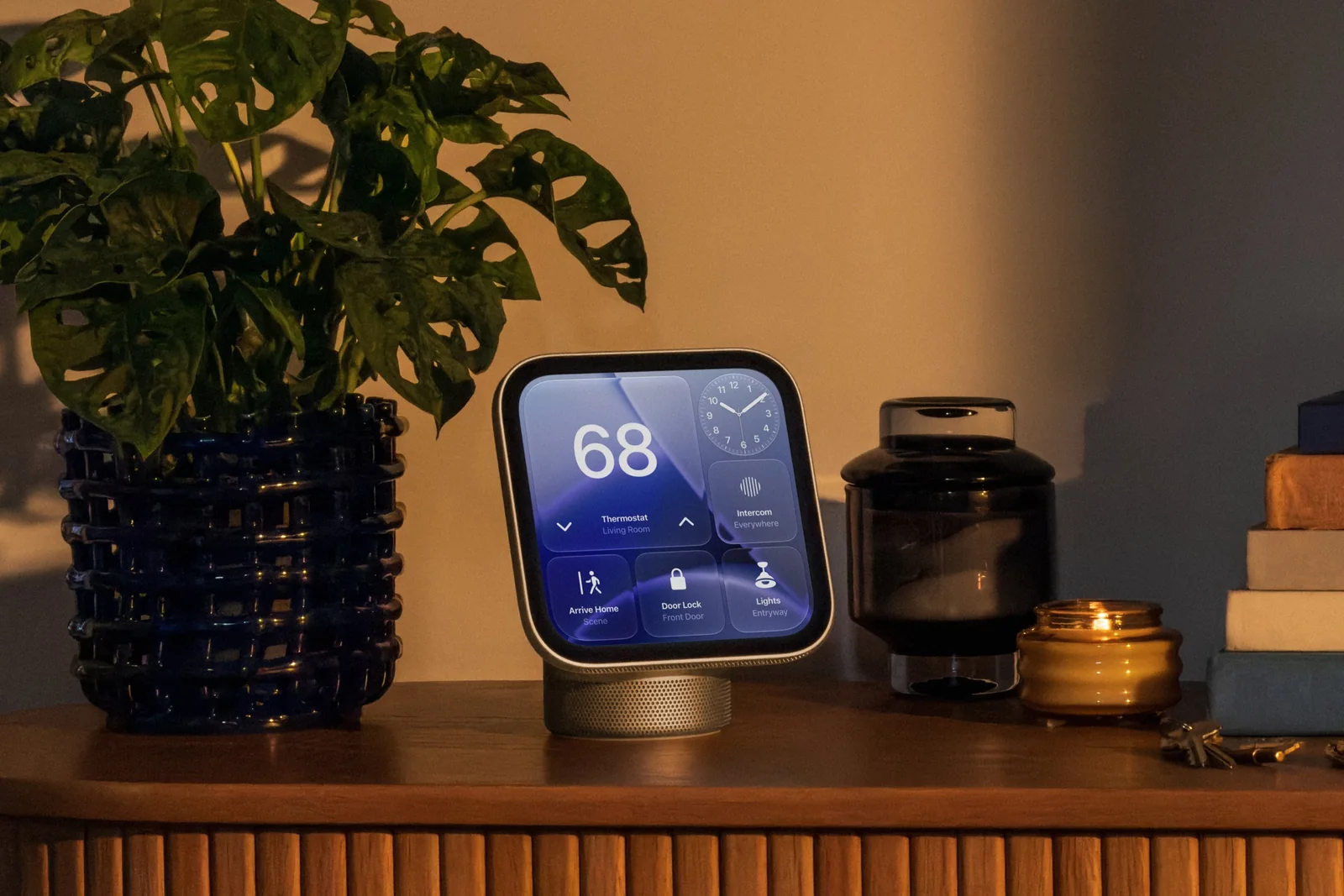
The HomeView can sit on a table or counter and display customizable widgets.
Siri AI and Personal Context
The new smart display has Siri AI built in, enabling natural-language voice interactions to ask general knowledge questions, control smart home devices via voice and touch, and get information using personal context from your text messages, calendar, and emails. Personal context requires facial recognition and for your Apple Intelligence-capable iPhone to be on the same network.
The HomeView can display neatly formatted recipes for following along as you cook, keep you in the picture on FaceTime video calls with Center Stage, and show live feeds and footage from HomeKit Secure Video cameras.
Design and Hardware
The HomeView’s 7-inch square screen sits atop a surprisingly small aluminum speaker base, attached by an adjustable stainless steel arm. It has no physical volume or power buttons, and no cover for the 12-megapixel FaceTime camera, which Apple says is used only for video calls and facial recognition.
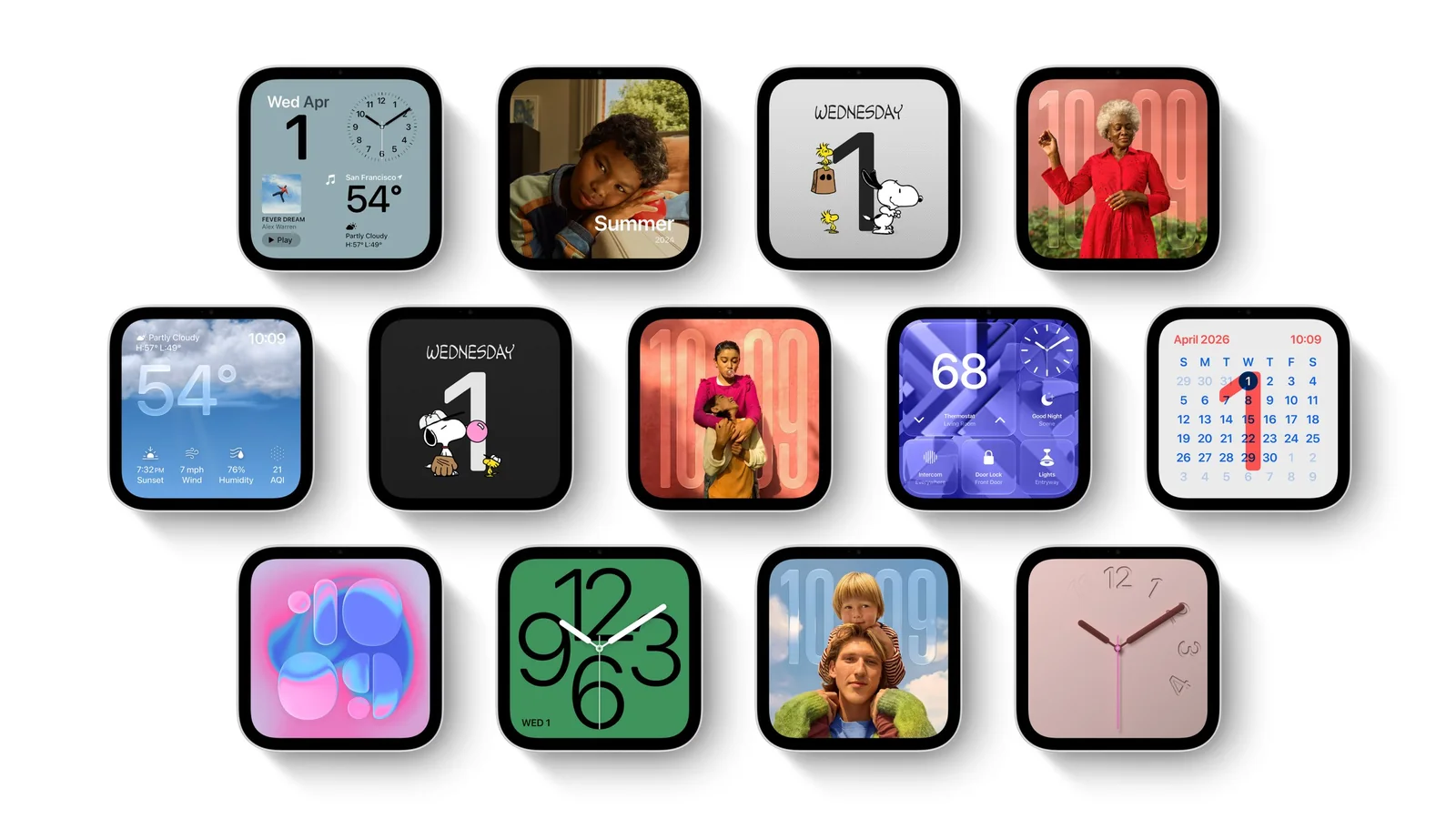
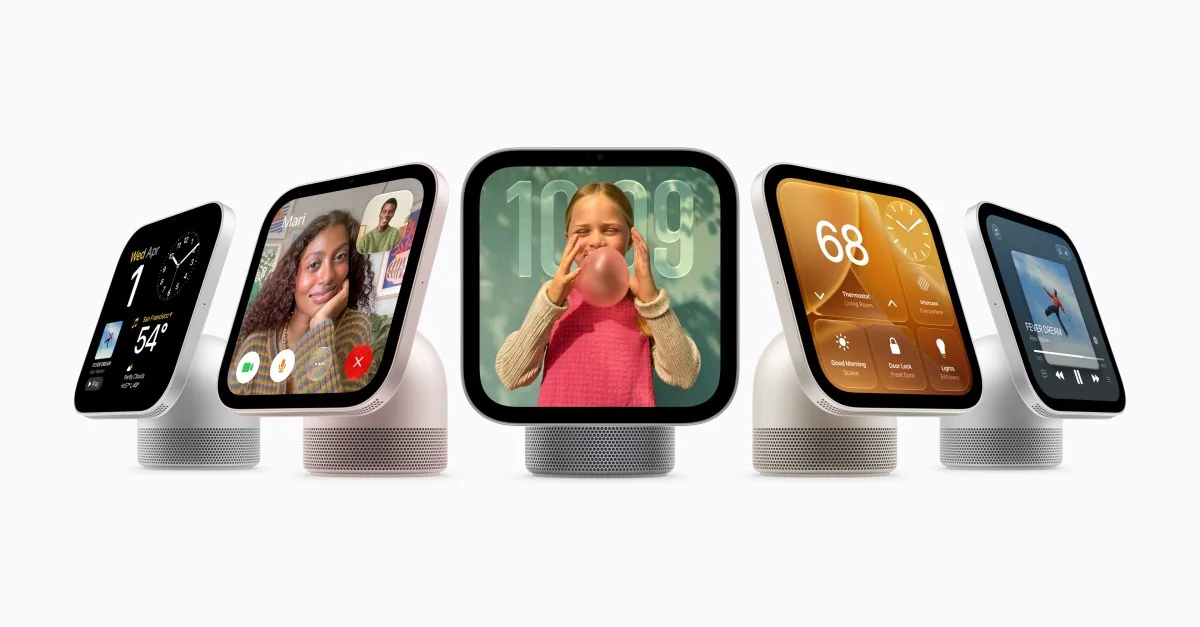
The many faces of HomeView.
The screen offers a variety of customizable faces that feel more like a big Apple Watch than a small iPad. When idle, the HomeView can display photo faces, clock faces, and Snoopy faces, or you can use a modular face to show widgets from your most-used apps, such as your to-do list, world clock, and podcasts. A home widget face offers controls for lights, climate, cameras, and other devices.
Swiping up from the bottom of the screen pulls up an app grid with Apple’s core apps, like Messages and Apple Music, all available.
Apple pictures the HomeView stepping in to help with common household tasks, from pulling up a breakfast recipe to checking the calendar, receiving a FaceTime call, or finding lost keys.
1/5
HomeView comes in four subtle colors.
The device features tight privacy controls, shutting off user content when it does not detect the authorized user's face.
Apple’s vision for the HomeView allows users to handle major home tasks without having to pull out a phone.
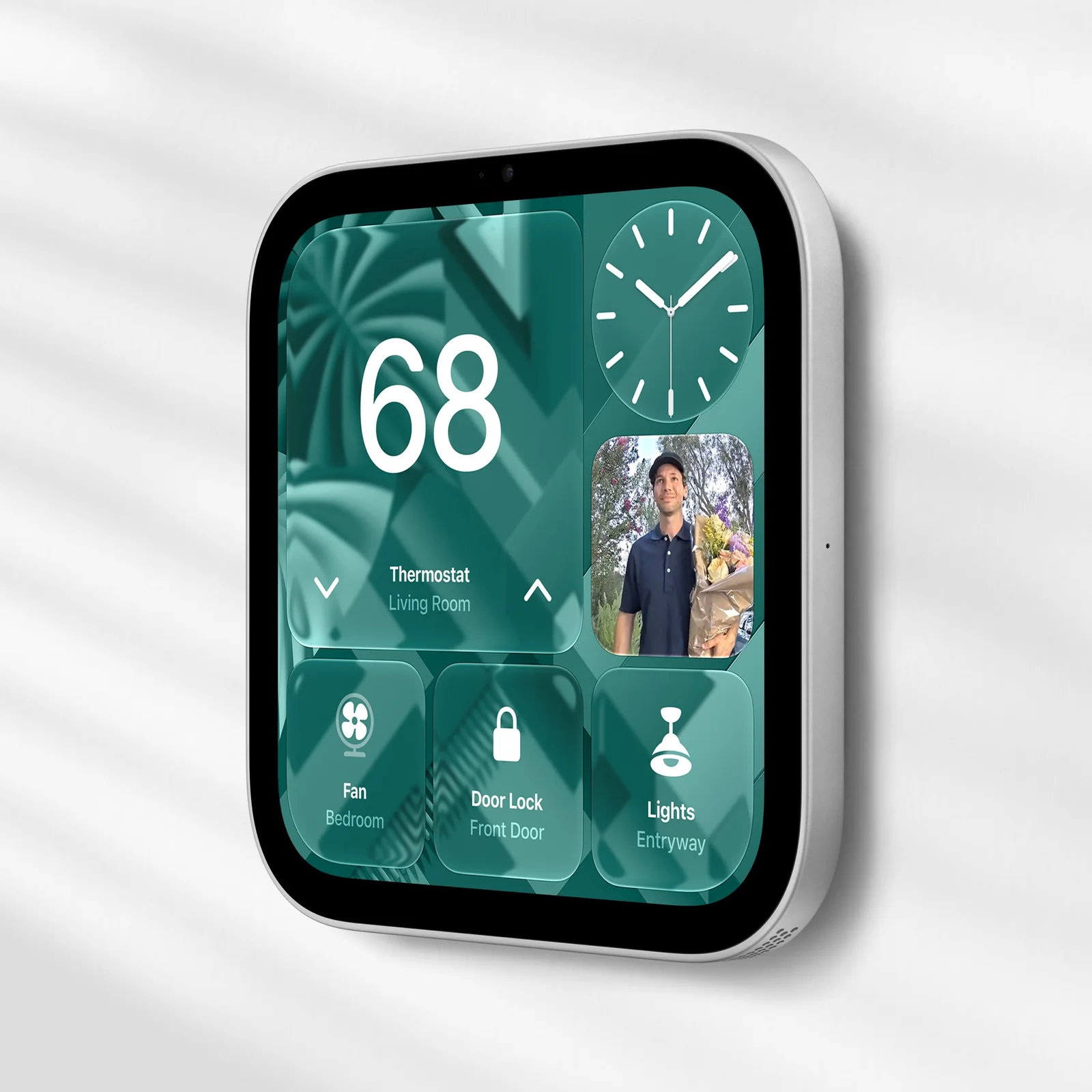
The HomeView can be wall-mounted, with the option of POE.
The HomeView comes in four colors: silver, starlight, rose pink, and space gray. It features two speaker drivers in the display, plus a woofer and two force-canceling passive radiators in the base for bass. Audio performance hits a few notches above the HomePod Mini.
There’s a wall-mountable version without the speaker base that also costs $299 and comes with three mounting options: plug-in, in-wall power, and in-wall PoE.
The screen features a Liquid Retina display with True Tone support and ambient light adjustment, capable of going up to 500 nits and down to 0.3 nits.
The smart home face fits up to six widgets for controlling different devices.
The HomeView can set multiple named timers.
While the HomeView functions as an Apple Home Hub, enabling local control of supported devices and support for HomeKit Secure Video, the device acts broadly as a centralized home interface.
The HomeView supports a number of Apple’s own apps, including Calendar, Reminders, Messages, and Music, alongside third-party audio and video apps supporting the CarPlay architecture.
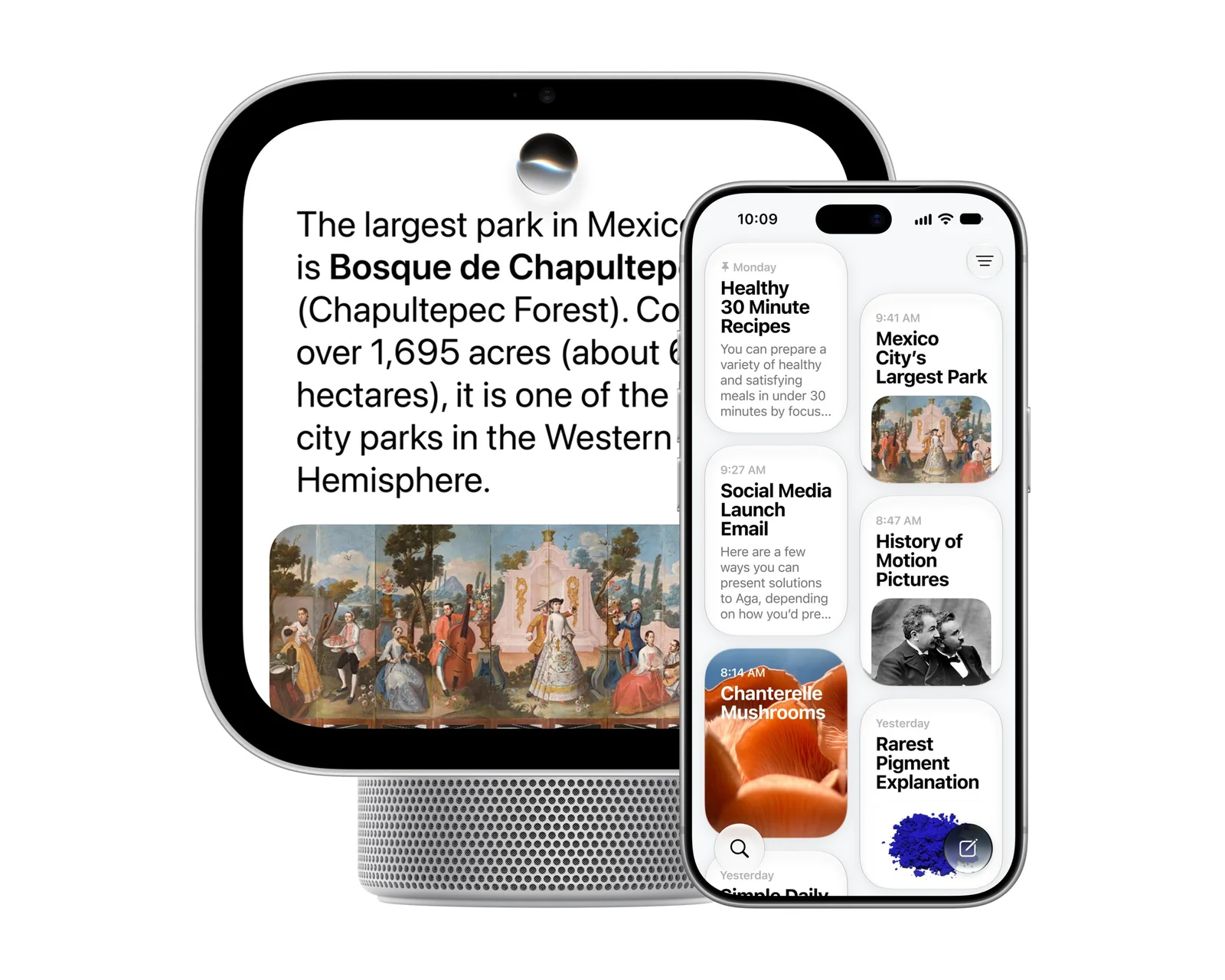
Conversations started with Siri AI on the HomeView can be picked up in the Siri AI app on the iPhone, and vice versa.
Siri AI on HomeView offers broad world knowledge, personal context, and natural language understanding, supporting chained requests across various apps.
Both the tabletop and wall-mounted devices have the same core features, though placement will dictate usage scenarios.
The HomeView interface allows touch control of smart locks, thermostats, and lights, while displaying live feeds from doorbell cameras and HomeKit Secure Video devices.
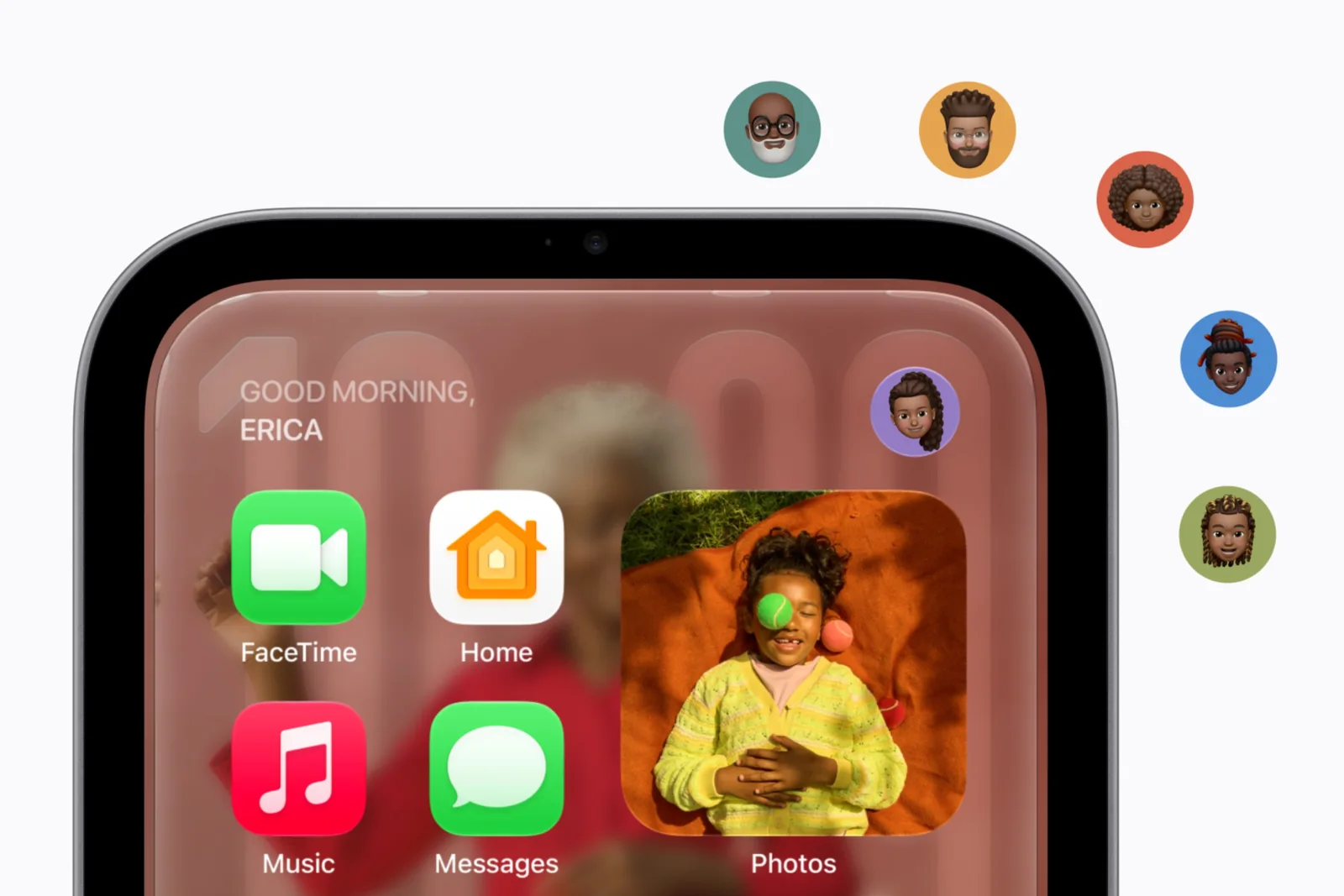
HomeView supports up to six profiles and uses facial recognition to switch between them so users only view personal information.
Software Profiles and Privacy
The HomeView’s key software feature is intelligent switching that moves from a household device to a personal device via facial recognition and the presence of an unlocked iPhone on the home Wi-Fi network.
Apple allows the device to support up to six profiles, requiring each user to have an iPhone or iPad updated to the latest OS. Microphone and camera data used for profile recognition are processed locally on a Secure Exclave running on the device’s A18 chip.
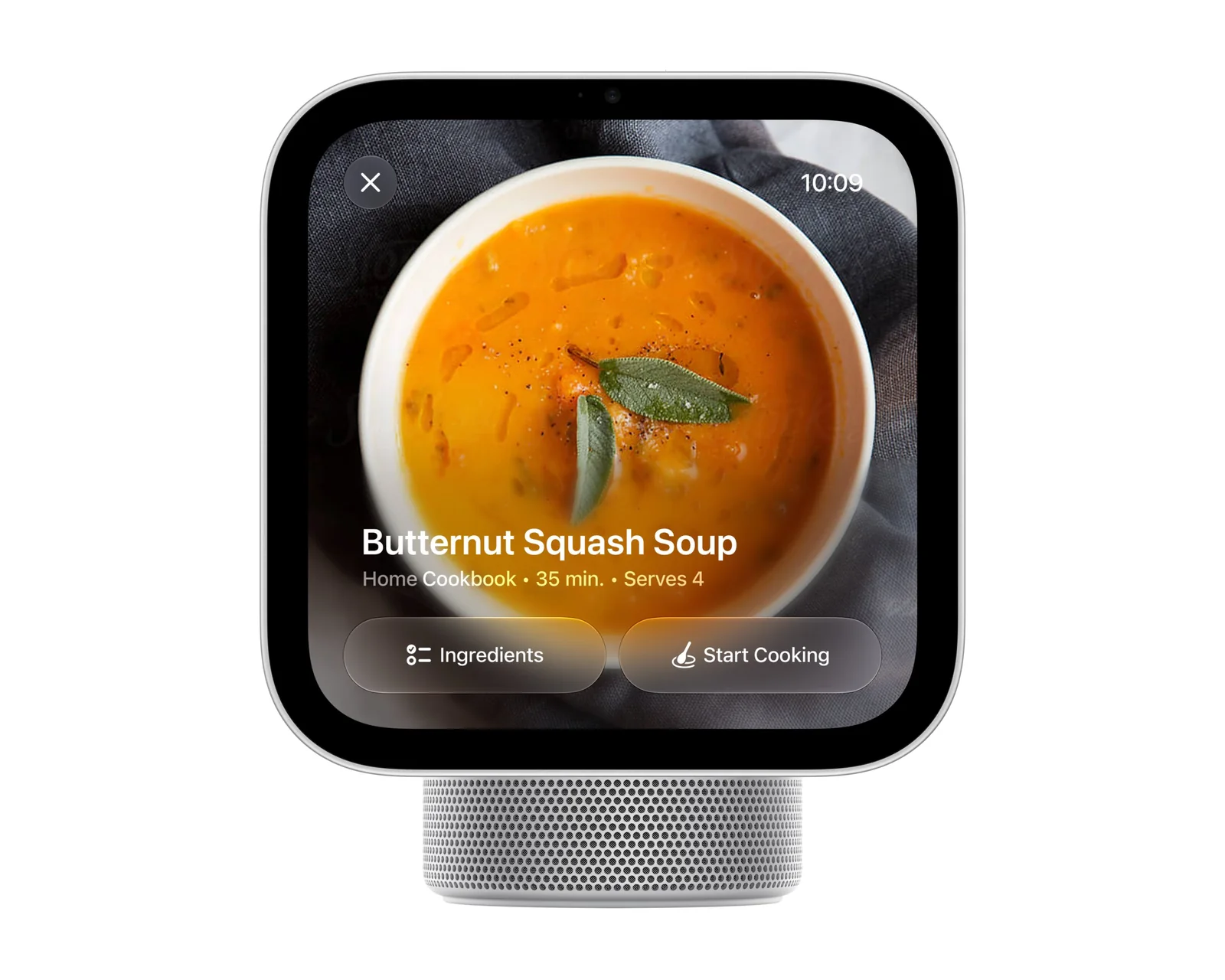
Recipes can be handed off from Safari on an iPhone directly to the HomeView.
User experience relies heavily on seamless profile switching, as security accessories require authenticated users.
Success for the HomeView will depend on user adoption of a communal device for personal interactions, backed by deep iPhone integration.
With its intuitive design and robust ecosystem integration, the HomeView positions itself as a notable competitor in the smart display market.