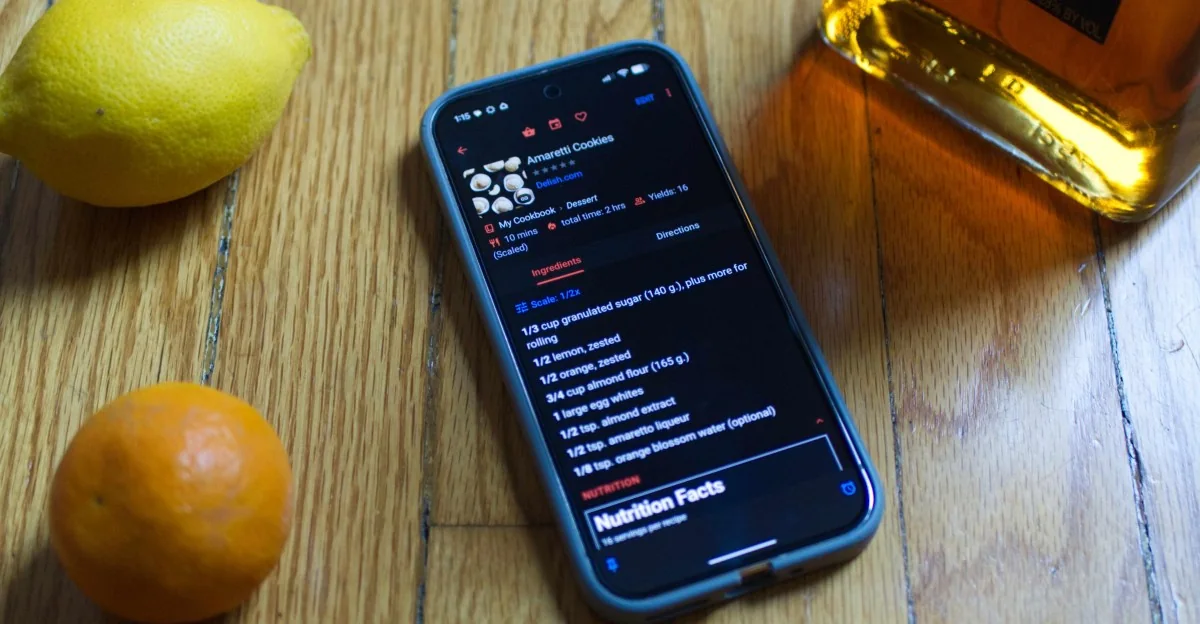
Overview and Upgrades
Nearly 10 years after the launch of version 3, the popular recipe-managing, pantry-organizing, and grocery list-making application has received a comprehensive upgrade. The new software introduces expanded functionality across nearly every aspect of the user experience, rolling out across Android, iOS, Windows, and macOS.
Pricing and Subscription Tiers
Unlike previous versions that relied on a one-time purchase per platform, accessing the full suite of new features in Paprika 4 requires an annual subscription fee of $14.99. New users who prefer not to pay can utilize a free, feature-limited version capped at 50 saved recipes. Meanwhile, users who purchased previous versions are automatically migrated to a standard free tier that includes cloud syncing, unlimited recipes, and cross-platform access.
Paywalled Features
The features restricted to the subscription tier include the ability to import recipes directly from social media and physical cookbooks, scan product barcodes for pantry organization, and connect with other cooks to share notes. For most users, these additions successfully justify the recurring cost.
Social Media and Cookbook Integration
A standout addition for modern cooking workflows is the ability to extract recipe information from screenshots of text captured from social media videos. The application parses the relevant details to automatically populate recipe fields.
As an alternative to processing screenshots, users can send social media posts directly from supported platforms via the share sheet, allowing the app to scrape captions within seconds. While it does not extract video audio data, it retains the source link for easy reference.
The app occasionally struggles when social media posts hide recipes behind promotional call-to-actions with minimal text, but standard recipe posts process smoothly.
Additionally, the phone camera can be used to scan and accurately convert physical cookbook pages into digital recipes. While standard versions rely on copy-pasting website URLs, the camera and social import tools provide a noticeable step up in convenience.
Pantry and Nutritional Tools
The updated application introduces digital cookbook compilation and family sharing features, allowing sub-accounts to be linked at no extra cost.
An automated nutritional estimation feature calculates approximate dietary data for recipes. While not a substitute for clinical accuracy, it provides a helpful general overview for those tracking fitness goals.
The upgraded pantry tool allows users to specify multiple storage locations, such as refrigerators, freezers, and cupboards. Furthermore, the barcode scanning feature quickly logs items into the inventory by recognizing common product brands and naming them clearly.
Available across all versions, Cook Mode offers hands-free navigation by reading steps aloud and listening for voice commands to set timers, repeat instructions, or scale ingredient portions.
Subscribers also gain extensive Alexa integration, enabling voice-controlled management of grocery lists, pantries, and meal plans using Echo speakers and smart displays. iOS users benefit from native widgets and system shortcuts that function without a subscription.
For individuals dedicated to kitchen organization, meal planning, and recipe cataloging, the paywalled features provide enough weekly utility to justify the cost. Newcomers can safely begin with the free tier to test core functionalities.
The subscription model represents a notable pricing shift for long-time users, but the breadth of utility ensures the application remains an essential tool for digital recipe management.