Xbox Cloud Gaming Updates
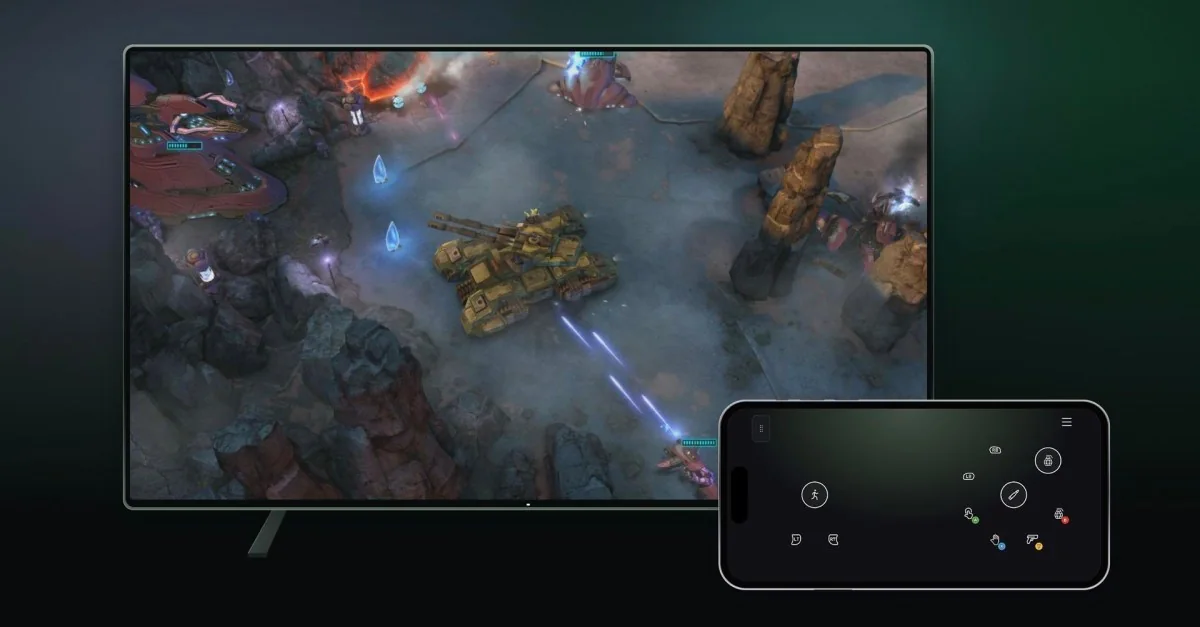
Microsoft is officially introducing two new Xbox preview experiences focused on cloud gaming controls. Players can now test using a phone as a controller on smart TVs, alongside a new cloud connect feature that links the Xbox Nano directly to cloud servers.
Reducing Input Latency With Direct Wi-Fi
Xbox Cloud Gaming is expanding its ecosystem with a smartphone controller mode and direct Wi-Fi connectivity built for the Xbox Nano hardware.
Instead of relying on a standard Bluetooth connection to a television, the cloud connect feature utilizes home Wi-Fi to establish a direct link to the cloud server running the title. This method aims to minimize input latency and deliver more responsive gameplay.
Availability and Setup
US users can begin previewing the cloud connect option for the Xbox Nano controller. Meanwhile, international users gain access to the smart TV phone controller feature. This allows users to access the streaming platform via the Xbox Cloud Gaming website without requiring a separate physical Bluetooth controller.
Microsoft notes that both features remain in a testing phase, meaning availability, supported titles, and compatible hardware may be restricted during beta evaluation. Setting up cloud connect on the Nano requires either the Xbox beta application for Android or the Xbox Accessories app on PC, while the smart TV phone controller can be enabled via preview settings within the Xbox Cloud Gaming account menu.