Introduction to Audio Intelligence
Apple rolled out a set of Audio Intelligence features into testing with the first developer beta versions of iOS 27.3 and watchOS 27.3. The betas bring four new AI features that allow Apple Watch Series 12 wearers to detect important sounds, identify songs, catch up on conversations, and take notes.
After a day with Apple’s Siri Recaps feature on the Apple Watch, the value may ultimately outweigh any creepiness factor that comes from the AI-powered audio recording and summarization. However, there are clear areas where AI-assisted note-taking goes too far, capturing things that are not worth remembering and leaving room for improvement.
Sound and song detection do not present potential privacy concerns; they are designed to detect important sounds like alarms or Doorbells or identify songs using Shazam’s technology. The former helps users navigate the world, while the latter builds on established phone capabilities.
Live Rewind and Siri Recaps
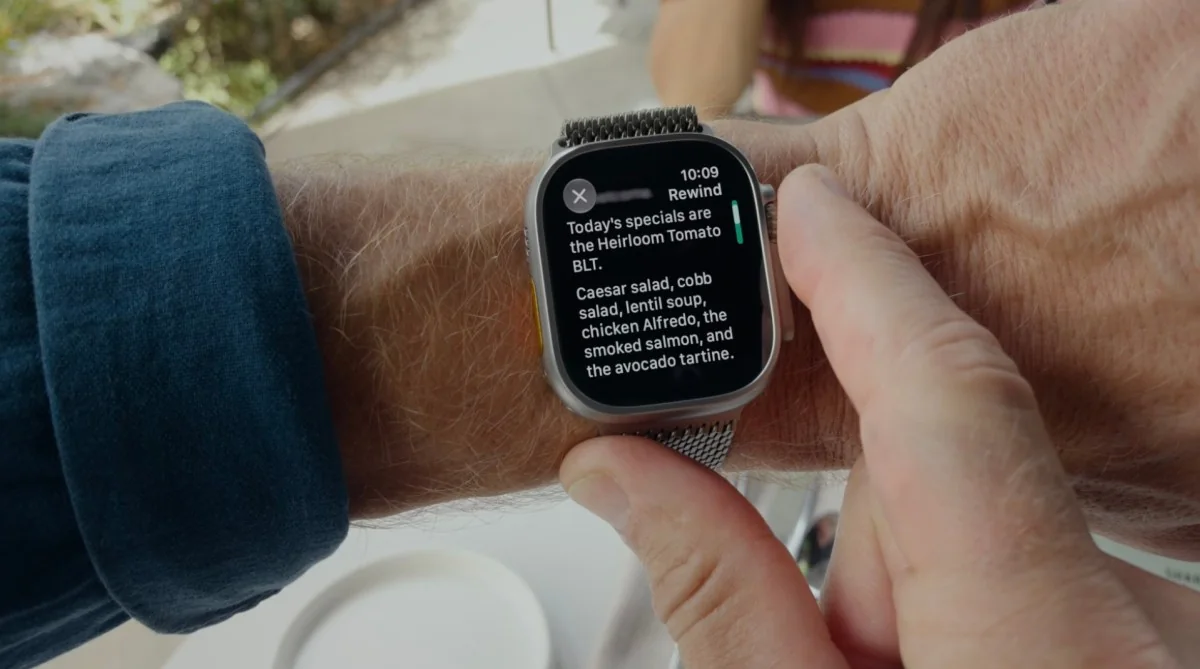
Live Rewind and Siri Recaps have raised more significant questions. These features record and then transcribe or summarize conversations happening with and around the Apple Watch’s owner. Live Rewind lets users check what was said in the past 15 seconds, while Siri Recaps summarize audio throughout the day, saving notes of important spoken details.
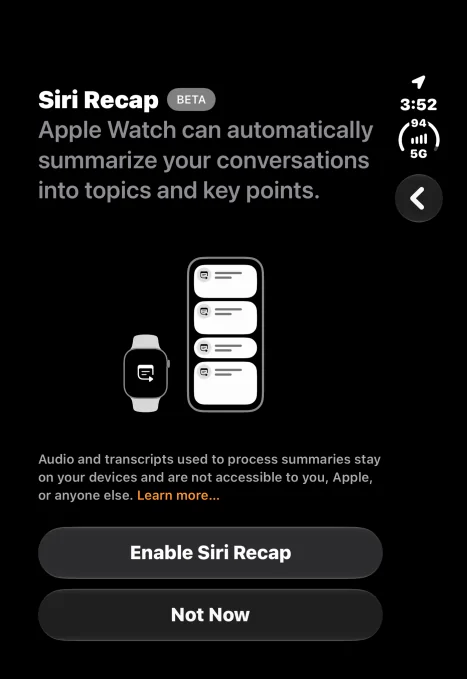
Image Credits:iPhone screenshot by TechCrunch
Apple processes the audio and runs AI models on-device when possible, avoiding speaker identification, raw audio file storage, and retaining safeguards by redacting private information such as government ID numbers or personal account details.
Despite safeguards, some remain uneasy about normalizing the concept of technology constantly listening to everyday environments.
The dual reaction is common: while pervasive technology in daily life draws criticism, the practical utility of automated summarization remains evident.
Live Rewind may see less frequent use for some users, who might prefer asking conversational partners to repeat themselves rather than consulting a smartwatch immediately.
Siri Recaps, conversely, demonstrate immediate potential as a dependable utility for capturing important notes.
Real-World Testing
Real-world testing during errand scenarios—such as car repairs and rental vehicle pickups—reveals the strength of the system. When employees deliver complex information regarding time frames, prices, and policies too rapidly to write down manually, Siri Recaps successfully captures key reference points.
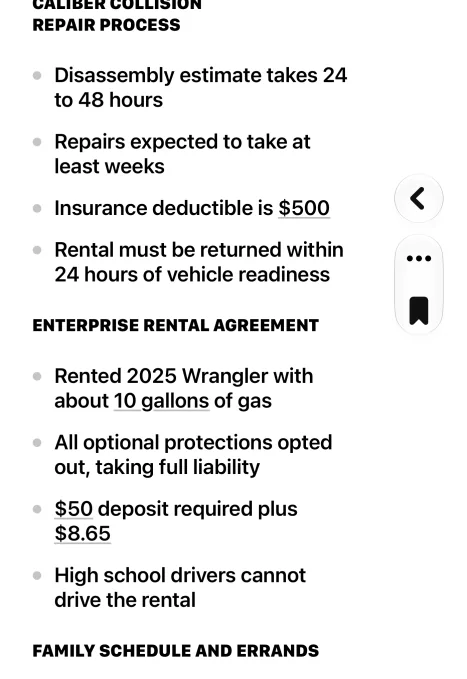
Image Credits:iPhone screenshot by TechCrunch
The summaries successfully record deductibles, repair time frames, rental fuel levels, and other vital data points.
Limitations and Organization
A notable limitation is that Siri Recaps tend to mix transactional information with casual household discussions, such as upcoming family schedule notes or errands.
Separating professional or transactional notes from family schedules into distinct titles or separate headings would improve organization.
Image Credits:iPhone screenshot by TechCrunch
Running Siri Recaps continuously also captures non-essential banter, highlighting the reality of constant ambient listening and presenting potential privacy hurdles in more personal contexts.
Users may find themselves choosing to disable the recap feature during evening family time to prevent dinner table chatter from entering note logs.
While casual conversation snippets have limited utility unless exported to a dedicated personal journal app, extraneous details clutter daily summaries.
Requested Software Improvements
Future updates would benefit from saving extraneous details as separate notes or dedicated sections that can be individually exported or deleted.
Additional efficiency could be achieved by allowing users to swipe left on individual bullet points to remove them directly, avoiding cumbersome text editing modes.
An automated setting to export bookmarked Siri Recaps directly to the Apple Notes app would also streamline the workflow.
Direct folder integration in the Notes app would make it easier for users who rely on Notes as a central hub for reminders and to-do lists, even if varied use cases make it an optional setting.
Despite initial reservations regarding always-listening hardware, automated note-taking demonstrates clear practical value for daily life.